
Textview: Difference between revisions
From GameBrew
More actions
No edit summary |
No edit summary |
||
| (9 intermediate revisions by the same user not shown) | |||
| Line 1: | Line 1: | ||
{{Infobox DS Homebrews | {{Infobox DS Homebrews | ||
|title=Textview | |title=Textview | ||
|image=Textview.png | |||
|description=Standalone text viewer. | |description=Standalone text viewer. | ||
|author=JongHyuk Park (Bliss) | |author=JongHyuk Park (Bliss) | ||
|lastupdated=2008/07/21 | |lastupdated=2008/07/21 | ||
|type= | |type=Utilities | ||
|version=1.2b2 | |version=1.2b2 Standalone | ||
|license=Mixed | |license=Mixed | ||
|download=https://dlhb.gamebrew.org/ | |download=https://dlhb.gamebrew.org/dshomebrew2/textview_1.2b2.zip | ||
|website=http://bliss.hanirc.org | |website=http://bliss.hanirc.org | ||
}} | }} | ||
| Line 66: | Line 67: | ||
* Author's website - http://bliss.hanirc.org | * Author's website - http://bliss.hanirc.org | ||
{{DS editors and readers}} | |||
Latest revision as of 05:48, 14 December 2024
| Textview | |
|---|---|
| Error creating thumbnail: Unable to save thumbnail to destination | |
| General | |
| Author | JongHyuk Park (Bliss) |
| Type | Utilities |
| Version | 1.2b2 Standalone |
| License | Mixed |
| Last Updated | 2008/07/21 |
| Links | |
| Download | |
| Website | |

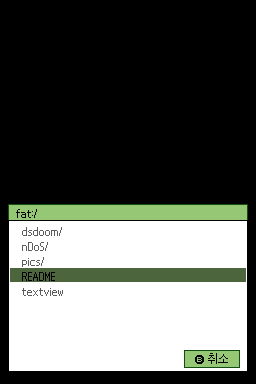
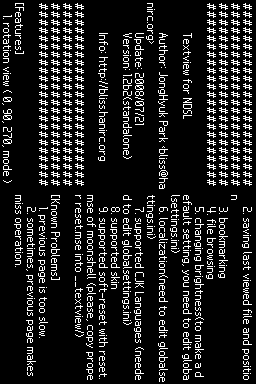
Textview (Korean) is a standalone text viewer for NDS.
Features
- Rotation view (0, 90, 270, mode).
- Saving last viewed file and position.
- Bookmarking.
- File browsing.
- Changing brightness.
- Localization.
- Supported CJK Languages.
- Supported skin.
- Supported soft-reset with reset.mse of moonshell.
User guide
To change brightness, user needs to edit globalsettings.ini to make a default setting.
For CJK Languages suppors and Localization, edit globalsettings.ini.
Copy proper reset.mse into /textview/ for soft-reset supported with reset.mse of MoonShell.
Controls
R - Adjust Brightness (will not be saved)
Start - Setup menu
Select - Browse file
Down/B - Next page
Up/X - Previous page
Right/A - Go to top page
Left/Y - Go to next bookmark, Add/remove bookmark
Note: Parenthesis stands for Buttons in 270″ rotated screen.
Screenshots
Known issues
Previous page is slow.
Sometimes, previous page makes miss operation.
Changelog
Version 1.2b2 2008/07/21
- Supported to changing font in setting menu.
Version 1.2b1 2008/07/17
- Implemented as standalone from akrpg/ak2 plugin.
External links
- Author's website - http://bliss.hanirc.org
| |||||||||||||||||||||||||||||||||||||||