
FunkyBoy PSP: Difference between revisions
From GameBrew
More actions
Created page with "{{Infobox PSP Homebrews |title=FunkyBoy |image=funkyboypsp.png |description=Game Boy emulator (POC). |author=Michel Kremer |lastupdated=2022/01/30 |type=Handheld |format= |version=2022 |license=Mixed |download=https://dlhb.gamebrew.org/psphomebrew/funkyboypsp.7z |website=https://archive.org/details/funky-boy-psp |source=https://github.com/kremi151/FunkyBoy/tree/master/platform-psp }} A Game Boy emulator for PSP. == Installation == The PSP port has no GUI that lets you p..." |
No edit summary |
||
| Line 37: | Line 37: | ||
* GitHub - https://github.com/kremi151/FunkyBoy/ | * GitHub - https://github.com/kremi151/FunkyBoy/ | ||
* PlayStation Portable Library - https://archive.org/details/funky-boy-psp | * PlayStation Portable Library - https://archive.org/details/funky-boy-psp | ||
{{PSP emulators}} | |||
Latest revision as of 05:10, 16 February 2025
| FunkyBoy | |
|---|---|
 | |
| General | |
| Author | Michel Kremer |
| Type | Handheld |
| Version | 2022 |
| License | Mixed |
| Last Updated | 2022/01/30 |
| Links | |
| Download | |
| Website | |
| Source | |
A Game Boy emulator for PSP.
Installation
The PSP port has no GUI that lets you pick ROMs.
It looks for a ROM at ./funkyboy/game.gb.
If a ROM has been found at that location, it gets loaded at the startup of FunkyBoy.
Controls
Circle - A
Cross - B
Start - Start
Screenshots
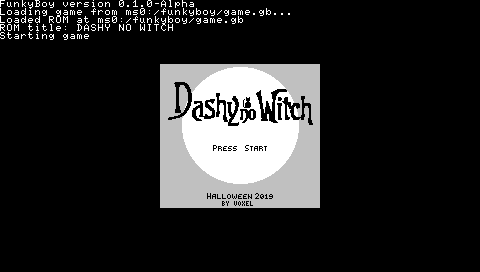
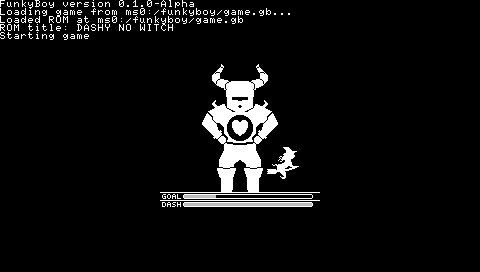
External links
- GitHub - https://github.com/kremi151/FunkyBoy/
- PlayStation Portable Library - https://archive.org/details/funky-boy-psp
| ||||||||||||||||||||||||||||||||||||||||||||||||||||||||||||||||||||||||||||||||||||||||||||||||||||||||||||||||||||||||||||||||||||||||||||||||||||||||||||||||||||