
PSP-UAE: Difference between revisions
From GameBrew
More actions
m Text replacement - "Category:Homebrew computer emulators on PSP" to "" |
No edit summary |
||
| (One intermediate revision by the same user not shown) | |||
| Line 98: | Line 98: | ||
* Author's website - http://www.kaillera.com/pspuae/ | * Author's website - http://www.kaillera.com/pspuae/ | ||
{{PSP emulators}} | |||
Latest revision as of 09:54, 10 December 2024
| PSP-UAE | |
|---|---|
 | |
| General | |
| Author | Christophe Thibault, MIB 42 |
| Type | Computer |
| Version | 0.41 |
| License | Mixed |
| Last Updated | 2005/10/30 |
| Links | |
| Download | |
| Website | |
| Source | |
PSP-UAE is a port of the UAE Amiga emulator to the Sony PSP.
Note: This game sets the PSP CPU speed to 333mhz. Use at your own risk.
Installation
Install EBOOT.PBP to /PSP/GAME/PSPUAE/.
Then, you need to put the Amiga Kickstart 1.3 KICK.ROM file into /PSP/GAME/PSPUAE/ (make sure the filename is KICK.ROM).
Put your Amiga ADF disk files in /PSP/GAME/PSPUAE/DISKS/.
Controls
Config menu:
Select - Back to Amiga
Cross - Select
Circle - Cancel
Amiga:
D-Pad - Joystick emulation
Circle - Joystick fire
Analog - Mouse emulation
L/R - Left/Right mouse button
Select - Config Menu
Fine mouse movement (HiRes) is possible while holding button (assignment customizable).
Screenshots
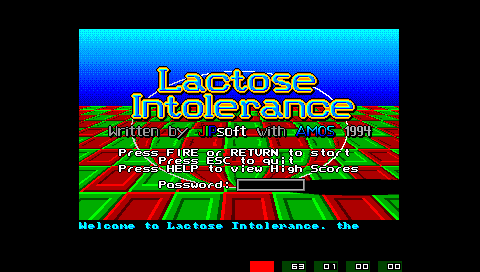
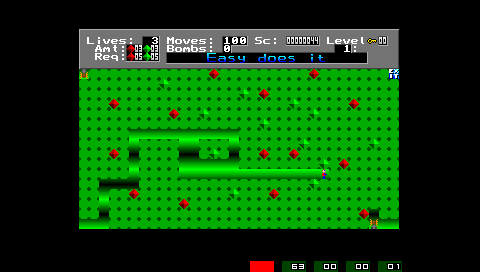
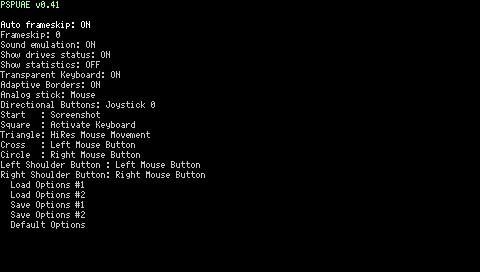
Changelog
v0.41
- Compiled with latest PSPSDK and GCC 3.4.4 (2005-10-30). Getting a few more fps in some areas.
v0.40
- Several minor optimizations on M68K and Amiga/PSP graphics.
- Semi-transparent ( customizable from Config Menu ) full-featured keyboard.
- Fully configurable button and analog stick assignments from Config Menu/Options (finally).
- Includes flexible assignments of key presses, joystick/mouse buttons to PSP buttons.
- Includes flexible assignment of Joy0/Joy1/Mouse to PSP Analog stick/Directional Buttons.
- Auto repeat on menu selections.
- Adaptive Border Padding (change from Config Menu).
- Load / Save / Default configurations (2 slots).
- I use this to load different configs for different games... Joystick/Mouse/keys etc...
- ScreenSave to .bmp file. (Assign key from Config Menu/Options, START button by default).
- Saves to directory where the executable was invoked from (the non-% pspuae directory).
- Fine mouse movement (HiRes) is possible while holding button (assignment customizable).
- From Config Menu, press Select to shortcut back to the Amiga.
- In the Config Menu (activated by Select) : Cross (X) is select, Circle (O) is cancel.
v0.31
- Chip memory set to 2mb so Monkey Island works again.
- File selector improvements.
- Added options menu.
v0.3
- Added menu.
- Added disk selection.
- New icon and background image courtesy of Fred Holgado.
- You can now install PSPUAE in any PSP/GAME folder.
v0.2
- Added (crappy) sound support.
- Added (crappy) auto framerate.
v0.1
- Initial release. Very alpha, no sound, runs at about 85% speed of a real Amiga 500.
Credits
- UAE - Bernd Schmidt.
- PSPUAE - Christophe Thibault, MIB 42.
External links
- Author's website - http://www.kaillera.com/pspuae/
| ||||||||||||||||||||||||||||||||||||||||||||||||||||||||||||||||||||||||||||||||||||||||||||||||||||||||||||||||||||||||||||||||||||||||||||||||||||||||||||||||||||