
Wallpaper: Difference between revisions
From GameBrew
More actions
No edit summary |
|||
| (14 intermediate revisions by the same user not shown) | |||
| Line 1: | Line 1: | ||
{{Infobox | {{Infobox DS Homebrews | ||
| title | |title=WALLPAPER | ||
| image | |image=wallpaper.png | ||
| type | |description=Learn polish. | ||
| version | |author=Tigro | ||
| | |lastupdated=2008/08/24 | ||
| | |type=Other Apps | ||
| website | |version=0.1 | ||
|license=Mixed | |||
|download=https://dlhb.gamebrew.org/dshomebrew2/wallpaper.zip | |||
}} | |website=http://gbatemp.net/threads/wallpaper.102097 | ||
}} | |||
WALLPAPER, stands for What About LLearning Polish lAnguage with Personal nativE speakeR?, is an homebrew application for learning Polish language on the NDS. | WALLPAPER, stands for What About LLearning Polish lAnguage with Personal nativE speakeR?, is an homebrew application for learning Polish language on the NDS. | ||
This is an entry for the | This is an entry for the NDS Homebrew Bounty in 2008. | ||
==Installation== | ==Installation== | ||
| Line 31: | Line 29: | ||
B - Go the previous screen | B - Go the previous screen | ||
==Screenshots== | |||
https://dlhb.gamebrew.org/dshomebrew/wallpaper2.png | |||
[[Category: | https://dlhb.gamebrew.org/dshomebrew/wallpaper3.png | ||
==External links== | |||
* GBAtemp - http://gbatemp.net/threads/wallpaper.102097 | |||
{{DS language education}} | |||
[[Category:GBAtemp Homebrew Bounty 2008]] | |||
Latest revision as of 02:25, 26 April 2025
| WALLPAPER | |
|---|---|
 | |
| General | |
| Author | Tigro |
| Type | Other Apps |
| Version | 0.1 |
| License | Mixed |
| Last Updated | 2008/08/24 |
| Links | |
| Download | |
| Website | |
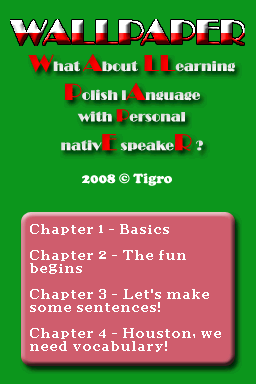
WALLPAPER, stands for What About LLearning Polish lAnguage with Personal nativE speakeR?, is an homebrew application for learning Polish language on the NDS.
This is an entry for the NDS Homebrew Bounty in 2008.
Installation
Download and extract file.
Place WALLPAPER.nds (slot-1 carts) or WALLPAPER.sc.nds/WALLPAPER.ds.gba (slot-2 carts) to your flashcart.
Controls
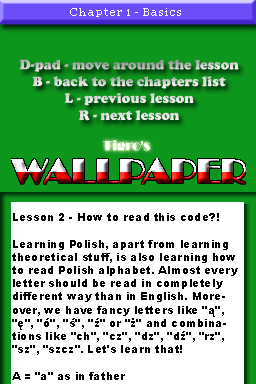
Stylus - Navigate through menus
D-Pad - Navigate through lessons
L/R - Previous/next lesson
B - Go the previous screen
Screenshots
External links
| |||||||||||||||||||||||||