
PsPlugin Manager: Difference between revisions
From GameBrew
More actions
No edit summary |
No edit summary |
||
| Line 33: | Line 33: | ||
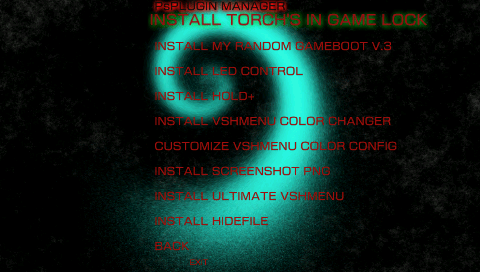
* [[VSH Menu Color Changer Plugin PSP|VSHmenu Color Changer]] | * [[VSH Menu Color Changer Plugin PSP|VSHmenu Color Changer]] | ||
* Screenshot PNG | * Screenshot PNG | ||
* [[ | * [[Ultimate_VSH_Menu_PSP|Ultimate VSHMenu]] | ||
* [[ | * [[HideFile_PRX_PSP|Hidefile PRX]] | ||
== Screenshots == | == Screenshots == | ||
Latest revision as of 13:13, 24 January 2025
| PsPlugin Manager | |
|---|---|
 | |
| General | |
| Author | TheCraziness1 |
| Type | Utilities |
| Version | 1.5 |
| License | Mixed |
| Last Updated | 2009/07/08 |
| Links | |
| Download | |
| Website | |
| Source | |
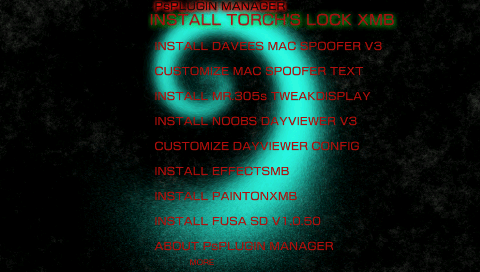
This program allows you to easily install the top best plugins out there.
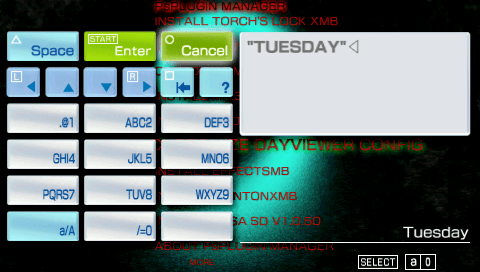
It also allows you to edit the plugins that have config files such as DayViewer from within the program so there is no need to go in and manually edit the text files.
Installation
Just place the psplugin manager folder in your GAME folder.
User guide
List of plugins:
Screenshots
Credits
There are many plugins within this program that have been made by many talented and creative developers and credit and thanks goes to all of them.