
DracoDS
More actions
| DracoDS | |
|---|---|
| Error creating thumbnail: Unable to save thumbnail to destination | |
| General | |
| Author | Dave Bernazzani (wavemotion-dave) |
| Type | Computer |
| Version | 1.5a |
| License | MIT License |
| Last Updated | 2025/08/27 |
| Links | |
| Download | |
| Website | |
| Source | |

DracoDS is a Tandy Color Computer 2 (CoCo 2) and the Dragon 32 emulator for DS/DSi/XL/LL.
The two original systems were very similar, as the Dragon 32 being largely a reverse-engineered version of the Tandy hardware. As a result, the emulator itself is primarily a CoCo 2 emulator (supporting both 32K and 64K RAM) but has the added functionality to be configured to emulate a Dragon 32.
Features
- Tandy CoCo 2 support with 32K and 64K of RAM. Running at 60Hz NTSC.
- Dragon 32 support with 32K and 64K of RAM (see Dragon Compatibility section). Running at the 50Hz PAL speed.
- Cassette (.cas) support for both the Dragon and Tandy emulated machines.
- Cartridge (.ccc or .rom) support for the Dragon and Tandy emulated machines.
- Disk (.dsk) support for the Tandy emulated machine. Standard single-sided 160K (35 track) or 180K (40 track) disks only.
- Save/Load Game State (one slot).
- Digital/Analog Joystick support with various sensitivity levels and the ability to auto-center or stick-in-place.
- Artifacting support to 4-color high-rez mode (and the ability to swap BLUE/ORANGE on a per-game basis).
- LCD Screen Swap (press and hold L+R+X during gameplay).
- LCD Screen snapshot - (press and hold L+R+Y during gameplay and the .png file will be written to the SD card).
- Virtual keyboard stylized to the machine you've picked (there is a default global machine and you can override on a per-game basis).
- Full speed, full sound and full frame-rate even on older hardware.
Installation
Place the BIOS/BASIC files in /roms/bios/ or in the same directory as the emulator itself:
* e3879310 dragon32.rom - Dragon BASIC 16K
* 54368805 bas12.rom - Tandy CoCo BASIC 8K
* a82a6254 extbas11.rom - Tandy CoCo Extended BASIC 8K
* 0b9c5415 disk11.rom - Tandy CoCo Disk Extended BASIC 8K
The disk ROM is optional - but if you don't have it, then .dsk files will be hidden from the loader menu.
User guide
DracoDS supports three file types:
- Cartridges (.ccc, .rom).
- Cassettes (.cas).
- Disks (.dsk).
Cartridges are the easiest, simply pick the .ccc (or .rom) filename from the Load Game menu and as soon as you start the emulation, the cartridge should auto-boot.
Cassettes work differently, you must load them up from the BASIC intepreter. So picking a .cas filename from the Load Game menu and starting the emulation running should place you into the BASIC of your choice (Tandy CoCo BASIC or Dragon BASIC). From there, you type one of the following pairs of commands depending on whether you are loading a Machine Code game (95% of the time this is true) or a BASIC game:
CLOADM
EXEC

CLOAD
RUN
You can press the START button to automatically issue the 'CLOADM' command. Note that you must wait for the Cassette to load after the CLOAD/CLOADM commands - the tape icon should go from green (reading) to white and the OK prompt should appear on BASIC again before you type the EXEC/RUN command.
Disks are the most complicated. After loading you should do a DIR to see the contents of the disk. Then you issue a pair of commands as follows:
LOADM "FILENAME"
EXEC

LOAD "FILENAME"
RUN
Where FILENAME is the desired file as shown in the DIR command. You can press the START button right after starting the game to automatically list the contents of the disk via DIR.
DracoDS can emulate either a Tandy Color Computer or a Dragon 32 (the default is Tandy). It's important to run games in their intended mode. (The Dragon mode supports a 64K RAM upgrade but does not fully emulate a Dragon 64's specific hardware.)
For more information on usage, please see the project README.
Screenshots
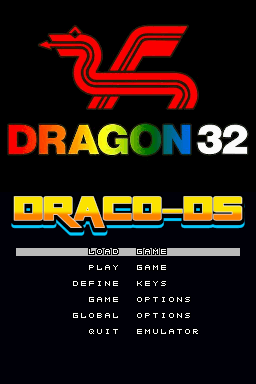
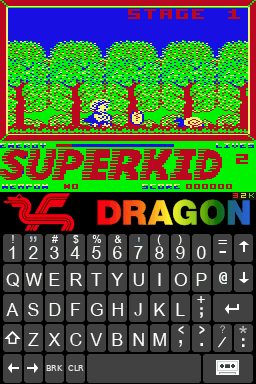
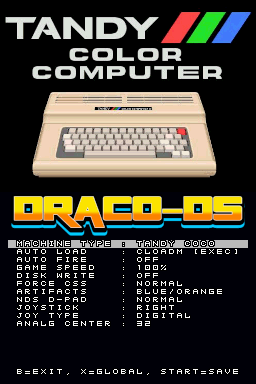
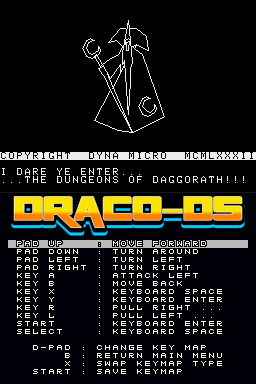
Known issues
- Shamus loads but will not run correctly - freezes at first screen key/joystick input. Cause unknown (but likely related to non-cycle accurate interrupt timing).
- Rocky's Boots two-disk version will not load. Cause unknown. Seek the 180K single-disk version which does work.
Changelog
V1.5a 2025/08/27
- Hotfix for AlphaNumeric bg color which is not actually black but a dark green.
V1.5 2025/08/16
- Cassette Swap added to mini-menu.
- Improved in-game sound (less dropouts, fewer glitches).
- Improvement for SG4 vs SG6 handling - WATERFALL now looks correct.
- Fixed text alternate color set (Black/Amber).
- Fixed MUL instruction carry bit (fixes Manic Miner!).
V1.4 2015/07/31
- Improved DS color palette for better accuracy.
- Fixed auto-fire joystick handling.
- Improved color mode (1C, 2C, 3C and 6C) rendering and speed.
- Improved green artifacting mode color.
- New Dragon 32 splash screen
V1.3 2025/07/26
- Fixed color palette so reds, greens and blues show properly for the various non-artifacting graphics modes.
- Improved artifact handling so it's a little faster and a bit more accurate.
- IRQ latching improved so more games run more accurately.
- Other minor cleanups as time permitted.
V1.2 2025/07/22
- Improved FDC disk handling - OS9 games now load and run.
- Improved artifacting - less glitches and 50% faster. DS-Lite no longer has any frameskip!
- Added 'Muddied Green' artifacting for the non Black/White color set.
- Added 'Diagonals' as a d-pad option for Q-Bert like games.
- Speedup POKE is now available to boost CPU speed to an effective 1.78MHz
- Fixed Skiing cart so it now runs past the 'Get Ready... Get Set' voice.
- Boosted sound 50% across the board
- 1.2a hotfix for Draconian, Skiing and probably others with IRQ latching
V1.1 2025/07/18
- Fixed DAA instruction - BCD math now correct. Fixes Trapfall, Atom and more.
- Improved Semi-Graphics handling so occasional tops of fonts are not cut-off.
- Improved joypad 'Center+Offset' handling.
- Other minor cleanups as time permitted.
V1.0 2025/07/14
- Fixed keyboard graphic (glitch on key 8 and 9).
- Fixed Semi Graphic 24 mode (fixes Protector, etc).
- Fixed button issues on Buzzard Bait.
- Improved handling of Digital Offset (El Bandito).
- Improved Dungeons of Daggorath macros.
- Allow .ROM files to be loaded (same as .CCC files).
- More cleanups and a bit of polish for the first big release.
V0.9 2025/07/11
- Full 64K support working - Sailor Man plays!
- Ability to swap a disk in the mini-menu.
- Improved joystick handling options.
- Improved artifact handling - new options to swap the Blue/Orange artifacts or turn them off.
- Other minor improvements as time permitted.
V0.8 2025/07/09
- Added disk write-back to SD support.
- Improved artifact color handling.
- Better 'Auto-Center' of analog joysticks.
- Other minor improvements as time permitted.
V0.7 2025/07/07
- Numerous small fixes for joystick/keyboard handling.
- Fix for the SemiGraphics Modes not showing anything (blank screen).
- Improved Disk Icon.
- Improved 64K memory handling - we now pass the known 64K mem tests (still... Sailor Man won't run).
- Pressing START will now Load and Run cassette based games.
- Other small tweaks and improvements across the board.
V0.6 2025/07/06
- Disk sizes supported now includes 160K (35 track) and 180K (40 track).
- Improved disk read/write handling (still not backed to SD).
- Proper disk icon when a .dsk is loaded and floppy loading sounds added.
- Improved PIA handling to eliminate small sound glitches on some games.
- Mirrors for PIA now handled.
- Macros for Dungeons of Daggorath added!
- Added first pass at Save/Load State
V0.5 2025/07/05
- First public beta!
Credits
Thanks to eyalabraham who provided the baseline code - without that work, this derivation doesn't happen.
Thanks to Darryl Hirschler for source keyboard graphics (modified for Dragon/Tandy use).