
Count Up Timer PSP
From GameBrew
More actions
| Count Up Timer | |
|---|---|
 | |
| General | |
| Author | LIGHT |
| Type | Plugins |
| Version | 1.10 |
| License | GPL-2.0 |
| Last Updated | 2011/09/19 |
| Links | |
| Download | |
| Website | |
| Source | |
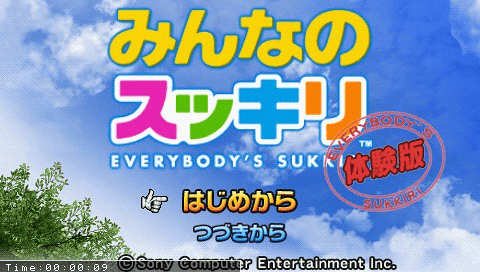
This is a plugin that displays a timer and the current time.
Installation
Copy the file CountUpTimer.prx to ms0(ef0):/seplugins/.
Write the following text into vsh.txt, game.txt and/or pops.txt inside the seplugins folder:
ms0:/seplugins/CountUpTimer.prx 1
For PSPgo, use the following path instead:
ef0:/seplugins/CountUpTimer.prx 1
Go to the Recovery Menu and reset VSH.
User guide
Display modes:
- Display nothing (default)
- Timer
- Current time
- Version/Development information
Controls
Start - Switch modes
Select+R - Reset timer (only in timer mode)
Select+L - Pause/Resume timer (only in timer mode)
Screenshots


Changelog
Version 1.10
- Changed control methods.
- Added stop function.
- Fixed issue where holding the reset button while in timer mode would keep resetting the timer.
Version 1.00
- Released.
External links
- Author's website - http://pctoolone.com/?p=860 (archived)