
Ciel Nosurge: Ushinawareta Hoshi e Sasagu Uta Offline Vita - English Translation
More actions
| Ciel Nosurge: Ushinawareta Hoshi e Sasagu Uta Offline | |
|---|---|
 | |
| General | |
| Author | RyleFury |
| Type | Translations |
| Version | 1.01 |
| License | N/A |
| Last Updated | 2025/06/07 |
| Links | |
| Download | |
| Website | |
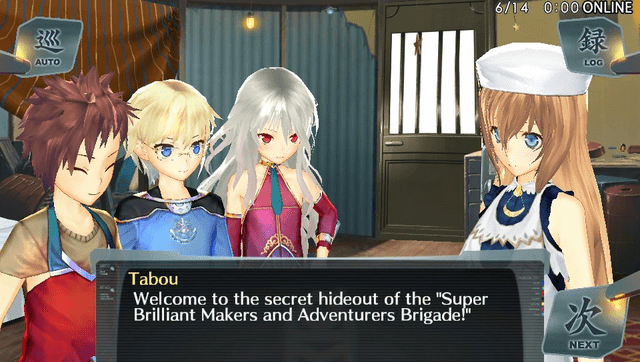
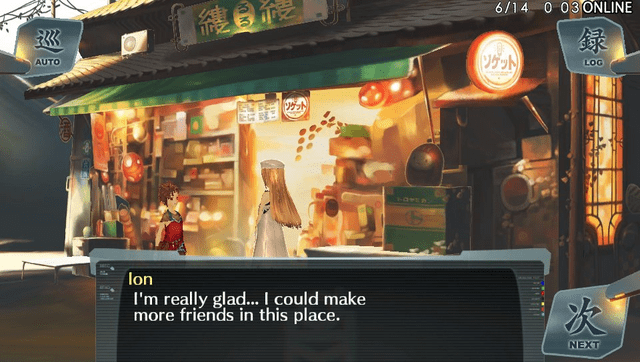
Fan translated English patch for Ciel nosurge on PS Vita. Created by the Atelier Traduction team, in collaboration with the A Reyvateil’s Melody fan community.
The translation fully covers all in-game text, images, and videos, and is compatible with both real PS Vita hardware and the Vita3K emulator on PC.
Features
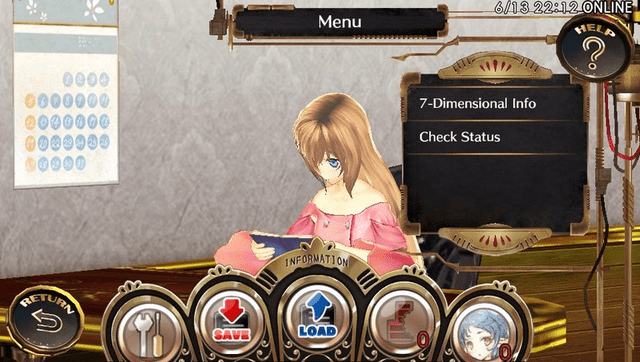
- Full translation of the game including UI text, story dialogue, images, and in-game videos for a fully localized experience.
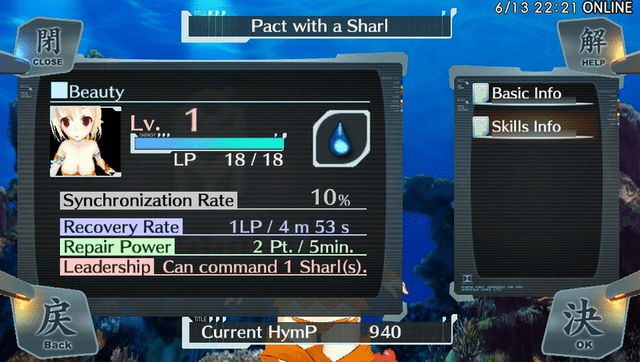
- Extra systems from Ciel nosurge DX have been backported, such as all of Ion's original web voicemails and an alternative Sharl creation system that does not require the Vita camera.
- Added a glossary feature and Offline Linking so players can access Ar nosurge-style functionality without performing the original Japanese online procedures.
Installation
PS Vita/PSTV
You must get the HENkaku or H-Encore mod installed on your PS Vita/PSTV.
You also must install nonpdrm and repatch plugins.
For PSTV, an extra plugin must be installed: DolcePolce.
You must install "Ciel Nosurge Offline" on your PS Vita/PSTV with its official patch 1.04. If you have the cartridge, it's compatible.
The three "Voice packs" DLC are highly recommended to get voiceovers during all the game.
You have two methods according to your setup:
- Follow the USB method if you have a PS Vita with the digital version of the game installed only. PSTV or cartridge can't be patched with this method.
- Follow the FTP method if you have a PSTV or if you use the game's cartridge. However, take into account that this method is slower than the USB, taking over 10 minutes to complete the patching process.
USB method
- Open VitaShell in your PS Vita, press Start to open the options, and put the Select mode function to USB. Close the options. Connect your PS Vita to your PC using a USB cable and press Select.
- Run the provided patching program "Ciel_Nosurge_to_English.exe". Once finished, the game will be patched with the translation.
- Restart your PS vita.
FTP method
- Open VitaShell in your PS Vita/PSTV, press Start to open the options, and put the Select mode function to FTP. Close the options. Connect your PS Vita/PSTV to your network and press Select. Take note of the IP address shown there.
- Open the "ftp.txt" file included in the patching archive, and write into it the IP address and the port that you got from VitaShell in the first line (for example: 192.168.1.112 1337). Save the file and close it.
- Run the patching program "Ciel_Nosurge_to_English.exe". Once finished, the game will be patched with the translation.
- Restart your PS vita/PSTV.
Vita3K
You must install "Ciel Nosurge Offline" on Vita3K with its official patch 1.04. The three "Voice packs" DLC are highly recommended to get voiceovers during all the game.
- Open your Vita3K game folder in your explorer. You can get there easily by running Vita3K, selecting "File" at the top left and "Open Pref Path". There, open "ux0/app/", you should have the "PCSG00454" folder.
- Drag this folder with your mouse into the patching program "Ciel_Nosurge_to_English.exe". Once finished, the game will be patched with the translation.
- It is highly recommended to check the "Tutorial_patch_EN_Ciel_Nosurge.pdf" file for configuring Vita3K for the game (section 1.3).
- IMPORTANT: Some people reported many random crashes, it entirely depends on your PC hardware. The game may work with very few crashes or many ones due to the instability of the emulator.
Screenshots
Media
[NEW!] Ciel Nosurge: Ushinawareta Hoshi e Sasagu Uta (English Translation) PS VITA released (RetroGameTalk)
Changelog
v1.01
- Corrected script bugs that caused the event for Chapter 08, Episode 07 to have its dialog broken and the game to get stuck after it ended.
- Several typos and grammar issues fixed.
- The fake DLC files have been removed, as the proper DLC files for them are now available on pkgj.
v1.0
- Many translation corrections and improvements.
- Fixed some minor bugs
- Fixed all major bugs on Vita3K and added features to make it playable on it.
Beta 3
- Several translation corrections and improvements.
- Added notifications for whenever a voicemail is unlocked.
- Fixed the menu text garbling glitch that happened to the menus in Ion's Room whenever the menu was closed without a closing animation.
- The Sharl reset flag time has been changed: instead of being at 04:00 JST, it will be at 04:00 as indicated by the console's local time.
Beta 2
- Fixed a bug that made the Face Accessory items not work.
- Fixed a bug that erroneously caused events to trigger the character models' speaking animations when they shouldn't.
- Fixed several typos, linebreaks, grammar issues, and swapped dialog options.
- Fixed a softlock in the World Link dream sequences.
- Corrected an event ending that was broken in all the stock versions of the game.
- Added the Glossary.
Beta 1
- Initial release.
Credits
Translation team of Ciel nosurge:
- Hacking: RyleFury
- Reverse Engineering: RyleFury
- Graphics Editing: RyleFury
- Original Translator: blackraen (main story, a few side-events)
- Translators: aquagon, Infel
- Editors: Replicant, Tizona, Presea, Kat, aquagon
- Translation Check: exfictz, aquagon
- Voicemail Translations: Infel, Blara, aquagon
- Voicemail Japanese Audio Transcription Review and Correction: ell
- DX Voicemail Audio Extraction: Gamma
- Testing: aquagon, RyleFury, Kamië, Thia.kkll.Preciel, Dooroflight, StarSketch, ReimuHakurei, Members of the A Reyvateil's Melody Discord Server
- Special Thanks: blackraen, Renshin23
External links
- Atelier Traduction - https://ateliertraduction.forumgaming.fr/t83-the-release-of-the-ciel-nosurge-english-patch-on-ps-vita-is-finally-here
- A Reyvateil's Melody - https://www.tapatalk.com/groups/revatail_hymmne/