
Half-Life - Xash3DS 3DS
More actions
| Xash3DS | |
|---|---|
 | |
| General | |
| Author | masterfeizz |
| Type | Shooter |
| Version | 0.2 |
| License | GPL-3.0 |
| Last Updated | 2019/09/15 |
| Links | |
| Download | |
| Website | |
| Source | |
Xash3DS is a port of Xash3D-FWGS Engine for the Nintendo 3DS, which is a fork of Xash3D Engine that aims on crossplatform and compatibility with original Xash3D and Gold Source.
Installation
For the full game:
- Copy the valve directory from your Half-Life installation to sdmc:/xash3d/ on your 3DS (tested with the Half-Life on Steam).
- Place the extras.pak file inside sdmc:/xash3d/valve/.
- Delete the config.cfg, video.cfg, opengl.cfg files if present inside the valve folder.
- You can use a .xml shortcut to load the expansions and/or dev mode (tutorial and template by MrHuu).
For the demo:
- Extract uplink_data.zip to the root of your SD card.
- Use either the .3dsx file or install the .cia file with a title manager.
If you are using the CIA version, you will also need a dumped DSP firmware for the audio.
User guide
Autosaves are not enabled, use the onscreen keyboard for quick saves.
Controls
Circle Pad - Movement (Forward, Backward, Strafe Left, Strafe Right)
C-Stick - Mouse Free Look
D-Pad Up - Move Forward (Up Arrow)
D-Pad Down - Move Backward (Down Arrow)
D-Pad Left/Right - Mousewheel Down/Up (Change Weapons)
B - Jump (Space)
A - (Enter)
Y - Interact (E)
X - Flashlight (F)
ZL - Crouch (Ctrl)
ZR - Reload (R)
Start - (Escape)
R - Left Click, Fire Weapon (Mouse 1)
L - Right Click, Alt Fire (Mouse 2)
Screenshots
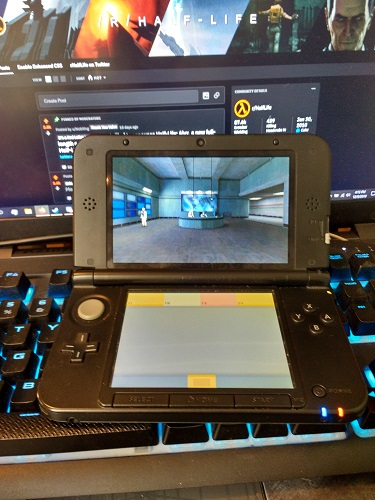
Media
Half Life 3DS (Xash 3D) (Jimmy R)
Half-Life Gameplay 3DS (rarewareh)
Compatibility
Wokds on O3DS and N3DS (recommend for N3DS for best performance).
Changelog
v0.2
- Fixed dynamic lights (flashlight works now).
- Enabled support for higher resolution textures for the O3DS (image is now less blurry).