
Craftus Reloaded 3DS: Difference between revisions
More actions
| Line 30: | Line 30: | ||
The options are changed in sd:/craftus/options.ini. | The options are changed in sd:/craftus/options.ini. | ||
{| class="wikitable | {| class="wikitable" | ||
|- | |- | ||
! style="width: 15%;"|Option | ! style="width: 15%;"|Option | ||
Revision as of 11:17, 28 November 2022
| Craftus Reloaded | |
|---|---|
 | |
| General | |
| Author | RSDuck (catlover007) |
| Type | Simulation |
| Version | 0.3 |
| License | Mixed |
| Last Updated | 2020/11/18 |
| Links | |
| Download | |
| Website | |
| Source | |
Craftus Reloaded is a homebrew Minecraft clone for Nintendo 3DS. The project is under development and features only a creative-mode-esque game mode with infinite resources.
This is a rewritten version of the Craftus, about 15% is copied from the old Craftus the remaining part is rewritten.
Features
- An infinte world (in theory).
- Two different world generators.
- Blocks, of multiple variants, can be broken and placed down to build structures.
- A basic inventory system.
- Saving and loading, multiple worlds.
- Clouds and menus.
- Sneaking and Flying.
User guide
The controls can be changed by editing the file which can be found at sd:/craftus/options.ini (with instructions).
The options are changed in sd:/craftus/options.ini.
| Option | Meaning | Default (OLD 3DS) | Default (NEW 3DS) | Values to Change |
|---|---|---|---|---|
| Autojump | Jump automatically, being close to a block | 1 (True) | 0 (False) | 0 (False) and 1 (True) |
Controls
OLD 3DS:
L/R - Place/Break block
X/B/Y/A - Move forward/backword/left/right
D-Pad Up - Jump
D-Pad Down - Shift
D-Pad Left/Right - Switch block (inventory)
Circle Pad - Camera view
Select - Open console (commands)
Start - Back (menu)
NEW 3DS:
L/R - Place/Break block
Circle Pad - Move forward/backword/left/right
ZL - Jump
ZR - Shift
D-Pad Left/Right - Switch block (inventory)
C-Stick - Camera view
Select - Open console (commands)
Start - Back (menu)
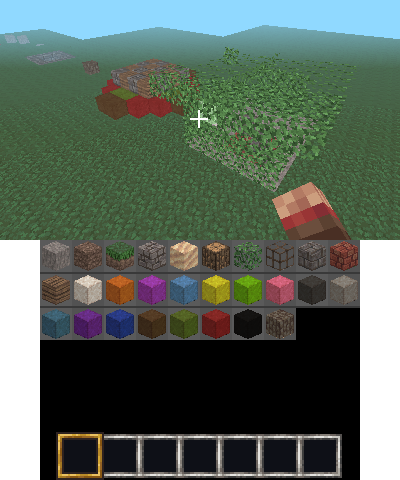
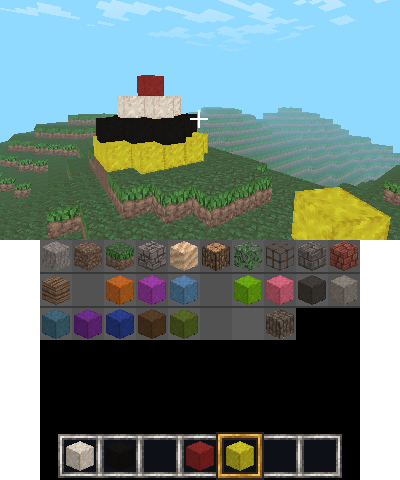
Screenshots
Media
Craftus Reloaded 0.1 - DONT DIG DOWN! | 3DS Homebrew Showcase (TCPixel)
Credits
- People who made 3DS homebrew possible.
- Especially smea for 3dscraft which is good place for inspiration.
- Contributors of the 3dbrew.org wiki and ctrulib.
- Fincs for citro3d.
- XSSheep, for the textures, taken from his resourcepack which is licensed under CC BY-SA.
- Tommaso Checchi, for his culling algorithm, orginally developed for the use in MC PE.
- Of course all other MC devs.
- All people who worked on the libraries Craftus is depending on (see the dependencies folder).