
Ultimate T16-PCE VC Injector 3DS: Difference between revisions
From GameBrew
More actions
No edit summary |
|||
| Line 27: | Line 27: | ||
To use, simply follow the steps in program: | To use, simply follow the steps in program: | ||
* Select your PCE rom file. | * Rom file selection - Select your PCE rom file. | ||
* Complete the fields in the VC game icon and name section. | * VC game icon and name - Complete the fields in the VC game icon and name section. | ||
* Select the images for VC T16-PCE 3D banners. | * VC GBA 3D banners - Select the images for VC T16-PCE 3D banners. | ||
* | * VC parameters - You can change the Product Code and Title ID if you want. | ||
==Screenshots== | ==Screenshots== | ||
Revision as of 23:45, 28 February 2022
| Ultimate T16-PCE VC Injector | |
|---|---|
| File:Ultimatet16pecvcinjector2.png | |
| General | |
| Author | Asdolo |
| Type | PC Utilities |
| Version | 1.1 |
| License | Mixed |
| Last Updated | 2016/08/17 |
| Links | |
| Download | |
| Website | |

| This application has been obsoleted by one or more applications that serve the same purpose, but are more stable or maintained. |

Ultimate T16-PCE VC Injector for 3DS is a Windows tool for creating TurboGrafx-16/PC Engine injection. It takes a TurboGrafx-16/PC Engine backup file and converts it to an installable CIA for your 3DS with CFW. It does all in a one single program.
Note: This utility has been incorporated into New Super Ultimate Injector.
Features
- VC T16-PCE injection into a CIA.
- Easy made custom 3D banner.
- Easy made custom text/footer banner.
- Easy made whole process!.
User guide
Require Microsoft .NET framework 4.5 to use.
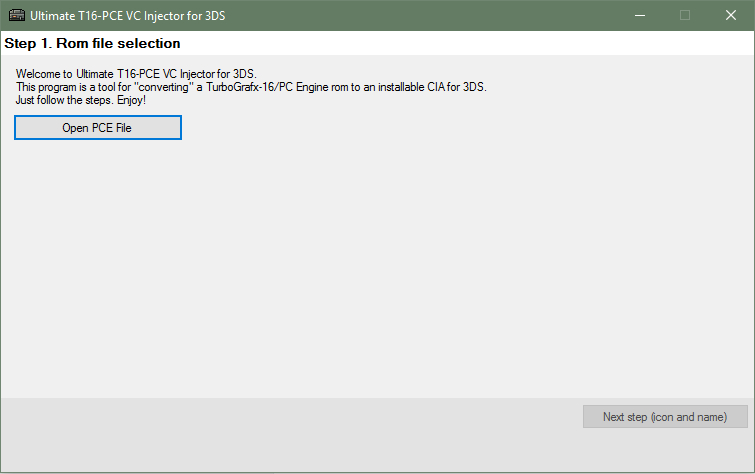
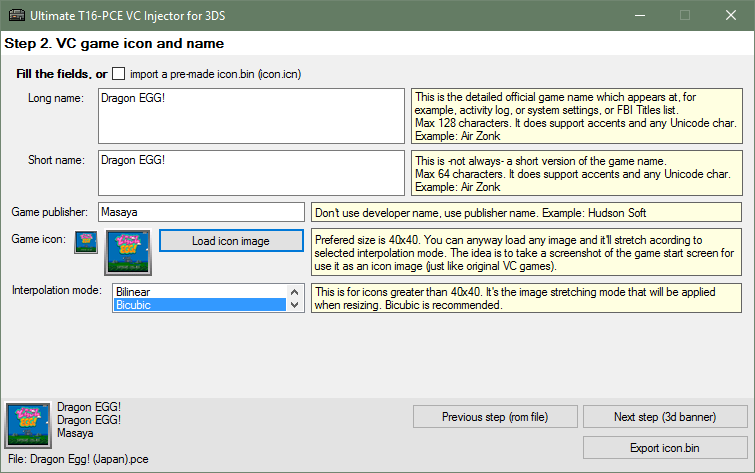
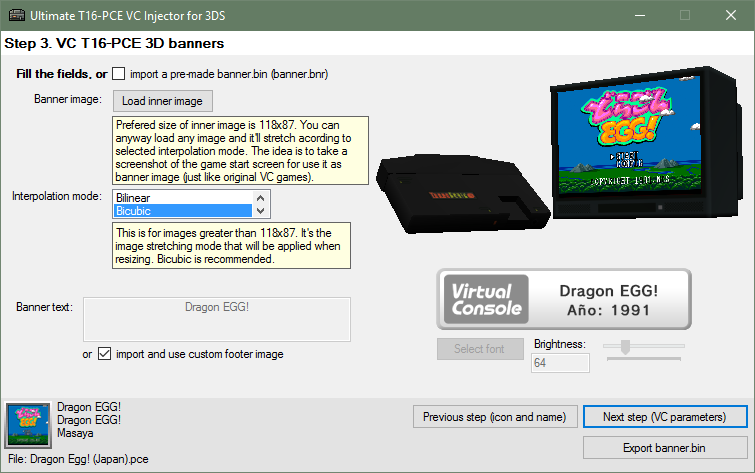
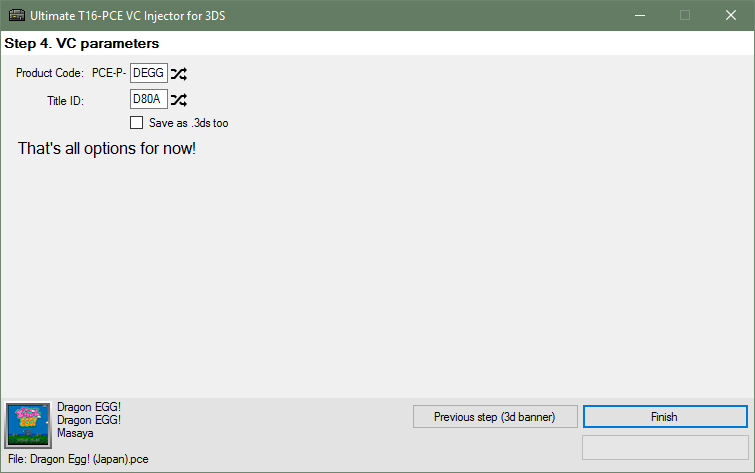
To use, simply follow the steps in program:
- Rom file selection - Select your PCE rom file.
- VC game icon and name - Complete the fields in the VC game icon and name section.
- VC GBA 3D banners - Select the images for VC T16-PCE 3D banners.
- VC parameters - You can change the Product Code and Title ID if you want.
Screenshots
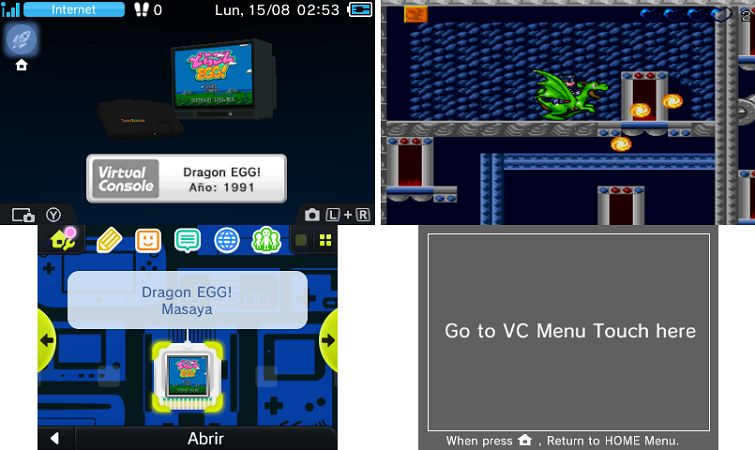
Changelog
v1.1
- Added: Option to force PC Engine 3D Banner (Thanks to @ongo_gablogian).
- Added: more rom compatibility.
- Added: Now the random Title ID's won't match an eShop app Title ID.
- Changed: Now it generates a new Title ID every time you pick a pce rom.
- Fixed Issues with 32 bits OS.
v1.0
- Initial release.
Credits
Thanks to @hippy dave for the english menues.
Thanks to @ongo_gablogian for the region free PC Engine 3D banner.