
DSFrotz: Difference between revisions
From GameBrew
More actions
No edit summary |
No edit summary |
||
| Line 1: | Line 1: | ||
{{Infobox homebrew | {{Infobox homebrew | ||
| title = DSFrotz | | title = DSFrotz | ||
| image = | | image = https://dlhb.gamebrew.org/dshomebrew/dsfrotz.png | ||
| type = Other Emulator | | type = Other Emulator | ||
| version = 2.0 beta-1 20080815 | | version = 2.0 beta-1 20080815 | ||
| Line 7: | Line 7: | ||
| author = papafuji | | author = papafuji | ||
| website = http://gugusse.central.free.fr/papafuji/DSFrotz.html | | website = http://gugusse.central.free.fr/papafuji/DSFrotz.html | ||
| download = | | download = [https://dlhb.gamebrew.org/dshomebrew/dsfrotz.7z 2.0 alpha and beta-1] | ||
| source = | |||
}} | }} | ||
| Line 34: | Line 34: | ||
===Input text=== | ===Input text=== | ||
* There are two ways to type words with the stylus of your Nintendo DS. | * There are two ways to type words with the stylus of your Nintendo DS. | ||
** By default, you can directly draw the letters on the screen, according to the PA-Grafiti alphabet. | ** By default, you can directly draw the letters on the screen, according to the [https://www.gamebrew.org/wiki/Corruption#Screenshots PA-Grafiti alphabet]. | ||
** Second way is to use the mini keyboard or the numerical keyboard. | ** Second way is to use the mini keyboard or the numerical keyboard. | ||
| Line 52: | Line 52: | ||
** CLIM DRAWB is equivalent to CLIMB DRAWBRIDGE. | ** CLIM DRAWB is equivalent to CLIMB DRAWBRIDGE. | ||
{| class="wikitable" | |||
! colspan="4"| List of the most common words | |||
|- | |||
| GO || ENTER || CLIMB || SWIM | |||
|- | |||
| HELP || LOOK || EXAMINE || GET | |||
|- | |||
| DROP || THROW || CAST || WEAR | |||
|- | |||
| REMOVE || OPEN || CLOSE || LOCK | |||
|- | |||
| UNLOCK || BREAK || CUT || CHOP | |||
|- | |||
| SAY || KILL || || | |||
|- | |||
! colspan="1"| Shortcuts | |||
! colspan="3"| Actions | |||
|- | |||
| colspan="1"| N S E W | |||
| colspan="3"| GO NORTH, GO SOUTH, GO EAST and GO WEST. | |||
|- | |||
| colspan="1"| NE NW SE SW | |||
| colspan="3"| NORTH-EAST, NORTH-WEST, etc (Level9 and Frotz games). | |||
|- | |||
| colspan="1"| H | |||
| colspan="3"| HELP. | |||
|- | |||
| colspan="1"| I | |||
| colspan="3"| INVENTORY. | |||
|- | |||
| colspan="1"| X | |||
| colspan="3"| EXAMINE (in classic games), EXITS (in Level 9 games). | |||
|- | |||
| colspan="1"| G | |||
| colspan="3"| GET (or AGAIN for Inform/Frotz games). | |||
|- | |||
| colspan="1"| L | |||
| colspan="3"| LOOK. | |||
|- | |||
| colspan="1"| SV | |||
| colspan="3"| SAVE. | |||
|- | |||
| colspan="1"| LD | |||
| colspan="3"| LOAD. | |||
|- | |||
| colspan="1"| R | |||
| colspan="3"| RESTORE. | |||
|- | |||
|} | |||
===Word completion=== | ===Word completion=== | ||
* Draw a slash / in the middle of the word, the game engine will try to complete it with the latest words that have been printed on the screen. | * Draw a slash / in the middle of the word, the game engine will try to complete it with the latest words that have been printed on the screen. | ||
* You can draw this slash until you find the good word to continue. | * You can draw this slash until you find the good word to continue. Example: | ||
<pre> | |||
You are in the kitchen, you see a can wooden bench, | |||
a bottle of wine, and a cute babe... | |||
>CLIMB ON B - draw a slash here completes to: | |||
>CLIMB ON BABE - draw another slash here completes to: | |||
>CLIMB ON B | |||
>CLIMB ON BABE | |||
>CLIMB ON BOTTLE - draw another slash here completes to: | >CLIMB ON BOTTLE - draw another slash here completes to: | ||
>CLIMB ON BENCH | >CLIMB ON BENCH - that's fine. | ||
</pre><br> | |||
==Controls== | ==Controls== | ||
| Line 94: | Line 127: | ||
Start - Pause, Exit the game | Start - Pause, Exit the game | ||
Select - Save a game to the SRAM | Select - Save a game to the SRAM | ||
==Screenshots== | |||
https://dlhb.gamebrew.org/dshomebrew/dsfrotz3.png | |||
https://dlhb.gamebrew.org/dshomebrew/dsfrotz5.png | |||
==Known issues== | ==Known issues== | ||
| Line 125: | Line 162: | ||
==Credits== | ==Credits== | ||
* Mollusk for [http://www.palib.info | * Mollusk for [http://www.palib.info PAlib]. | ||
* Chishm/Drunkencoders for DLDI tools. | * Chishm/Drunkencoders for DLDI tools. | ||
* Flap, Derek, Julian & Mauro for their support. | * Flap, Derek, Julian & Mauro for their support. | ||
| Line 131: | Line 168: | ||
* Actual Frotz implementation by David Griffith (2002). | * Actual Frotz implementation by David Griffith (2002). | ||
* Original Frotz interpreter by Stefan Jokisch (1995). | * Original Frotz interpreter by Stefan Jokisch (1995). | ||
* [ftp://ftp.ifarchive.org/if-archive | * [ftp://ftp.ifarchive.org/if-archive IF archive.] | ||
* [http://www.wurb.com/if | * [http://www.wurb.com/if BAF's guide] to IF archive. | ||
==External links== | |||
* Author's website - http://gugusse.central.free.fr/papafuji/DSFrotz.html | |||
[[Category:DS homebrew emulators]] | [[Category:DS homebrew emulators]] | ||
[[Category:Other homebrew emulators on DS]] | [[Category:Other homebrew emulators on DS]] | ||
Revision as of 03:26, 15 October 2021
| DSFrotz | |
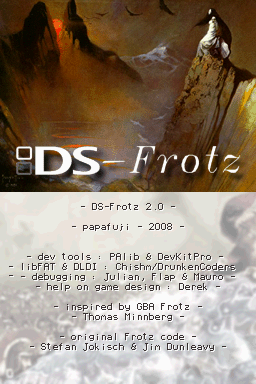 | |
| General | |
|---|---|
| Author(s) | papafuji |
| Type | Other Emulator |
| Version | 2.0 beta-1 20080815 |
| Licence | Mixed |
| Links | |
| [2.0 alpha and beta-1 Download] | |
| Website | |
<htmlet>adsense</htmlet>