
Vita Deck: Difference between revisions
From GameBrew
More actions
Created page with "{{Infobox Vita Homebrews |title=Vita Deck |image=VitaDeck.png |description=Stream Deck client for PSVita. |author=AntHJ |lastupdated=2025/10/07 |type=Other Apps |version=1.0 |license=N/A |download=https://dlhb.gamebrew.org/vitahomebrews/VitaDeck.7z |website=https://anthj.itch.io/vita-deck |source= |donation= }} {{#seo: |title=Vita Homebrew Apps (Other Apps) - GameBrew |title_mode=append |image=VitaDeck.png |image_alt=Vita Deck }} Stream Deck client for PSVita. Allows to..." |
No edit summary |
||
| Line 2: | Line 2: | ||
|title=Vita Deck | |title=Vita Deck | ||
|image=VitaDeck.png | |image=VitaDeck.png | ||
|description=Stream Deck client for | |description=Stream Deck client for PS Vita. | ||
|author=AntHJ | |author=AntHJ | ||
|lastupdated=2025/10/07 | |lastupdated=2025/10/07 | ||
| Line 19: | Line 19: | ||
|image_alt=Vita Deck | |image_alt=Vita Deck | ||
}} | }} | ||
Stream Deck client for | Stream Deck client for PS Vita. It allows you to use the PS Vita as a shortcut interface. | ||
== | ==Installation== | ||
Install the VPK via [[VitaShell]]. | |||
==User guide== | |||
Run Config.exe on your PC. | |||
Create your own StreamDeck layout (or use the included sample keyset). | |||
Launch SreamDeck and Send the keyset to the Vita to update its functions. | |||
Use Receiver.exe to link your Vita and PC using the IP address. | |||
Close the Vita app and the PC app will disconnect so you can close it. | |||
==Screenshots== | ==Screenshots== | ||
| Line 41: | Line 47: | ||
== External links == | == External links == | ||
* | * itch.io - https://anthj.itch.io/vita-deck | ||
* VitaDB - https://www.rinnegatamante.eu/vitadb/#/info/1332 | * VitaDB - https://www.rinnegatamante.eu/vitadb/#/info/1332 | ||
Latest revision as of 01:42, 12 October 2025
| Vita Deck | |
|---|---|
 | |
| General | |
| Author | AntHJ |
| Type | Other Apps |
| Version | 1.0 |
| License | N/A |
| Last Updated | 2025/10/07 |
| Links | |
| Download | |
| Website | |
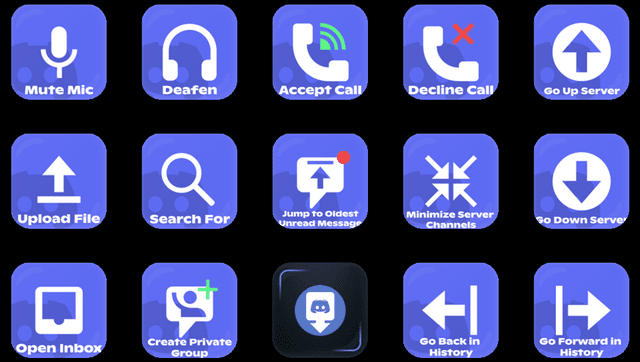
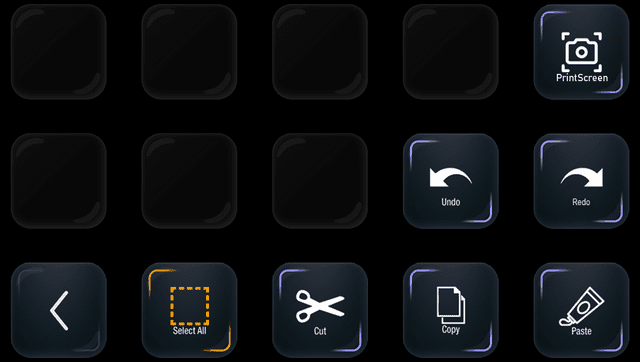
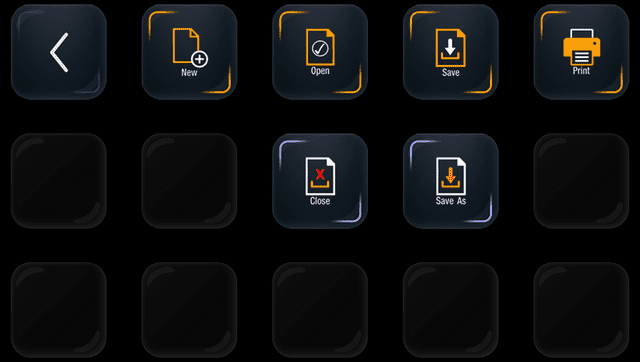
Stream Deck client for PS Vita. It allows you to use the PS Vita as a shortcut interface.
Installation
Install the VPK via VitaShell.
User guide
Run Config.exe on your PC.
Create your own StreamDeck layout (or use the included sample keyset).
Launch SreamDeck and Send the keyset to the Vita to update its functions.
Use Receiver.exe to link your Vita and PC using the IP address.
Close the Vita app and the PC app will disconnect so you can close it.
Screenshots
Changelog
v1.0
- First Release.
External links
- itch.io - https://anthj.itch.io/vita-deck
- VitaDB - https://www.rinnegatamante.eu/vitadb/#/info/1332