
Pikuniku Vita: Difference between revisions
From GameBrew
More actions
No edit summary |
No edit summary |
||
| Line 26: | Line 26: | ||
* Launch <code>ApplyPatch.bat</code> and wait. | * Launch <code>ApplyPatch.bat</code> and wait. | ||
* Let it finish and there should be a zip file named <code>PikunikuVita.zip</code>. | * Let it finish and there should be a zip file named <code>PikunikuVita.zip</code>. | ||
* Open VitaShell, connect your PS Vita to your PC and copy the contents of the zip file | * Open VitaShell, connect your PS Vita to your PC and copy the contents of the zip file (zip file should be around 120MB before unpacking)</code> over to <code>ux0:app/PIKU12345/</code>. | ||
* Click on "Replace the files in destination" when you are asked to. | * Click on "Replace the files in destination" when you are asked to. | ||
Revision as of 05:03, 5 July 2025
| Pikuniku Vita | |
|---|---|
 | |
| General | |
| Author | gl00mm |
| Type | Puzzle |
| Version | 1.00 |
| License | N/A |
| Last Updated | 2025/07/03 |
| Links | |
| Download | |
| Website | |
| Source | |
| Support Author | |
This is a port of Pikuniku to the PS Vita.
Pikuniku is an absurdly wonderful puzzle-exploration game that takes place in a strange but playful world where not everything is as happy as it seems.
Installation
Note: To run this port you will need the game data files from Epic Game Store.
Instructions:
- Download the zip and vpk file from releases.
- Install the vpk file on the PS Vita through VitaShell.
- Extract the zip file, put the game's data folder(
Program Files/Epic Games/Pikuniku/Pikuniku_Data) inside the extracted folder. - Launch
ApplyPatch.batand wait. - Let it finish and there should be a zip file named
PikunikuVita.zip. - Open VitaShell, connect your PS Vita to your PC and copy the contents of the zip file (zip file should be around 120MB before unpacking) over to
ux0:app/PIKU12345/. - Click on "Replace the files in destination" when you are asked to.
Notes:
- Overclock CPU to 500Mhz for best experience.
- Expect FPS between 25 FPS and 30 FPS depending on the scenes except in menus and Ernie part (see below).
- Menus (Main and Pause) are designed in a way it's quite heavy for PS Vita to handle.
- Ernie part has some drops because it highly relies on physics. Its jelly effect has been simplified to avoid the game running at 1FPS during this part.
- COOP has been cut off the game as well as some settings in order to optimize menus framerate.
- Xray effect has been disabled when wearing Xray glasses.
- Some minor graphical glitches could happen here and there.
- If not yet done, support the dev by buying the game.
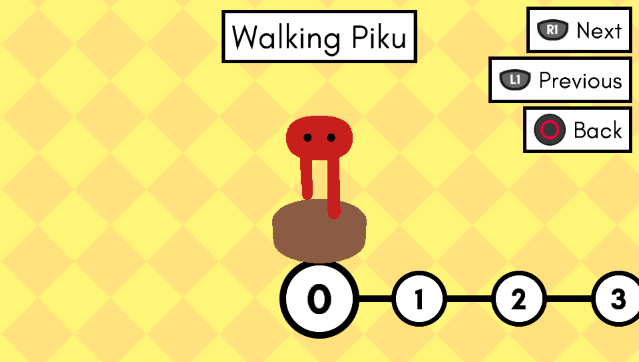
Screenshots


Media
Pikuniku - New Gameplay Trailer (DevolverDigital)
Changelog
v1.00
- First release.