
VitaRPS5: Difference between revisions
From GameBrew
More actions
No edit summary |
No edit summary |
||
| Line 2: | Line 2: | ||
|title=VitaRPS5 | |title=VitaRPS5 | ||
|image=VitaRPS5.png | |image=VitaRPS5.png | ||
|description= | |description=Mod of ywnico's Vitaki fork with enhanced UI and QOL improvements. | ||
|author=AAGaming00, ywnico, mauricio-gg | |author=AAGaming00, ywnico, mauricio-gg | ||
|lastupdated=2025/10/02 | |lastupdated=2025/10/02 | ||
| Line 19: | Line 19: | ||
|image_alt=VitaRPS5 | |image_alt=VitaRPS5 | ||
}} | }} | ||
VitaRPS5 is a fork of ywnico's [[Vitaki Fork]], which itself is based on AAGaming's original Chiaki port [[Vitaki]]. This project provides PlayStation 5 Remote Play functionality on the PS Vita. | |||
This is an enhanced version with modern UI, optimized performance, and quality-of-life improvements. | |||
== | ==Features== | ||
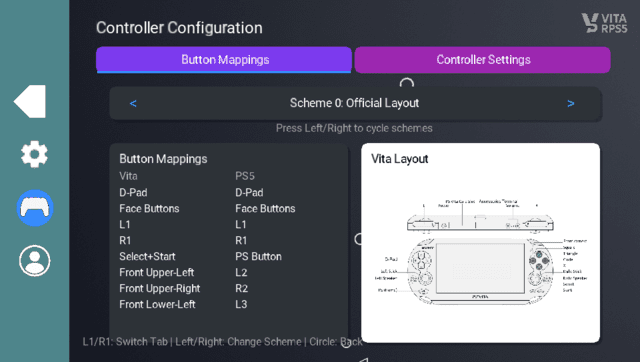
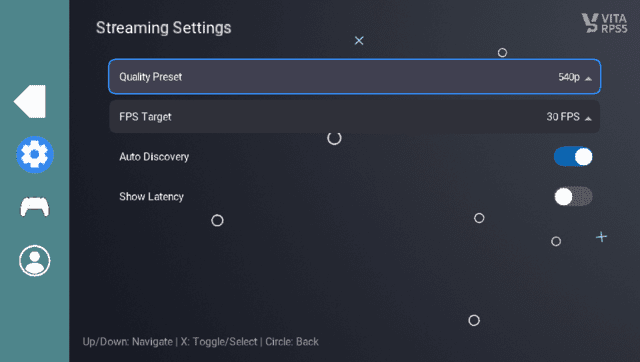
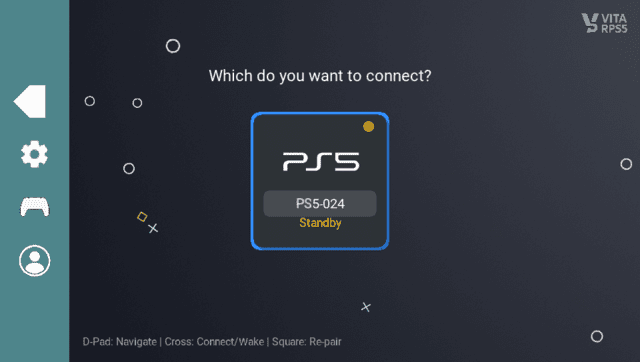
* '''VitaRPS5-Style UI Redesign''' | |||
* | ** Modern card-based console selection interface. | ||
* | ** Professional PlayStation-themed color scheme. | ||
* | ** Redesigned PIN entry screen with individual digit display. | ||
* | ** Improved visual feedback and animations. | ||
* | * '''Enhanced Console Wake Flow''' | ||
* | ** "Waking up console..." screen with animated progress. | ||
** 30-second timeout with visual countdown. | |||
* | ** Automatic streaming start when console wakes up. | ||
* | ** No need to press X twice. | ||
* | * '''Fixed Controller Input Issues''' | ||
** Resolved race condition that prevented controller input during streaming. | |||
** Properly separated UI and input thread buffer access. | |||
** Controllers now work reliably during remote play. | |||
* '''Improved Console Management''' | |||
** Re-pairing now properly deletes registration data from storage. | |||
** Better console name and IP display formatting. | |||
** Circle button for cancel (PlayStation convention). | |||
==Installation== | |||
Download VitakiFork.vpk. | |||
Transfer to your PS Vita (via USB or FTP). | |||
Install using [[VitaShell]] (press X on the VPK file). | |||
Launch from LiveArea. | |||
For usage please see [[Vitaki Fork]]. | |||
==Screenshots== | ==Screenshots== | ||
| Line 62: | Line 60: | ||
https://dlhb.gamebrew.org/vitahomebrews/images/VitaRPS5-03.png | https://dlhb.gamebrew.org/vitahomebrews/images/VitaRPS5-03.png | ||
==Changelog== | ==Changelog== | ||
| Line 83: | Line 69: | ||
== External links == | == External links == | ||
* GitHub - https://github.com/mauricio-gg/vitaki-vitarps5 | |||
* Reddit - https://www.reddit.com/r/vitahacks/comments/1nw5ufa/vitarps5_a_vitakifork_fork/ | * Reddit - https://www.reddit.com/r/vitahacks/comments/1nw5ufa/vitarps5_a_vitakifork_fork/ | ||
Revision as of 05:02, 5 October 2025
| VitaRPS5 | |
|---|---|
 | |
| General | |
| Author | AAGaming00, ywnico, mauricio-gg |
| Type | Utilities |
| Version | 1.0.2 |
| License | AGPL-3.0 |
| Last Updated | 2025/10/02 |
| Links | |
| Download | |
| Website | |
| Source | |
| Support Author | |
VitaRPS5 is a fork of ywnico's Vitaki Fork, which itself is based on AAGaming's original Chiaki port Vitaki. This project provides PlayStation 5 Remote Play functionality on the PS Vita.
This is an enhanced version with modern UI, optimized performance, and quality-of-life improvements.
Features
- VitaRPS5-Style UI Redesign
- Modern card-based console selection interface.
- Professional PlayStation-themed color scheme.
- Redesigned PIN entry screen with individual digit display.
- Improved visual feedback and animations.
- Enhanced Console Wake Flow
- "Waking up console..." screen with animated progress.
- 30-second timeout with visual countdown.
- Automatic streaming start when console wakes up.
- No need to press X twice.
- Fixed Controller Input Issues
- Resolved race condition that prevented controller input during streaming.
- Properly separated UI and input thread buffer access.
- Controllers now work reliably during remote play.
- Improved Console Management
- Re-pairing now properly deletes registration data from storage.
- Better console name and IP display formatting.
- Circle button for cancel (PlayStation convention).
Installation
Download VitakiFork.vpk.
Transfer to your PS Vita (via USB or FTP).
Install using VitaShell (press X on the VPK file).
Launch from LiveArea.
For usage please see Vitaki Fork.
Screenshots
Changelog
v1.0.2
v1.0.1
- First Release.