
Punch Club Vita: Difference between revisions
From GameBrew
More actions
Created page with "{{Infobox Vita Homebrews |title=Punch Club Vita |image=PunchClubVita.png |description=Port of Punch Club for PSVita. |author=PatnosDD |lastupdated=2025/09/18 |type=Simulation |version=1.0 |license=N/A |download=https://dlhb.gamebrew.org/vitahomebrews/PunchClubVita.7z |website=https://github.com/PatnosDD/Punch-Club-Ps-Vita |source= |donation=https://www.patreon.com/PatnosD }} {{#seo: |title=Vita Homebrew Games (Simulation) - GameBrew |title_mode=append |image=PunchClubVit..." |
No edit summary |
||
| Line 19: | Line 19: | ||
|image_alt=Punch Club Vita | |image_alt=Punch Club Vita | ||
}} | }} | ||
This is a patch that allows you to run Punch Club on the PS Vita. | |||
Punch Club is a sporting management simulation developed by Lazy Bear Games and published by tinyBuild. In the game, the player manages an upcoming boxer in training and preparation for a series of boxing matches at a local club, while searching for clues of who killed their father. | Punch Club is a sporting management simulation developed by Lazy Bear Games and published by tinyBuild. In the game, the player manages an upcoming boxer in training and preparation for a series of boxing matches at a local club, while searching for clues of who killed their father. | ||
''' | '''Note:''' You must own Punch Club on Steam to use this patch. If you own a DLC, re-download the game without it. | ||
== | == Installation == | ||
'''Recommended plugins:''' | |||
* [[ioPlus Vita|ioplus.skprx]] | |||
* Full CPU Overclock (500Mhz) | |||
< | '''Prerequisites:''' | ||
* Install the Punch Club <code>.VPK</code> using [[VitaShell]]. Do not attempt to launch the game yet, as it will crash without the required files. | |||
* Ensure you have purchased and downloaded the game from [https://store.steampowered.com/app/394310/Punch_Club/ Steam]. | |||
'''Steam version:''' | |||
* Download <code>PunchClubVitaSteam.zip</code> from [https://github.com/PatnosDD/Punch-Club-Ps-Vita/releases releases] and extract it to a folder on your PC. | |||
* Copy the Steam game folder into the extracted folder. Note: Your <code>PunchClubVitaSteam</code> folder should look like this: | |||
<pre> └── PunchClubVitaSteam/ | |||
├── Punch Club/ <- ../steamapps/common/Punch Club | |||
├── vcdiff/ | |||
├── APPLYPATCH.bat | |||
├── deterministic.exe | |||
└── xdelta3-x.x.x-x86_64.exe</pre> | |||
* Run <code>APPLYPATCH.bat</code> and wait for the process to complete (this can take 15–25 minutes depending on your system). | * Run <code>APPLYPATCH.bat</code> and wait for the process to complete (this can take 15–25 minutes depending on your system). | ||
* Once completed, you will see a file named <code>PunchClubVita.zip</code>. | * Once completed, you will see a file named <code>PunchClubVita.zip</code>. | ||
* Using VitaShell, connect your PS Vita to your PC and copy the extracted contents of <code>PunchClubVita.zip</code> ( | * Using VitaShell, connect your PS Vita to your PC and copy the extracted contents of <code>PunchClubVita.zip</code> (zip file should be around 40-50MB) to <code>ux0:app/PNCH11111/</code>. | ||
* Your <code>PNCH11111</code> folder on your Vita should look like this: | |||
<pre> └── PNCH11111/ | |||
├── Media/ | |||
├── sce_module/ | |||
├── sce_sys/ | |||
└── eboot.bin</pre> | |||
Troubleshooting: | |||
* Ensure that your PS Vita is properly overclocked. | |||
* Verify that you have the correct game version (Steam) and have followed the steps for your version. | |||
* If <code>ux0:app</code> does not appear in File Explorer, make sure you have visibility of hidden directories enabled. | |||
* | |||
< | |||
==Screenshots== | ==Screenshots== | ||
| Line 74: | Line 65: | ||
https://dlhb.gamebrew.org/vitahomebrews/images/PunchClubVita-03.png | https://dlhb.gamebrew.org/vitahomebrews/images/PunchClubVita-03.png | ||
== | ==Media== | ||
'''Punch Club Launch Trailer''' ([https://www.youtube.com/watch?v=07hU30YrXBg tinyBuildGAMES]) <br> | |||
<youtube width="640">07hU30YrXBg</youtube></youtube> | |||
=== Known Issues === | === Known Issues === | ||
| Line 88: | Line 78: | ||
== External links == | == External links == | ||
* | * GitHub - https://github.com/PatnosDD/Punch-Club-Ps-Vita | ||
* VitaDB - https://www.rinnegatamante.eu/vitadb/#/info/1322 | * VitaDB - https://www.rinnegatamante.eu/vitadb/#/info/1322 | ||
Revision as of 02:11, 21 September 2025
| Punch Club Vita | |
|---|---|
 | |
| General | |
| Author | PatnosDD |
| Type | Simulation |
| Version | 1.0 |
| License | N/A |
| Last Updated | 2025/09/18 |
| Links | |
| Download | |
| Website | |
| Support Author | |
This is a patch that allows you to run Punch Club on the PS Vita.
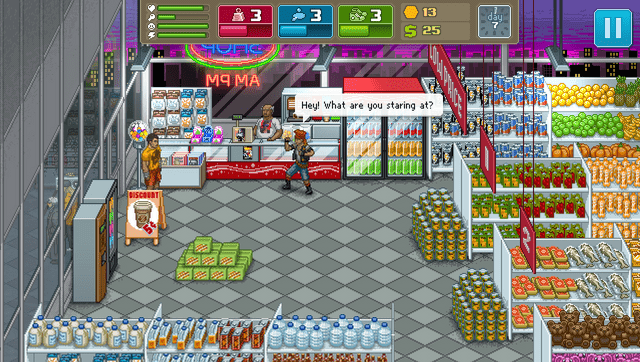
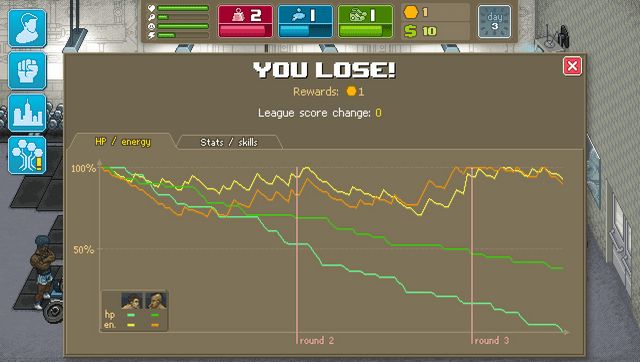
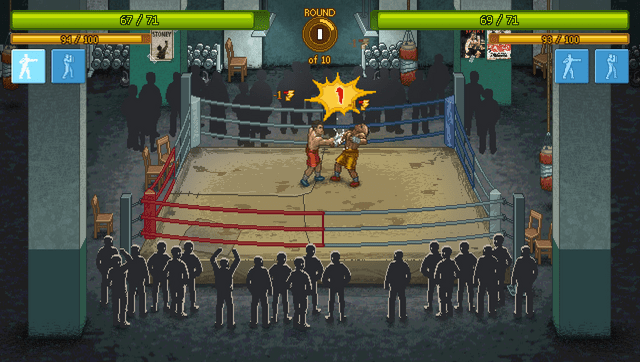
Punch Club is a sporting management simulation developed by Lazy Bear Games and published by tinyBuild. In the game, the player manages an upcoming boxer in training and preparation for a series of boxing matches at a local club, while searching for clues of who killed their father.
Note: You must own Punch Club on Steam to use this patch. If you own a DLC, re-download the game without it.
Installation
Recommended plugins:
- ioplus.skprx
- Full CPU Overclock (500Mhz)
Prerequisites:
- Install the Punch Club
.VPKusing VitaShell. Do not attempt to launch the game yet, as it will crash without the required files. - Ensure you have purchased and downloaded the game from Steam.
Steam version:
- Download
PunchClubVitaSteam.zipfrom releases and extract it to a folder on your PC. - Copy the Steam game folder into the extracted folder. Note: Your
PunchClubVitaSteamfolder should look like this:
 └── PunchClubVitaSteam/
  ├── Punch Club/  <- ../steamapps/common/Punch Club
  ├── vcdiff/
  ├── APPLYPATCH.bat
  ├── deterministic.exe
  └── xdelta3-x.x.x-x86_64.exe
- Run
APPLYPATCH.batand wait for the process to complete (this can take 15–25 minutes depending on your system). - Once completed, you will see a file named
PunchClubVita.zip. - Using VitaShell, connect your PS Vita to your PC and copy the extracted contents of
PunchClubVita.zip(zip file should be around 40-50MB) toux0:app/PNCH11111/. - Your
PNCH11111folder on your Vita should look like this:
 └── PNCH11111/
  ├── Media/
  ├── sce_module/
  ├── sce_sys/
  └── eboot.bin
Troubleshooting:
- Ensure that your PS Vita is properly overclocked.
- Verify that you have the correct game version (Steam) and have followed the steps for your version.
- If
ux0:appdoes not appear in File Explorer, make sure you have visibility of hidden directories enabled.
Screenshots
Media
Punch Club Launch Trailer (tinyBuildGAMES)
</youtube>
Known Issues
- Map Pathfinding is known to cause freezes
- Some of UI elements are incorrectly scaled
Changelog
v1.0
- First Release.