Valhalla DS: Difference between revisions
From GameBrew
More actions
No edit summary |
No edit summary |
||
| Line 1: | Line 1: | ||
{{Infobox homebrew | {{Infobox homebrew | ||
| title = Valhalla DS | | title = Valhalla DS | ||
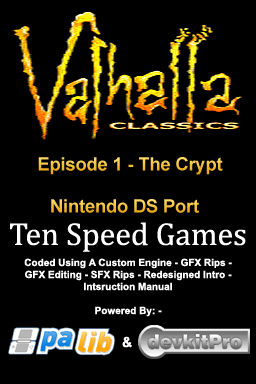
| image = | | image = https://dlhb.gamebrew.org/dshomebrew/valhalla.png | ||
| type = Adventure | | type = Adventure | ||
| version = Episode 1 - The Crypt | | version = Episode 1 - The Crypt | ||
| Line 7: | Line 7: | ||
| author = Ten Speed Games | | author = Ten Speed Games | ||
| website = http://www.neoflash.com/forum/index.php/topic,5542.0.html | | website = http://www.neoflash.com/forum/index.php/topic,5542.0.html | ||
| download = | | download = https://dlhb.gamebrew.org/dshomebrew/valhalla.7z | ||
| source = | | source = | ||
}} | }} | ||
| Line 30: | Line 30: | ||
===Actions=== | ===Actions=== | ||
All actions are performed using the touch screen and stylus. To perform an action, simply tap the corresponding button at the top of the touch screen | All actions are performed using the touch screen and stylus. To perform an action, simply tap the corresponding button at the top of the touch screen: | ||
* Look - Look at objects in front of the prince or selected item. | |||
* Drop - Drops selected item. | |||
* | * Take - Pick up object in from of the prince. | ||
* | * Insert - Insert selected item. | ||
* | * Drink - Drink selected item such as potion. | ||
* | * Operate - Operate object in front of the prince. | ||
* | |||
* | |||
Once an object is picked up, it goes into the prince's pockects, signified by the 10 circles on the touch screen. You can select these items by touching them, and then actions can be performed on them, like looking at books/maps etc. | Once an object is picked up, it goes into the prince's pockects, signified by the 10 circles on the touch screen. You can select these items by touching them, and then actions can be performed on them, like looking at books/maps etc. | ||
| Line 50: | Line 48: | ||
==Screenshots== | ==Screenshots== | ||
https://dlhb.gamebrew.org/dshomebrew/valhalla2.png | |||
https://dlhb.gamebrew.org/dshomebrew/valhalla3.png | |||
==Compatibility== | ==Compatibility== | ||
| Line 69: | Line 68: | ||
Sprites, maps, graphics, and sounds ripped and edited by Ten Speed Games. | Sprites, maps, graphics, and sounds ripped and edited by Ten Speed Games. | ||
==External links== | |||
* NeoFlash - http://www.neoflash.com/forum/index.php/topic,5542.0.html | |||
[[Category:DS homebrew games]] | [[Category:DS homebrew games]] | ||
[[Category:Homebrew adventure games on DS]] | [[Category:Homebrew adventure games on DS]] | ||