
Kit-kat 3DS: Difference between revisions
From GameBrew
More actions
No edit summary |
|||
| (6 intermediate revisions by the same user not shown) | |||
| Line 1: | Line 1: | ||
{{Infobox 3DS Homebrews | {{Infobox 3DS Homebrews | ||
|title=kit-kat | |title=kit-kat | ||
|image= | |image=Kitkat205.png | ||
|description=A Wireless Capture-card to stream your 3DS screen to your PC. | |description=A Wireless Capture-card to stream your 3DS screen to your PC. | ||
|author=PRAGMA | |author=PRAGMA | ||
|lastupdated=2018/04/01 | |lastupdated=2018/04/01 | ||
|type= | |type=3DS Streaming | ||
|version=2.0.3.1 | |version=2.0.3.1 | ||
|license=GPL-2.0 | |license=GPL-2.0 | ||
|download= | |download=https://dlhb.gamebrew.org/3dshomebrews/kit_kat_2.0.3.1_src.zip Source Only | ||
|website=https://github.com/imPRAGMA/kit-kat | |website=https://github.com/imPRAGMA/kit-kat | ||
|source=https://github.com/imPRAGMA/kit-kat | |source=https://github.com/imPRAGMA/kit-kat | ||
| Line 20: | Line 20: | ||
==User guide== | ==User guide== | ||
Troubleshooting steps: | Troubleshooting steps: | ||
* Make sure | * Make sure you are using Boot NTR Selector and loading 3.6. | ||
* Make sure you close FBI before you attempt to connect with Kit-Kat. If you clicked connect with FBI opened, re-boot and start again. | * Make sure you close FBI before you attempt to connect with Kit-Kat. If you clicked connect with FBI opened, re-boot and start again. | ||
* Wi-Fi Adapter and/or Router might not be getting a strong enough connection. | * Wi-Fi Adapter and/or Router might not be getting a strong enough connection. | ||
| Line 43: | Line 43: | ||
* GBAtemp - [https://web.archive.org/web/20181001085103/https://gbatemp.net/threads/release-kit-kat-2-0-wireless-capture-card.453015 https://gbatemp.net/threads/release-kit-kat-2-0-wireless-capture-card.453015] (archived) | * GBAtemp - [https://web.archive.org/web/20181001085103/https://gbatemp.net/threads/release-kit-kat-2-0-wireless-capture-card.453015 https://gbatemp.net/threads/release-kit-kat-2-0-wireless-capture-card.453015] (archived) | ||
* GBAtemp - [https://web.archive.org/web/20171130161158/https://gbatemp.net/threads/release-kit-kat-the-ultimate-3ds-toolkit-pc-client.453015 https://gbatemp.net/threads/release-kit-kat-the-ultimate-3ds-toolkit-pc-client.453015] (archived) | * GBAtemp - [https://web.archive.org/web/20171130161158/https://gbatemp.net/threads/release-kit-kat-the-ultimate-3ds-toolkit-pc-client.453015 https://gbatemp.net/threads/release-kit-kat-the-ultimate-3ds-toolkit-pc-client.453015] (archived) | ||
Latest revision as of 11:21, 22 June 2024
| kit-kat | |
|---|---|
 | |
| General | |
| Author | PRAGMA |
| Type | 3DS Streaming |
| Version | 2.0.3.1 |
| License | GPL-2.0 |
| Last Updated | 2018/04/01 |
| Links | |
| Source Only Download | |
| Website | |
| Source | |
| This application has been obsoleted by one or more applications that serve the same purpose, but are more stable or maintained. |

kit-kat (Toolkit-kat) is a Wireless Capture-card to stream your 3DS screen to your PC.
This project has been abandoned.
User guide
Troubleshooting steps:
- Make sure you are using Boot NTR Selector and loading 3.6.
- Make sure you close FBI before you attempt to connect with Kit-Kat. If you clicked connect with FBI opened, re-boot and start again.
- Wi-Fi Adapter and/or Router might not be getting a strong enough connection.
- IP Address could be incorrect (It changes every now and then).
- Windows Firewall, Windows Defender or Anti-Virus/Anti-Malware could be blocking the connection (e.g. MalwareBytes WebProtection Module).
- 3DS and PC might not be connected to the same Network.
- 3DS might not actually be connected to the Internet (Some games disable Wi-Fi when you are in it to allow NFC - Pokemon, Zelda, etc).
If you are getting low FPS:
- Your probably using a really under-powered Wi-Fi Adapter and/or Router.
- Try get close to the Router (PC isn't getting a strong enough connection).
- HostedNetwork's without a proper Connectify Setup don't work well.
- Never use a Phone as a Hotspot, It's not powerful enough.
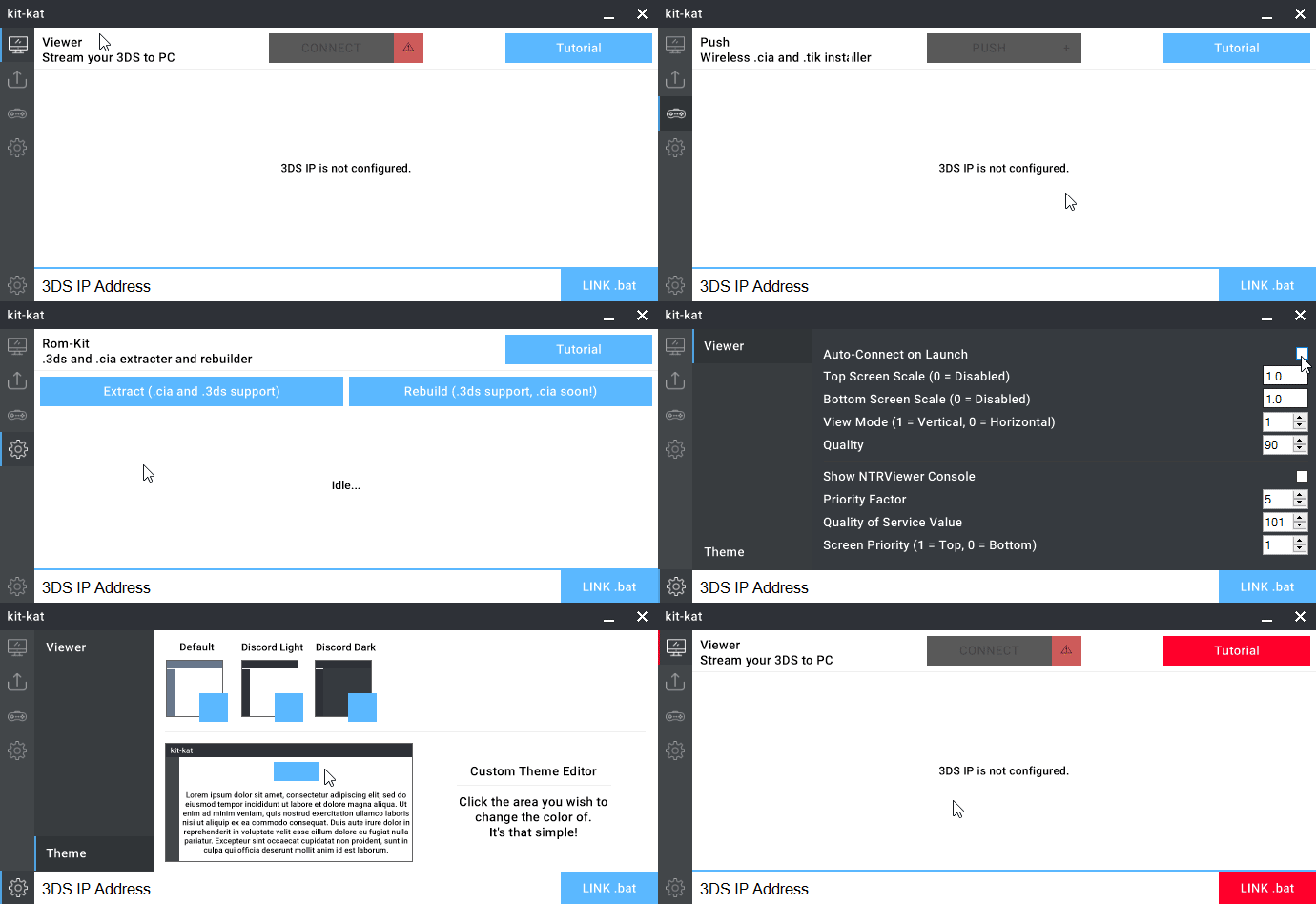
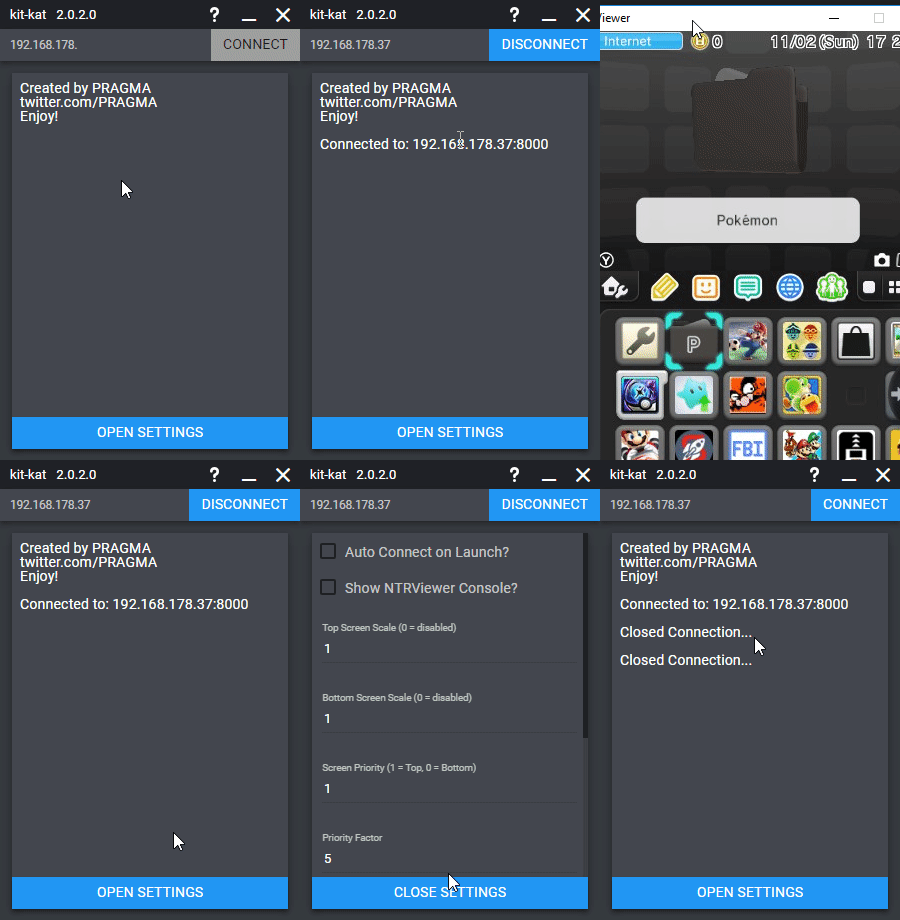
Screenshots
External links
- GitHub - https://github.com/imPRAGMA/kit-kat (archived)
- GBAtemp - https://gbatemp.net/threads/release-kit-kat-2-0-wireless-capture-card.453015
- GBAtemp - https://gbatemp.net/threads/release-kit-kat-2-0-wireless-capture-card.453015 (archived)
- GBAtemp - https://gbatemp.net/threads/release-kit-kat-the-ultimate-3ds-toolkit-pc-client.453015 (archived)