
Craftus Redesigned 3DS: Difference between revisions
From GameBrew
More actions
m Text replacement - "| licence" to "| license" |
m Text replacement - "Category:3DS homebrew games" to "" |
||
| (6 intermediate revisions by the same user not shown) | |||
| Line 1: | Line 1: | ||
{{Infobox 3DS Homebrews | {{Infobox 3DS Homebrews | ||
| title = Craftus Redesigned | |title=Craftus Redesigned | ||
| image = | |image=Craftusredesigned2.png | ||
| | |description=Modification from Craftus Reloaded. | ||
| | |author=GamesSanti | ||
| lastupdated = 2020/11/26 | |lastupdated=2020/11/26 | ||
| | |type=Simulation | ||
| | |version=0.5.4 | ||
| | |license=Mixed | ||
| | |download=https://dlhb.gamebrew.org/3dshomebrews/craftusredesigned.7z | ||
| source = https://github.com/GamesSanti/Craftus-Redesigned | |website=https://github.com/GamesSanti/Craftus-Redesigned | ||
|source=https://github.com/GamesSanti/Craftus-Redesigned | |||
}} | }} | ||
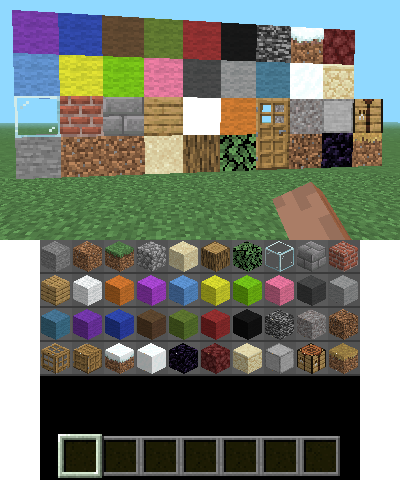
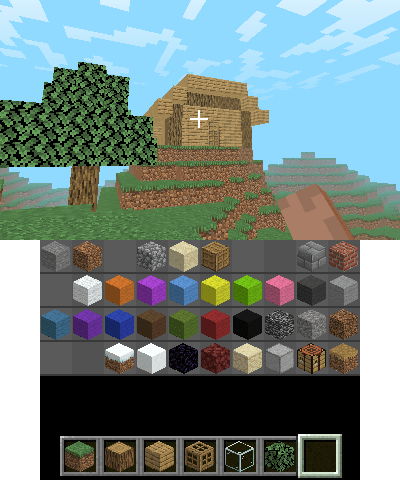
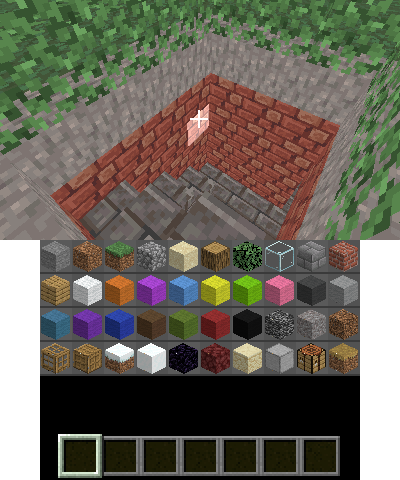
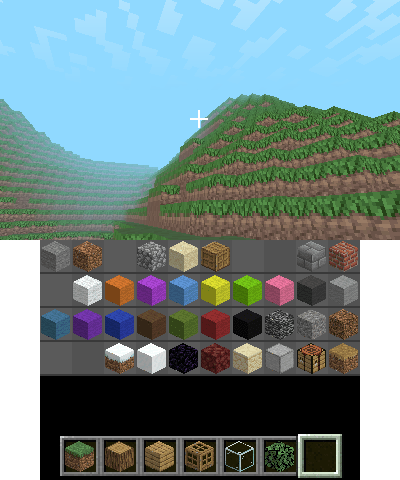
Craftus Redesigned is a modified version of Craftus Reloaded | Craftus Redesigned is a modified version of [[Craftus Reloaded 3DS|Craftus Reloaded]] with Minecraft 1.16 textures. | ||
==Installation== | |||
Available in 3DSX and CIA formats. | |||
* CIA - Install the .cia with the CIA manager of your choice. | |||
* 3DSX - Use the .3dsx provided with the Homebrew Launcher. | |||
== | ==User guide== | ||
After launching it for the first time, you can change the controls in sd:/craftus_redesigned/options.ini. | |||
You can also change the settings in sd:/craftus_redesigned/options.ini. | |||
==Screenshots== | |||
https://dlhb.gamebrew.org/3dshomebrews/craftusredesigned3.png | |||
https://dlhb.gamebrew.org/3dshomebrews/craftusredesigned4.png | |||
https://dlhb.gamebrew.org/3dshomebrews/craftusredesigned5.png | |||
https://dlhb.gamebrew.org/3dshomebrews/craftusredesigned6.png | |||
==Controls== | |||
L or ZL (N3DS) - Place block | |||
R or ZR (N3DS) - Break block | |||
Circle Pad - Movement | |||
D-Pad Up or A/B (N3DS) - Jump | |||
D-Pad Down or Y/X (N3DS) - Shift | |||
ABXY or C-Stick (N3DS) - Camera | |||
D-Pad or L/D-Pad (N3DS) - Switch block (left/right) | |||
Select - Open Console | |||
Start - Back (menu) | |||
* | ==Credits== | ||
* | * RSDuck who made Craftus and Craftus Reloaded. | ||
* | * People who made 3DS homebrew possible. | ||
* | ** Especially smea for 3dscraft which is good place for inspiration. | ||
* | ** Contributors of the 3dbrew.org wiki and ctrulib. | ||
* | ** Fincs for citro3d. | ||
* | * Tommaso Checchi, for his [https://tomcc.github.io/2014/08/31/visibility-1.html culling algorithm], orginally developed for the use in MC PE. | ||
* | * Of course all other MC devs. | ||
* | * All people who worked on the libraries Craftus is depending on (see the dependencies folder). | ||
==External links== | |||
* GitHub - https://github.com/GamesSanti/Craftus-Redesigned | |||
* Reddit - https://www.reddit.com/r/3dshacks/comments/jq9ww0/craftus_reskined | |||
Latest revision as of 05:45, 6 May 2024
| Craftus Redesigned | |
|---|---|
 | |
| General | |
| Author | GamesSanti |
| Type | Simulation |
| Version | 0.5.4 |
| License | Mixed |
| Last Updated | 2020/11/26 |
| Links | |
| Download | |
| Website | |
| Source | |
Craftus Redesigned is a modified version of Craftus Reloaded with Minecraft 1.16 textures.
Installation
Available in 3DSX and CIA formats.
- CIA - Install the .cia with the CIA manager of your choice.
- 3DSX - Use the .3dsx provided with the Homebrew Launcher.
User guide
After launching it for the first time, you can change the controls in sd:/craftus_redesigned/options.ini.
You can also change the settings in sd:/craftus_redesigned/options.ini.
Screenshots
Controls
L or ZL (N3DS) - Place block
R or ZR (N3DS) - Break block
Circle Pad - Movement
D-Pad Up or A/B (N3DS) - Jump
D-Pad Down or Y/X (N3DS) - Shift
ABXY or C-Stick (N3DS) - Camera
D-Pad or L/D-Pad (N3DS) - Switch block (left/right)
Select - Open Console
Start - Back (menu)
Credits
- RSDuck who made Craftus and Craftus Reloaded.
- People who made 3DS homebrew possible.
- Especially smea for 3dscraft which is good place for inspiration.
- Contributors of the 3dbrew.org wiki and ctrulib.
- Fincs for citro3d.
- Tommaso Checchi, for his culling algorithm, orginally developed for the use in MC PE.
- Of course all other MC devs.
- All people who worked on the libraries Craftus is depending on (see the dependencies folder).