
VitaSSH: Difference between revisions
From GameBrew
More actions
Created page with "{{Infobox Vita Homebrews |title=VitaSSH |image=VitaSSH.png |description=SSH client for PSVita. |author=Rompelhd |lastupdated=2026/03/15 |type=Utilities |version=1.0 |license=N/A |download=https://dlhb.gamebrew.org/vitahomebrews/VitaSSH.7z |website=https://github.com/rompelhd/VitaSSH |source=https://github.com/rompelhd/VitaSSH |donation= }} {{#seo: |title=Vita Homebrew Apps (Utilities) - GameBrew |title_mode=append |image=VitaSSH.png |image_alt=VitaSSH }} '''VitaSSH''' is..." |
No edit summary |
||
| Line 19: | Line 19: | ||
|image_alt=VitaSSH | |image_alt=VitaSSH | ||
}} | }} | ||
VitaSSH is a proof-of-concept SSH client designed for the PlayStation Vita, leveraging libssh2 for secure shell connections and VitaSDK for native Vita hardware integration. This experimental client provides basic SSH terminal functionality on the Vita's unique platform. | |||
== Features == | |||
* Secure SSH2 connections with password authentication. | |||
* Arbitrary command execution on remote systems. | |||
* Special character filtering for Vita display compatibility. | |||
* Network state monitoring with visual feedback. | |||
* Memory-safe resource cleanup. | |||
== Installation == | |||
Transfer the generated .vpk file to your PS Vita. | |||
Install it using [[VitaShell]] or the Package Manager. | |||
== User guide == | |||
Ensure you have Wi-Fi network connectivity. | |||
Launch VitaSSH and configure your connection details. | |||
Notes: | |||
* This is experimental software, use at your own risk. | |||
* Some SSH servers may require specific configuration. | |||
* Complex commands with extensive output may cause display issues. | |||
* Password authentication only (no key-based authentication yet). | |||
Limitations: | |||
* | * No scrollback: Screen clears after each command. | ||
* | * No command history: Manual retyping required. | ||
* No touch input: Physical buttons only (TRIANGLE/SQUARE). | |||
* Limited character set: ASCII-only display output. | |||
* No interactive sessions: Single commands only. | |||
== Controls == | == Controls == | ||
Triangle - Open on-screen keyboard for commands | |||
Square - Exit the application | |||
D-Pad/Analog - Navigate through IME dialogs | |||
Cross - Confirm/enter in dialogs | |||
==Screenshots== | ==Screenshots== | ||
https://dlhb.gamebrew.org/vitahomebrews/images/ | https://dlhb.gamebrew.org/vitahomebrews/images/VitaSSH2.png | ||
https://dlhb.gamebrew.org/vitahomebrews/images/ | https://dlhb.gamebrew.org/vitahomebrews/images/VitaSSH3.png | ||
https://dlhb.gamebrew.org/vitahomebrews/images/ | https://dlhb.gamebrew.org/vitahomebrews/images/VitaSSH4.png | ||
https://dlhb.gamebrew.org/vitahomebrews/images/ | https://dlhb.gamebrew.org/vitahomebrews/images/VitaSSH5.png | ||
== Known issues == | == Known issues == | ||
* Limited output buffer for long command responses. | |||
* No support for interactive programs (vim, top, etc.). | |||
* Occasional timeouts on unstable network connections. | |||
* Limited output buffer for long command responses | |||
* No support for interactive programs (vim, top, etc.) | |||
* Occasional timeouts on unstable network connections | |||
== Changelog == | == Changelog == | ||
'''v1.0.0 2026/03/15''' | '''v1.0.0 2026/03/15''' | ||
* | * This is the first official release. The project is no longer just a proof of concept and has become something more functional, although there are still several areas that need improvement. | ||
* | * Compared to the initial prototype, the rendering system has been migrated from debug_screen to vita2d, providing a much better foundation for the interface. | ||
* | * At the moment there are multiple command execution modes available. It may feel a bit confusing for now, but once a fully functional interactive shell is implemented, the simple command mode will likely be removed. | ||
* | * The interactive shell currently included still has a few bugs that I hope to fix and improve in future updates. For now, it should be considered more of an experimental extra feature. | ||
* | * Regarding the interface, there has been a big improvement compared to the first prototype. The application now includes: | ||
* Connection profiles for quicker access to remote hosts | ** A proper menu system | ||
** A loading screen | |||
** Connection profiles for quicker access to remote hosts | |||
'''v0.0.1 2025/10/19''' | '''v0.0.1 2025/10/19''' | ||
| Line 99: | Line 94: | ||
== External links == | == External links == | ||
* | * GitHub - https://github.com/rompelhd/VitaSSH | ||
* VitaDB - https://www.rinnegatamante.eu/vitadb/#/info/1373 | * VitaDB - https://www.rinnegatamante.eu/vitadb/#/info/1373 | ||
Latest revision as of 05:56, 22 March 2026
| VitaSSH | |
|---|---|
 | |
| General | |
| Author | Rompelhd |
| Type | Utilities |
| Version | 1.0 |
| License | N/A |
| Last Updated | 2026/03/15 |
| Links | |
| Download | |
| Website | |
| Source | |
VitaSSH is a proof-of-concept SSH client designed for the PlayStation Vita, leveraging libssh2 for secure shell connections and VitaSDK for native Vita hardware integration. This experimental client provides basic SSH terminal functionality on the Vita's unique platform.
Features
- Secure SSH2 connections with password authentication.
- Arbitrary command execution on remote systems.
- Special character filtering for Vita display compatibility.
- Network state monitoring with visual feedback.
- Memory-safe resource cleanup.
Installation
Transfer the generated .vpk file to your PS Vita.
Install it using VitaShell or the Package Manager.
User guide
Ensure you have Wi-Fi network connectivity.
Launch VitaSSH and configure your connection details.
Notes:
- This is experimental software, use at your own risk.
- Some SSH servers may require specific configuration.
- Complex commands with extensive output may cause display issues.
- Password authentication only (no key-based authentication yet).
Limitations:
- No scrollback: Screen clears after each command.
- No command history: Manual retyping required.
- No touch input: Physical buttons only (TRIANGLE/SQUARE).
- Limited character set: ASCII-only display output.
- No interactive sessions: Single commands only.
Controls
Triangle - Open on-screen keyboard for commands
Square - Exit the application
D-Pad/Analog - Navigate through IME dialogs
Cross - Confirm/enter in dialogs
Screenshots
Known issues
- Limited output buffer for long command responses.
- No support for interactive programs (vim, top, etc.).
- Occasional timeouts on unstable network connections.
Changelog
v1.0.0 2026/03/15
- This is the first official release. The project is no longer just a proof of concept and has become something more functional, although there are still several areas that need improvement.
- Compared to the initial prototype, the rendering system has been migrated from debug_screen to vita2d, providing a much better foundation for the interface.
- At the moment there are multiple command execution modes available. It may feel a bit confusing for now, but once a fully functional interactive shell is implemented, the simple command mode will likely be removed.
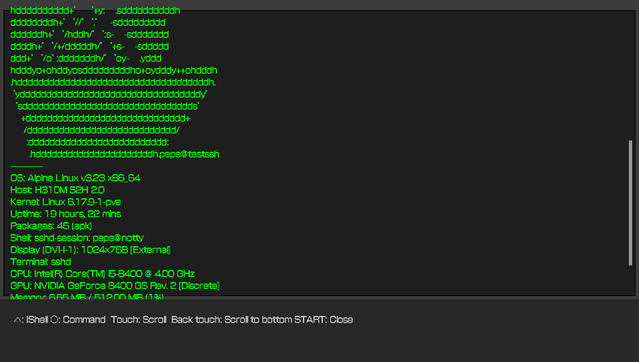
- The interactive shell currently included still has a few bugs that I hope to fix and improve in future updates. For now, it should be considered more of an experimental extra feature.
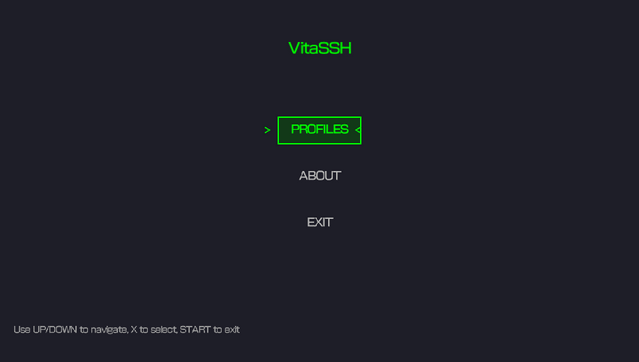
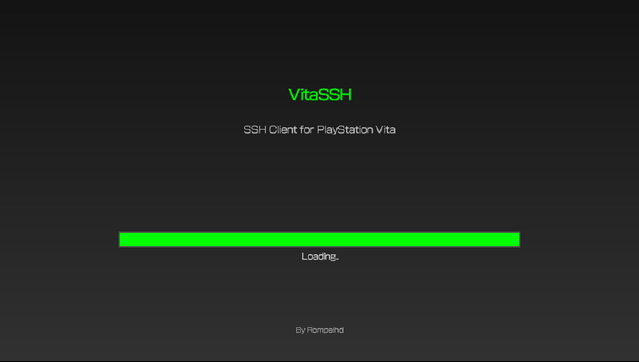
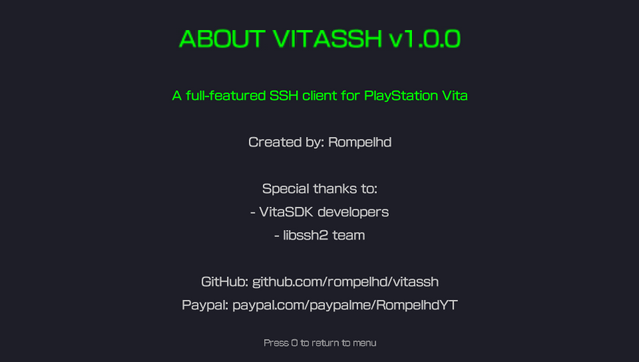
- Regarding the interface, there has been a big improvement compared to the first prototype. The application now includes:
- A proper menu system
- A loading screen
- Connection profiles for quicker access to remote hosts
v0.0.1 2025/10/19
- Initial release (proof of concept)
- Basic SSH2 connection support (password authentication)
- Command execution with on-screen keyboard input
- Real-time network connection feedback
- Simple text-based output rendering
- Clean session handling and resource cleanup