
Moonshell for PSP: Difference between revisions
More actions
No edit summary |
No edit summary |
||
| (2 intermediate revisions by the same user not shown) | |||
| Line 2: | Line 2: | ||
|title=Moonshell for PSP | |title=Moonshell for PSP | ||
|image=moonshellforpsp.png | |image=moonshellforpsp.png | ||
|description=Port of | |description=Port of Moonshell for the PSP. | ||
|author=moonlight | |author=moonlight | ||
|lastupdated=2011/11/22 | |lastupdated=2011/11/22 | ||
|type=Media Players | |type=Media Players | ||
|format= | |format= | ||
|version=1.00 | |version=1.00 Beta | ||
|license=Mixed | |license=Mixed | ||
|download=https://dlhb.gamebrew.org/psphomebrew/moonshellforpsp.7z | |download=https://dlhb.gamebrew.org/psphomebrew/moonshellforpsp.7z | ||
| Line 13: | Line 13: | ||
|source=https://dlhb.gamebrew.org/psphomebrew/moonshellforpsp.7z | |source=https://dlhb.gamebrew.org/psphomebrew/moonshellforpsp.7z | ||
}} | }} | ||
Port of the | Port of the NDS multimedia player [[MoonShell]] for the PSP. | ||
== Features == | == Features == | ||
| Line 29: | Line 29: | ||
==User guide== | ==User guide== | ||
List of supported formats from readme (the is a beta release and not all of them are supported): | |||
* LibImgBMP: bmp. | * LibImgBMP: bmp. | ||
* LibImgJpeg: jpg, jpe, jpeg. | * LibImgJpeg: jpg, jpe, jpeg. | ||
| Line 135: | Line 135: | ||
== Media == | == Media == | ||
'''Moonshell PSP Beta''' ([https://www.youtube.com/watch?v=H_wd9zm5DB8 Rydian]) <br> | '''Moonshell PSP Beta''' ([https://www.youtube.com/watch?v=H_wd9zm5DB8 Rydian]) <br> | ||
<youtube>H_wd9zm5DB8</youtube> | <youtube width="480">H_wd9zm5DB8</youtube> | ||
==Compatibility== | |||
Tested on PSP2000 (6.60ME). | |||
== External links == | == External links == | ||
* Author's website - http://mdxonline.dyndns.org/20111222_MoonShellForPSP_Ver100_InstallManual/ | * Author's website - http://mdxonline.dyndns.org/20111222_MoonShellForPSP_Ver100_InstallManual/ | ||
Latest revision as of 01:14, 9 January 2025
| Moonshell for PSP | |
|---|---|
 | |
| General | |
| Author | moonlight |
| Type | Media Players |
| Version | 1.00 Beta |
| License | Mixed |
| Last Updated | 2011/11/22 |
| Links | |
| Download | |
| Website | |
| Source | |
Port of the NDS multimedia player MoonShell for the PSP.
Features
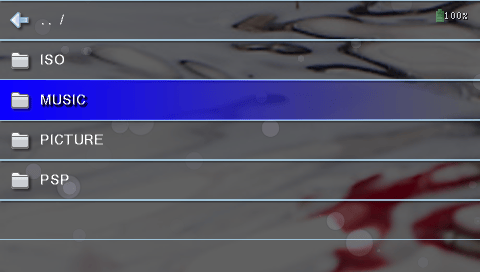
- File explorer.
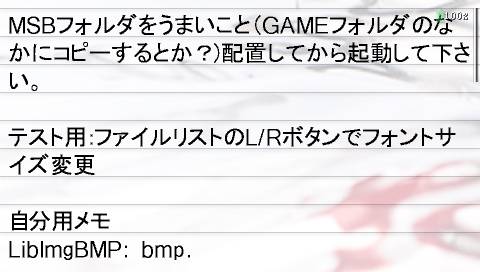
- View images, text files.
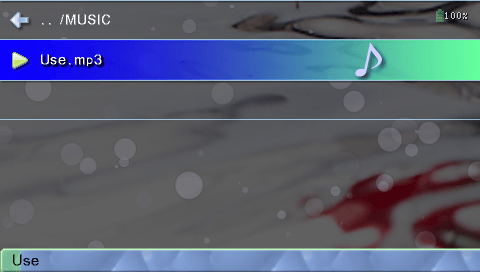
- Music player.
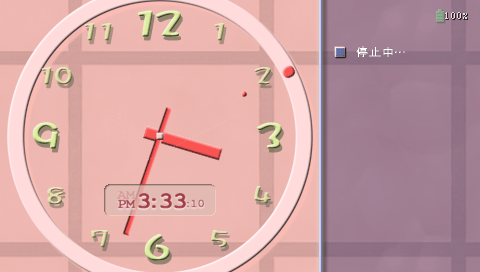
- Clock.
Installation
Copy the MSFORPSP folder into the GAME folder of your Memory Stick inside the PSP.
Music files can be placed anywhere, but it is recommended to place them in the MUSIC folder for convenience.
To uninstall, simply delete the MSFORPSP folder from your Memory Stick.
User guide
List of supported formats from readme (the is a beta release and not all of them are supported):
- LibImgBMP: bmp.
- LibImgJpeg: jpg, jpe, jpeg.
- LibImgPNG: png.
- LibImgPSD: psd.
- LibSndFLAC: flac.
- LibSndG721: 721.
- LibSndGME: ay, gbs, gym, hes, kss, nsf, nsfe, sap, spc, vgm, vgz.
- LibSndM4A: m4a, mp4, 3gp.
- LibSndMDX: mdx.
- LibSndMIDI: mid, rcp, r36.
- LibSndMOD: 669, amf, dsm, far, gdm, it, imf, med, m15, mod, mtm, okt, stm, stx, s3m, ult, uni, xm.
- LibSndMP3: mp1, mp2, mp3, dpg.
- LibSndOGG: ogg.
- LibSndTTA: tta.
- LibSndWAV: wav.
- LibSndWMA: wma.
Controls
File list screen
Up/Down/Left/Right - Move the cursor
Hold Up - Move to the top of the list
Hold Down - Move to the bottom of the list
Circle - Open file, Enter folder
Cross - Stop music, Exit folder
Triangle - Show file information
Square or Select - Open system menu
L/R - Open the Play tab screen
Analog Up/Down - Adjust volume
Analog Left/Right - Seek forward/backward
Play tab screen
The Play Tab is displayed while L or R is pressed.
LL/RR (double press) - Previous/Next track
LL+/RR+(hold the second press) - Seek forward/backward
L/R+Up/Down - Previous/Next track
L/R+Left/Right - Seek forward/backward
L/R+Square/Triangle - Adjust volume
L/R+Circle - Pause
L/R+Cross - Stop
Clock screen
The clock screen will appear after a specified amount of idle time, which can be changed in the settings.
L/R - Access the Play tab screen
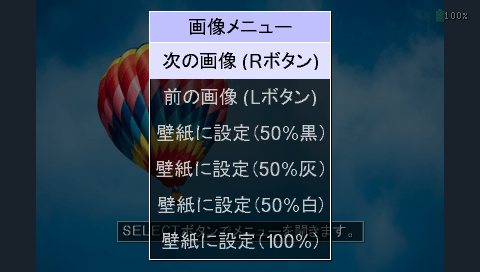
Image display screen
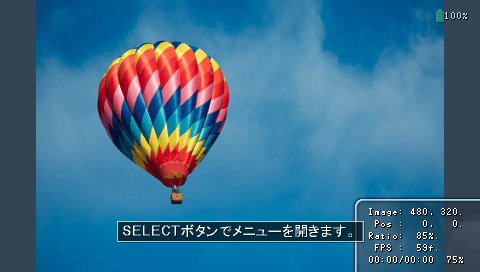
D-Pad - Scroll through the image
Triangle/Square - Zoom
Circle - Fit the image to the screen
Cross - Close the image
L/R - Display previous/next image
Select - Open the image menu
Text display screen
(Note: There are still some minor bugs with the text display.)
D-Pad - Scroll the text
Triangle/Square - No assigned
Circle - Page forward
Cross - Close the text file
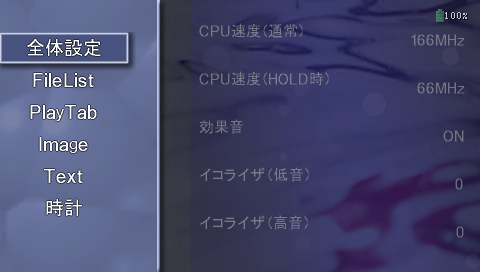
Settings screen
In the file list, press Square to enter the system menu and access the settings.
Screenshots
Media
Moonshell PSP Beta (Rydian)
Compatibility
Tested on PSP2000 (6.60ME).
External links
- Author's website - http://mdxonline.dyndns.org/20111222_MoonShellForPSP_Ver100_InstallManual/