
Kit-kat-slim 3DS: Difference between revisions
From GameBrew
More actions
Created page with "{{Infobox 3DS homebrew | title = kit-kat-slim | image = https://dlhb.gamebrew.org/3dshomebrew/kit-kat-slim.png|250px | type = PC Utilities | version = v2.0.2 | licence = Mixed..." |
m Text replacement - "Category:PC utilities for 3DS homebrew" to "" |
||
| (16 intermediate revisions by the same user not shown) | |||
| Line 1: | Line 1: | ||
{{Infobox 3DS | {{Infobox 3DS Homebrews | ||
| title = kit-kat-slim | |title=kit-kat-slim | ||
| image = | |image=Kitkatslim2.png | ||
| type = | |description=A slimmed fork of the Mega 3DS Toolkit Chain by PRAGMA. | ||
| version = | |author=gameincanada | ||
| | |lastupdated=2017/08/27 | ||
| | |type=3DS Streaming | ||
|version=2.0.2 | |||
| | |license=GPL-2.0 | ||
| source = https:// | |download=https://dlhb.gamebrew.org/3dshomebrews/kitkatslim.7z | ||
|website=https://github.com/gameincanada/kit-kat-slim | |||
|source=https://github.com/gameincanada/kit-kat-slim | |||
}} | }} | ||
kit-kat-slim (formerly named kit-kat-touch) is a slimmed fork of the Mega 3DS Toolkit Chain originally by [https://gbatemp.net/threads/release-kit-kat-2-0-wireless-capture-card.453015 PRAGMA]. | |||
==Feature== | |||
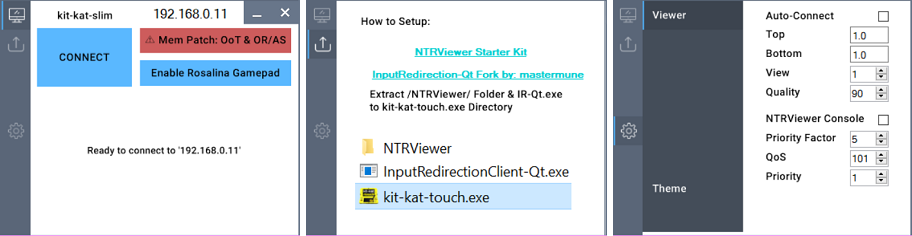
* Minimalistic UI. | |||
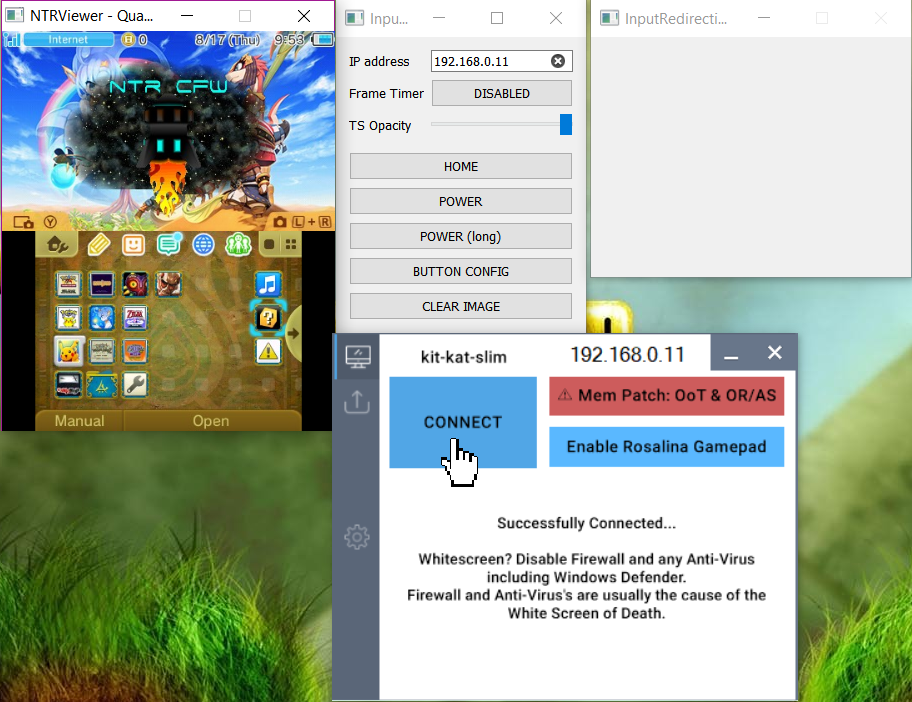
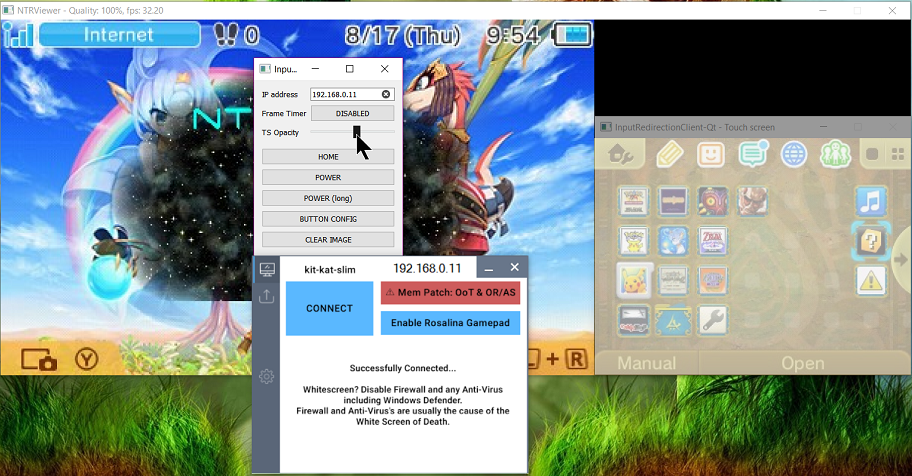
* Ability Stream n3DS Video Wirelessly to NTRViewer.exe (no capture card needed just NTR CFW). | |||
* Open any Version of InputRedirectionClient-Qt.exe with a Button. | |||
* Open DS4Windows.exe with a Button. | |||
* Automatically Kill InputRedirectionClient-Qt + NTRViewer + DS4Windows when closing kit-kat-slim. | |||
==Installation== | |||
Download and extract the following to kit-kat-slim.exe Directory: | |||
* [[NTRViewer_3DS|NTRViewer Folder + Contents]] (inside NTR_STARTERKIT.zip). | |||
* [https://github.com/TuxSH/InputRedirectionClient-Qt/releases InputRedirectionClient-Qt.zip] Contents (optional). | |||
* DS4Windows.zip Contents (optional). | |||
==Screenshots== | |||
https://dlhb.gamebrew.org/3dshomebrews/kitkatslim3.png | |||
https://dlhb.gamebrew.org/3dshomebrews/kitkatslim4.png | |||
https://dlhb.gamebrew.org/3dshomebrews/kitkatslim5.png | |||
==Media== | |||
'''How to Setup "kit-kat-slim" Control your 3DS and Touchscreen w/ PS4 Gamepad & Stream Video''' ([https://www.youtube.com/watch?v=NIm3s5CFCek GameInCanada]) <br> | |||
<youtube>NIm3s5CFCek</youtube> | <youtube>NIm3s5CFCek</youtube> | ||
= | ==Credits== | ||
Thanks to: | |||
* stary2001 | * stary2001 | ||
* kazo | * kazo | ||
| Line 38: | Line 46: | ||
* nanquitas | * nanquitas | ||
* mastermune | * mastermune | ||
==External links== | |||
* Author's website - [https://web.archive.org/web/20171026030928/https://gameincanada.blogspot.com/2017/05/3dsrelease-kit-kat-touch-stream-n3ds.html https://gameincanada.blogspot.com/p/kit-kat-touch.html] (archived) | |||
* GitHub - https://github.com/gameincanada/kit-kat-slim | |||
Latest revision as of 04:33, 6 May 2024
| kit-kat-slim | |
|---|---|
 | |
| General | |
| Author | gameincanada |
| Type | 3DS Streaming |
| Version | 2.0.2 |
| License | GPL-2.0 |
| Last Updated | 2017/08/27 |
| Links | |
| Download | |
| Website | |
| Source | |
kit-kat-slim (formerly named kit-kat-touch) is a slimmed fork of the Mega 3DS Toolkit Chain originally by PRAGMA.
Feature
- Minimalistic UI.
- Ability Stream n3DS Video Wirelessly to NTRViewer.exe (no capture card needed just NTR CFW).
- Open any Version of InputRedirectionClient-Qt.exe with a Button.
- Open DS4Windows.exe with a Button.
- Automatically Kill InputRedirectionClient-Qt + NTRViewer + DS4Windows when closing kit-kat-slim.
Installation
Download and extract the following to kit-kat-slim.exe Directory:
- NTRViewer Folder + Contents (inside NTR_STARTERKIT.zip).
- InputRedirectionClient-Qt.zip Contents (optional).
- DS4Windows.zip Contents (optional).
Screenshots
Media
How to Setup "kit-kat-slim" Control your 3DS and Touchscreen w/ PS4 Gamepad & Stream Video (GameInCanada)
Credits
Thanks to:
- stary2001
- kazo
- pragma
- cell9
- nanquitas
- mastermune
External links
- Author's website - https://gameincanada.blogspot.com/p/kit-kat-touch.html (archived)
- GitHub - https://github.com/gameincanada/kit-kat-slim