
3SharpView 3DS: Difference between revisions
From GameBrew
More actions
m Text replacement - "Category:3DS homebrew applications" to "" |
m Text replacement - "Category:Support the author" to "" |
||
| (One intermediate revision by the same user not shown) | |||
| Line 72: | Line 72: | ||
* Author's Youtube - https://www.youtube.com/user/MrPhlexPlexico | * Author's Youtube - https://www.youtube.com/user/MrPhlexPlexico | ||
* Reddit - https://www.reddit.com/r/speedrun/comments/ixs25h/3input_a_3ds_input_viewer | * Reddit - https://www.reddit.com/r/speedrun/comments/ixs25h/3input_a_3ds_input_viewer | ||
Latest revision as of 04:06, 17 May 2024
| 3SharpView | |
|---|---|
 | |
| General | |
| Author | PhlexPlexico |
| Type | 3DS Streaming |
| Version | 0.35 |
| License | GPL-3.0 |
| Last Updated | 2020/09/24 |
| Links | |
| Download | |
| Website | |
| Source | |
| Support Author | |
3SharpView is a C# Viewer for 3Input. It connects to the 3Input Viewer server on your 3DS to read the JSON Inputs and present meaningful information on what has been pressed/moved on your 3DS.
This program is to be used with 3Input which allows you to view the inputs on a PC, can be use helpful for any streamers/speedrunners who would like to show off their inputs while playing.
Features
- ABXY.
- Thumb Stick.
- L/R.
- Start/Select.
- Touch Screen.
- Adjustable Chromakey for touch screen and touch point (either in plain text, or hex code).
Building
To build from source you need Visual Studio 2019.
Open the Solution file (.sln) in Visual Studio, and build.
Alternatively you can use the compiled executables (.exe).
Screenshots
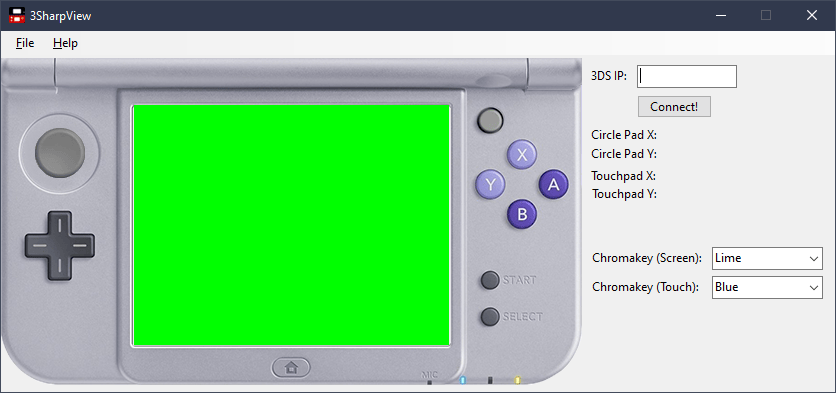
Media
3Input and 3SharpView Example
Changelog
v0.35 2020/09/24
- Included the use of:
- Colour choice for touch dot and 3DS screen.
- These can be from the few colours in drop down, or via hex colour codes (i.e. #fff or #ffffff). Feel free to adjust to your needs.
- Attached is two different versions as well. One removes the touchscreen tracking capability, and the other has a green backdrop so you are able to chroma-key just the button presses on stream.
v0.3 2020/09/23
- Included the use of:
- L/R.
- Start/Select.
- D-pad inputs.
- Begun work for initial touch screen updates.
- Text X/Y coordinates on screen as well.
- Text Touchscreen Coordinates on screen.
- Touch Screen Input via a blue dot.
v0.2 2020/09/22
- Included the use of:
- L/R.
- Start/Select.
- D-pad inputs.
- Begun work for initial touch screen updates.
- Text X/Y coordinates on screen as well.
Credits
- Gaby for helping test the first iterations of this.