
PrBoom Plus 3DS: Difference between revisions
More actions
No edit summary |
m Text replacement - "|description=A port of" to "|description=Port of" |
||
| Line 2: | Line 2: | ||
|title=PrBoom+ 3DS | |title=PrBoom+ 3DS | ||
|image=Prboomplus3ds02.png | |image=Prboomplus3ds02.png | ||
|description= | |description=Port of PrBoom+ for the Nintendo 3DS. | ||
|author=Voxel9 | |author=Voxel9 | ||
|lastupdated=2023/07/10 | |lastupdated=2023/07/10 | ||
Latest revision as of 14:55, 6 July 2024
| PrBoom+ 3DS | |
|---|---|
| Error creating thumbnail: Unable to save thumbnail to destination | |
| General | |
| Author | Voxel9 |
| Type | Shooter |
| Version | 1.0.0 |
| License | GPL-2.0 |
| Last Updated | 2023/07/10 |
| Links | |
| Download | |
| Website | |
| Source | |

PrBoom+ 3DS is a direct port of PrBoom+ 2.6.66 with extra added enhancements exclusive to the system. It provides most of the capabilities found in desktop PrBoom+, only a few unsupported renderer and networking features have been removed.
In addition, all video modes apart from 8-bit are supported. By default, the GPU-accelerated OpenGL mode is enabled, though the other software-rendering modes are also available should you wish to fall back on them (so far, all modes produce roughly similar performance, with OpenGL being moderately faster)
Features
- PrBoom+ 2.6.66.
- Features both GPU-accelerated OpenGL mode, and software-renderer modes.
- Great performance on New 3DS, decent-ish performance on Old 3DS.
- Good quality stereoscopic 3D.
- Interchangeable touchscreen mouse and keyboard.
Installation
How to install
To set up and run PrBoom+ on your Nintendo 3DS, follow these steps:
- Dump the DSP firm to ensure sound compatibility.
- Download the prboom-plus-3DS.zip file and the prboom-plus.3dsx/cia file from the release page.
- Extract the contents of the ZIP file to the root of your SD card.
- If you're planning to run the .3dsx version, copy prboom-plus.3dsx to /3ds/PrBoom-Plus.
- If you're planning to run the .cia version, copy prboom-plus.cia to any location on the SD card and install it using FBI.
- Obtain the WAD file for the game you want to run and copy it to /3ds/PrBoom-Plus/. Make sure to only have one game WAD in this folder at a time.
- Open the Homebrew Launcher (for .3dsx version) or Home Menu (for .cia version) on your Nintendo 3DS and select PrBoom+ to launch the game.
PWADs/Dehacked files
If you have any PWADs (custom game files) or Dehacked files that you want to apply to the game, follow these additional steps:
- Run the game at least once to create the prboom-plus.cfg file, then quit the game.
- On your PC, copy your PWADs/DEHs to /3ds/PrBoom-Plus.
- Open the prboom-plus.cfg file in a text editor and fill out the exact filenames of the PWADs/DEHs in the wadfile_X and dehfile_X config entries, including the file extension.
- Save the config file and run the game again. The mods should now take effect, assuming PrBoom+ supports them.
Controls
You can remap any of the joystick inputs via the "joyb_XXX" config entries, as follows:
| 3DS button | ID |
|---|---|
| A | 0 |
| B | 1 |
| X | 2 |
| Y | 3 |
| L | 4 |
| R | 5 |
| START | 6 |
| SELECT | 7 |
| DPad up | 8 |
| DPad down | 9 |
| DPad left | 10 |
| DPad right | 11 |
Screenshots
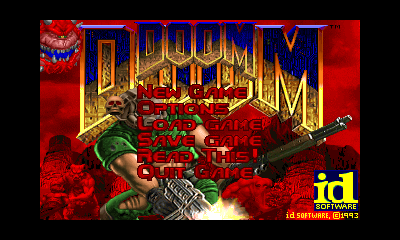
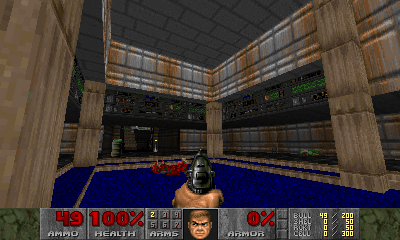
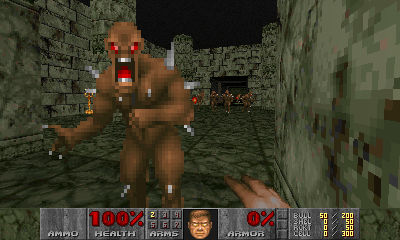
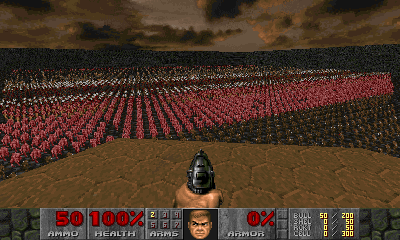
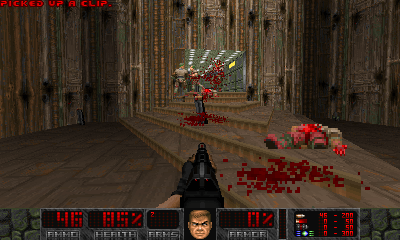
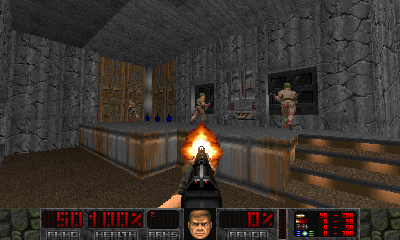
Media
PrBoom+ gameplay (Huncd6814)
Changelog
v1.0.0
- First Release.