
Sonic CD 2011 3DS Redux: Difference between revisions
More actions
No edit summary |
No edit summary |
||
| (6 intermediate revisions by 2 users not shown) | |||
| Line 1: | Line 1: | ||
{{Infobox 3DS Homebrews | {{Infobox 3DS Homebrews | ||
|title=Sonic CD 2011 3DS Redux | |title=Sonic CD 2011 3DS Redux | ||
| Line 10: | Line 4: | ||
|description=Another attempt at a Nintendo 3DS port of the Sonic CD (2011) Decompilation. | |description=Another attempt at a Nintendo 3DS port of the Sonic CD (2011) Decompilation. | ||
|author=Voxel9 | |author=Voxel9 | ||
|lastupdated= | |lastupdated=2025/02/02 | ||
|type=Platform | |type=Platform | ||
|version=1. | |version=1.2.0 | ||
|license=Mixed | |license=Mixed | ||
|download=https://dlhb.gamebrew.org/3dshomebrews/soniccd20113dsredux.7z | |download=https://dlhb.gamebrew.org/3dshomebrews/soniccd20113dsredux.7z | ||
|website=https://gbatemp.net/threads/release-a-newer-sonic-cd-2011-3ds-port.625701/ | |website=https://gbatemp.net/threads/release-a-newer-sonic-cd-2011-3ds-port.625701/ | ||
|source=https://github.com/Voxel9/Sonic-CD-11-3DS-Redux | |source=https://github.com/Voxel9/Sonic-CD-11-3DS-Redux | ||
| | |donation= | ||
}} | |||
{{#seo: | |||
|title= (Platform) - GameBrew | |||
|title_mode=append | |||
|image=soniccd20113dsredux.png | |||
|image_alt=Sonic CD 2011 3DS Redux | |||
}} | }} | ||
This is a brand new 3DS port based on the HW version of the [https://github.com/Rubberduckycooly/Sonic-CD-11-Decompilation decompilation]. It uses Citro3D for the graphics backend, SDL 1.2 for the audio backend, among the usual dependencies. | This is a brand new 3DS port based on the HW version of the [https://github.com/Rubberduckycooly/Sonic-CD-11-Decompilation decompilation]. It uses Citro3D for the graphics backend, SDL 1.2 for the audio backend, among the usual dependencies. | ||
| Line 24: | Line 24: | ||
== Features == | == Features == | ||
* Built on | * Built on recent decomp source, as of Feb 2025. | ||
* | * Both Old and New 3DS supported. | ||
* | * Fast hardware (GPU) rendering by default. | ||
* | * (NEW) Software renderer supported, but slow special stages on N3DS, and slow in general on O3DS. | ||
* ( | * (NEW) FMV playback (Currently slow on O3DS and choppy on N3DS, use ffmpeg to scale down OGVs). | ||
* | * (NEW) Mod support, set up and install them as you normally would. | ||
* | * Stereoscopic 3D support (hardware renderer only). | ||
* Remappable keys in settings.ini (uses [https://github.com/devkitPro/libctru/blob/master/libctru/include/3ds/services/hid.h bitmasks] from libctru). | |||
* Access dev menu at any time by pressing SELECT. | |||
==Installation== | ==Installation== | ||
| Line 46: | Line 48: | ||
Even if your platform isn't supported by the official releases, you must buy or officially download it for the assets (you don't need to run the official release, you just need the game assets). Note that only FMV files from the original Steam release of the game are supported; mobile and Origins video files do not work. | Even if your platform isn't supported by the official releases, you must buy or officially download it for the assets (you don't need to run the official release, you just need the game assets). Note that only FMV files from the original Steam release of the game are supported; mobile and Origins video files do not work. | ||
=== | === Instructions === | ||
* | * [[DSP1 3DS|Dump the DSP firm]] from your 3DS, make sure it's at <code>sdmc:/3ds/</code>. This is necessary for audio to work. | ||
* | * For the best experience, use Data.rsdk from the official mobile version and place it at <code>sdmc:/3ds/SonicCD/</code>. | ||
* | * For the best experience, copy the decompiled scripts from [https://github.com/RSDKModding/RSDKv3-Script-Decompilation here] to <code>sdmc:/3DS/SonicCD/Scripts/</code>. | ||
* | ** Make sure to set <code>TxtScripts</code> in settings.ini to <code>true</code> after doing this. | ||
* | * (Optional) To slightly improve loading times, [https://forums.sonicretro.org/index.php?threads/rsdk-unpacker.30338/ extract Data.rsdk contents] to <code>sdmc:/3ds/SonicCD/Data/</code>. | ||
* | ** Make sure Data.rsdk itself is removed from <code>sdmc:/3ds/SonicCD/</code> or set <code>DataFile</code> in settings.ini to blank. | ||
* (Optional) For FMV playback, copy the <code>videos/</code> folder from the original Steam release to <code>sdmc:/3ds/SonicCD/</code>. | |||
** To ensure the best playback performance, scale down the OGV files to 400x240 using ffmpeg: | |||
** <code>ffmpeg -i input.ogv -s 400x240 -c:v libtheora -q:v 7 -c:a libvorbis -q:a 4 output.ogv</code> | |||
* (Optional) To set up mods, place any mod folders into <code>sdmc:/3ds/SonicCD/mods/</code>. | |||
** Also copy the decompiled scripts as instructed above if you haven't already, as most mods require them. | |||
==Screenshots== | ==Screenshots== | ||
| Line 68: | Line 70: | ||
https://dlhb.gamebrew.org/3dshomebrews/soniccd20113dsredux-05.png | https://dlhb.gamebrew.org/3dshomebrews/soniccd20113dsredux-05.png | ||
https://dlhb.gamebrew.org/3dshomebrews/soniccd20113dsredux-06.png | https://dlhb.gamebrew.org/3dshomebrews/soniccd20113dsredux-06.png | ||
==Changelog== | ==Changelog== | ||
'''v1.2.0''' | |||
* Now built on the most recent decomp source, as of Feb 2025. | |||
* FMV playback (Currently slow on O3DS and choppy on N3DS, use ffmpeg to scale down OGVs). | |||
* Mods are now fully supported, install them the same way you would usually (in the mods folder). | |||
** Also copy the decompiled scripts to the Scripts folder from here: | |||
** https://github.com/RSDKModding/RSDKv3-Script-Decompilation | |||
* Software renderer now supported, but slow special stages on N3DS, and slow in general on O3DS. | |||
** This isn't really useful when the hardware renderer exists, but is just nice to have. | |||
* Navigation is now bound to both the circle pad and the dpad by default. | |||
* Fixed special stage backgrounds rendering incorrect when stereo 3D was on. | |||
* Fixed rendering in the game pause menu. | |||
'''v1.1.0''' | '''v1.1.0''' | ||
* Experimental stereoscopic 3D support | * Experimental stereoscopic 3D support. | ||
* Fixed an issue where the 3DS would hang indefinitely while trying to close the game from the HOME menu or powering the system off mid-game. | * Fixed an issue where the 3DS would hang indefinitely while trying to close the game from the HOME menu or powering the system off mid-game. | ||
'''v1.0''' | '''v1.0''' | ||
* First Release. | * First Release. | ||
Latest revision as of 07:06, 2 February 2025
| Sonic CD 2011 3DS Redux | |
|---|---|
 | |
| General | |
| Author | Voxel9 |
| Type | Platform |
| Version | 1.2.0 |
| License | Mixed |
| Last Updated | 2025/02/02 |
| Links | |
| Download | |
| Website | |
| Source | |
This is a brand new 3DS port based on the HW version of the decompilation. It uses Citro3D for the graphics backend, SDL 1.2 for the audio backend, among the usual dependencies.
Note: Please be aware that the load times for Sonic CD 2011 3DS Redux remain unchanged and are similar to those of other 3DS ports, which can range from 8 to 15 seconds on O3DS. However, N3DS users may experience slightly improved load times. Besides that, this version of the game should be a relatively smooth and trouble-free port.
Features
- Built on recent decomp source, as of Feb 2025.
- Both Old and New 3DS supported.
- Fast hardware (GPU) rendering by default.
- (NEW) Software renderer supported, but slow special stages on N3DS, and slow in general on O3DS.
- (NEW) FMV playback (Currently slow on O3DS and choppy on N3DS, use ffmpeg to scale down OGVs).
- (NEW) Mod support, set up and install them as you normally would.
- Stereoscopic 3D support (hardware renderer only).
- Remappable keys in settings.ini (uses bitmasks from libctru).
- Access dev menu at any time by pressing SELECT.
Installation
Support the official release
Without assets from the official release, this decompilation will not run. You can get an official release of Sonic CD from:
- Windows:
- Via Steam, whether it's the original release or from Sonic Origins
- Via the Epic Games Store, from Sonic Origins
- iOS (Via the App Store)
- Android:
- Via Google Play
- Via Amazon
- A tutorial for finding the game assets from the Android version can be found here.
Even if your platform isn't supported by the official releases, you must buy or officially download it for the assets (you don't need to run the official release, you just need the game assets). Note that only FMV files from the original Steam release of the game are supported; mobile and Origins video files do not work.
Instructions
- Dump the DSP firm from your 3DS, make sure it's at
sdmc:/3ds/. This is necessary for audio to work. - For the best experience, use Data.rsdk from the official mobile version and place it at
sdmc:/3ds/SonicCD/. - For the best experience, copy the decompiled scripts from here to
sdmc:/3DS/SonicCD/Scripts/.- Make sure to set
TxtScriptsin settings.ini totrueafter doing this.
- Make sure to set
- (Optional) To slightly improve loading times, extract Data.rsdk contents to
sdmc:/3ds/SonicCD/Data/.- Make sure Data.rsdk itself is removed from
sdmc:/3ds/SonicCD/or setDataFilein settings.ini to blank.
- Make sure Data.rsdk itself is removed from
- (Optional) For FMV playback, copy the
videos/folder from the original Steam release tosdmc:/3ds/SonicCD/.- To ensure the best playback performance, scale down the OGV files to 400x240 using ffmpeg:
ffmpeg -i input.ogv -s 400x240 -c:v libtheora -q:v 7 -c:a libvorbis -q:a 4 output.ogv
- (Optional) To set up mods, place any mod folders into
sdmc:/3ds/SonicCD/mods/.- Also copy the decompiled scripts as instructed above if you haven't already, as most mods require them.
Screenshots
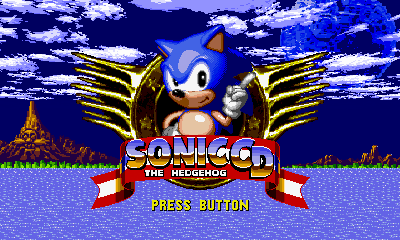
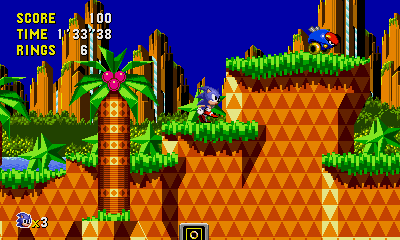
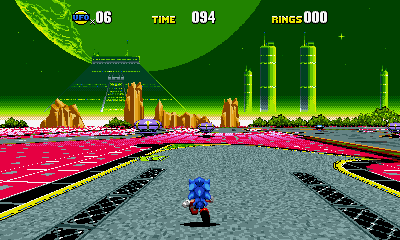
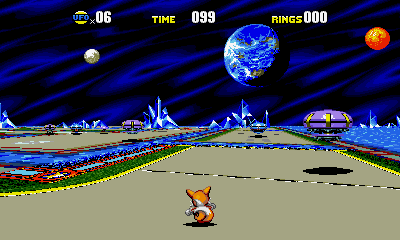
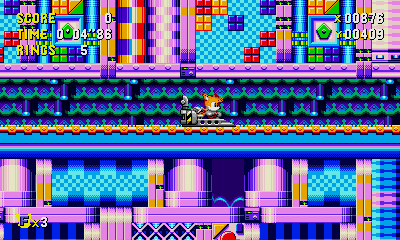
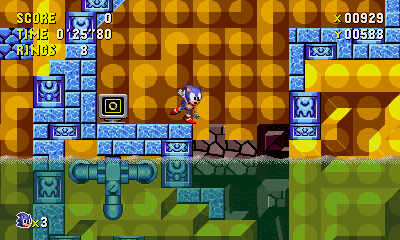
Changelog
v1.2.0
- Now built on the most recent decomp source, as of Feb 2025.
- FMV playback (Currently slow on O3DS and choppy on N3DS, use ffmpeg to scale down OGVs).
- Mods are now fully supported, install them the same way you would usually (in the mods folder).
- Also copy the decompiled scripts to the Scripts folder from here:
- https://github.com/RSDKModding/RSDKv3-Script-Decompilation
- Software renderer now supported, but slow special stages on N3DS, and slow in general on O3DS.
- This isn't really useful when the hardware renderer exists, but is just nice to have.
- Navigation is now bound to both the circle pad and the dpad by default.
- Fixed special stage backgrounds rendering incorrect when stereo 3D was on.
- Fixed rendering in the game pause menu.
v1.1.0
- Experimental stereoscopic 3D support.
- Fixed an issue where the 3DS would hang indefinitely while trying to close the game from the HOME menu or powering the system off mid-game.
v1.0
- First Release.