
Vita Object Loader: Difference between revisions
More actions
No edit summary |
m Text replacement - "https://vitadb.rinnegatamante.it/" to "https://www.rinnegatamante.eu/vitadb/" |
||
| (4 intermediate revisions by the same user not shown) | |||
| Line 8: | Line 8: | ||
|title=Vita Object Loader | |title=Vita Object Loader | ||
|image=vitaobjectloadervita2.png | |image=vitaobjectloadervita2.png | ||
|description=3D Model Viewer for | |description=3D Model Viewer for PS Vita. | ||
|author=Rinnegatamante | |author=Rinnegatamante | ||
|lastupdated=2017/07/23 | |lastupdated=2017/07/23 | ||
| Line 17: | Line 17: | ||
|website=https://wololo.net/talk/viewtopic.php?f=116&t=47982 | |website=https://wololo.net/talk/viewtopic.php?f=116&t=47982 | ||
|source= | |source= | ||
|donation=https://www.patreon.com/Rinnegatamante | |||
}} | }} | ||
Vita Object Loader is a 3D model viewer wrote with [[Lua Player Plus Vita|lpp-vita]] fully opensource. | Vita Object Loader is a 3D model viewer wrote with [[Lua Player Plus Vita|lpp-vita]] fully opensource. | ||
| Line 58: | Line 59: | ||
Right Analog - Rotate model | Right Analog - Rotate model | ||
L/R | L/R - Zoom in/out | ||
Circle - Close current model | Circle - Close current model | ||
| Line 77: | Line 78: | ||
* Author's website - https://rinnegatamante.it/site/ | * Author's website - https://rinnegatamante.it/site/ | ||
* Wololo - https://wololo.net/talk/viewtopic.php?f=116&t=47982 | * Wololo - https://wololo.net/talk/viewtopic.php?f=116&t=47982 | ||
* VitaDB - https:// | * VitaDB - https://www.rinnegatamante.eu/vitadb/#/info/223 | ||
[[Category:Support the author]] | |||
Latest revision as of 04:39, 5 January 2025
| Vita Object Loader | |
|---|---|
 | |
| General | |
| Author | Rinnegatamante |
| Type | Other Apps |
| Version | 1.1 |
| License | Mixed |
| Last Updated | 2017/07/23 |
| Links | |
| Download | |
| Website | |
| Support Author | |
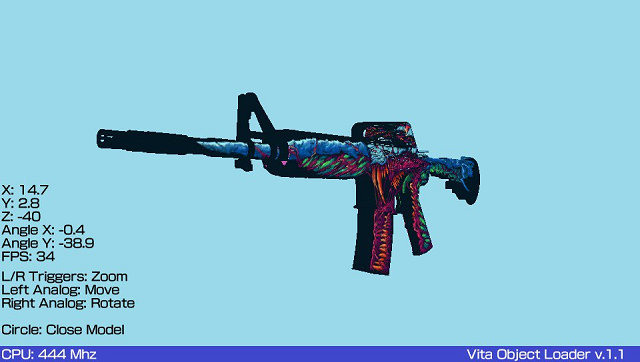
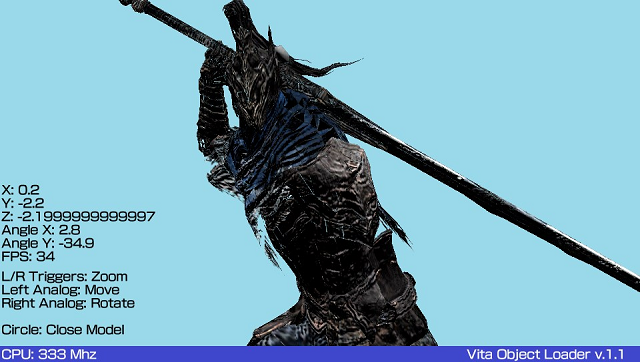
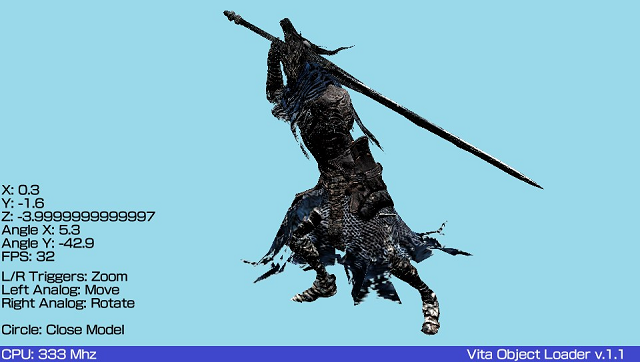
Vita Object Loader is a 3D model viewer wrote with lpp-vita fully opensource.
It can be used for benchmark purposes (take in mind models are soft rendered) or just for fun.
It supports Wavefront (.obj) models but with some restrictions: only triangles primitives, materials are not supported.
User guide
How to adapt a model
To be sure your model will be compatible with Vita Object Loader you can use Blender to convert it into a triangles primitives one.
You can follow this short tutorial to do so:
- Start Blender v.2.7.
- Remove the default cube and import your model.
- On bottom screen where you see "Default Mode", click it and select Edit Mode.
- If your model is not selected, press A to select it.
- Press CTRL+T.
- Export the model as Wavefront (.obj). (Uncheck during exporting the Write Materials box).
How to use textures
You can use a texture with your model by inserting a PNG/JPG/BMP file with the same name as the model in the same folder (so like ux0:/model.obj and ux0:/model.png).
Controls
File browser:
D-Pad - Navigate through files
A - Open Directory/File
Square - Enable/Disable 444 Mhz mode
Select - Take screenshot
Start - Exit Homebrew
Rendering:
Left Analog - Move Model
Right Analog - Rotate model
L/R - Zoom in/out
Circle - Close current model
Screenshots
Changelog
v1.1
- Now the homebrew uses hardware acceleration for rendering phase.
- Removed non-fullscreen mode for compatibility reasons.
External links
- Author's website - https://rinnegatamante.it/site/
- Wololo - https://wololo.net/talk/viewtopic.php?f=116&t=47982
- VitaDB - https://www.rinnegatamante.eu/vitadb/#/info/223