
Save Keeper Vita
More actions
| Save Keeper | |
|---|---|
 | |
| General | |
| Author | falkenhawk |
| Type | Utilities |
| Version | 1.1.0 |
| License | GPL-3.0 |
| Last Updated | 2026/07/19 |
| Links | |
| Download | |
| Website | |
| Source | |
Back up your PS Vita and PSP save games and sync them to your own Google Drive. Made for people with more than one Vita (or a PS TV) who want their saves to follow them.
Features
- Creates timestamped ZIP backups of Vita, game card, and PSP/Adrenaline saves.
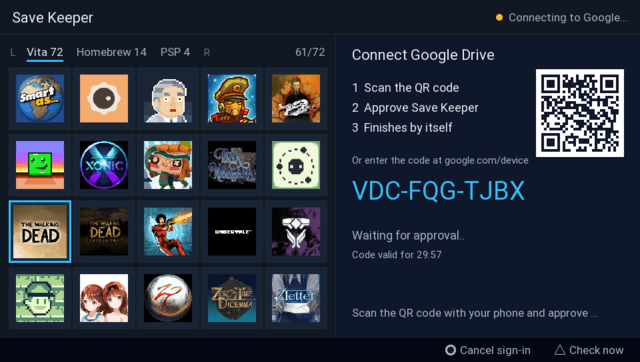
- Signs in to Google by scanning a QR code with your phone - no typing on the Vita. Set it up once and it just works.
- Uploads backups to a
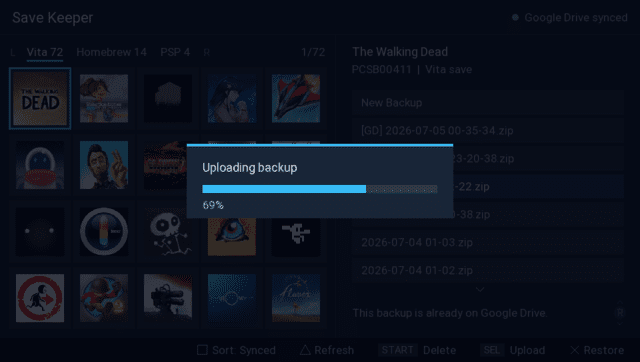
PSV Savesfolder in your own Google Drive. - Downloads and restores backups on any of your devices, so a save made on one Vita can be Picked up on another Vita or a PS TV (you can also download a copy without restoring).
- Backs up and uploads a whole tab in one gesture - every game in the current tab, backed up and synced to Drive at once.
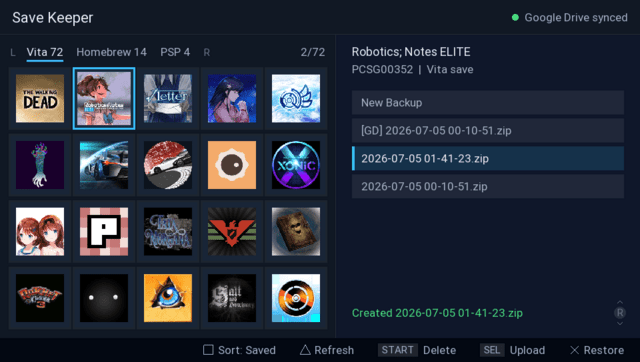
- Shows one row per backup, with a small cloud glyph marking where it lives - locally, on Google Drive, or both.
- Lets you label a backup ("before boss", "100% save") with the on-screen keyboard, so you can tell backups apart. The label follows the backup to Drive.
- Shows your games in a grid with real titles and icons, grouped into Vita / Homebrew / PSP tabs.
- Sorts by name, by latest backup (whatever was backed up most recently, from any device, bubbles to the top), or by last saved.
- Keeps multiple backups per game, so you can go back to an older save at any time.
- Names new backups from the latest real Vita save-slot time when the game provides it, instead of the time Save Keeper happened to run.
- Shows detailed info about a save and its backups on a dedicated details screen.
- Before a restore overwrites anything, the current save is backed up automatically (shown as
[AUTO]), unless an identical backup already exists - so you never lose your current save to an accidental overwrite.
Installation
What you need:
- A PS Vita or PS TV with HENkaku / h-encore homebrew enabled
- "Enable unsafe homebrew" turned on in HENkaku settings (the app reads save folders and the system app database)
- VitaShell (or another way to install a VPK)
- A Google account and about ten minutes for the one-time Google setup
Install:
- Copy
save-keeper.vpkto your Vita (for example over FTP toux0:/data/) - In VitaShell, press X on the file and confirm the install, including the extended permissions prompt
- Do the one-time Google setup, then launch Save Keeper from the LiveArea
Google Drive setup (one time):
Save Keeper talks to your own Google Drive, so it needs credentials that belong to you. Follow docs/google-drive-setup.md - it walks through creating a free Google Cloud project ("PSV Save Keeper"), enabling the Drive API, and creating a "TVs and Limited Input devices" OAuth client.
The short version of what you end up with: a small google-client.json file at ux0:data/save-keeper/google-client.json on each device. After that, connecting is a single Triangle press: scan the QR code with your phone, approve, done. The sign-in survives app exits, reboots, and reinstalls.
The app can only see files it created itself. It cannot read anything else in your Drive.
Where things are stored:
ux0:data/save-keeper/backups/- local ZIP backups and optional JSON details, one folder per gameux0:data/save-keeper/google-client.json- your OAuth client credentialsux0:data/save-keeper/google-token.json- your sign-in, treat it like a passwordux0:data/save-keeper/settings.txt- app settings (sort mode)PSV Saves/in your Google Drive - uploaded backups, one folder per game
Controls
D-Pad - Move through the game grid
L/R - Switch between the Vita/Homebrew/PSP tabs
Right Stick - Move through the backup list
Cross - Create a backup (on "New Backup") or restore the selected one (press twice)
Select - Upload the selected local backup to Google Drive, Hold to back up & upload the whole tab
Start - Delete the selected backup, locally or from Drive (press twice)
Square - Change sorting (by name, latest backup, or last saved), Hold to label the selected backup
Triangle - View the focused save's slot details and sizes, Hold to connect Google Drive or re-sync its backup list
Circle - Cancel a pending confirmation or the Google sign-in
On Japanese-region consoles Cross and Circle swap automatically, following the system setting. Backups from Google Drive show a [GD] prefix in the list. Use the PS button to leave the app.
Screenshots
Changelog
v1.1.0
- hold Select to back up & upload the whole tab at once, later runs only process what is new
- a full-screen save details view for every slot, one Triangle press away
- one clean row per backup, with a cloud glyph showing where it lives - the separate [GD] entries are gone
- backup labels ("before boss", "100% save") that sync to Drive
- real save-slot times drive the grid, the sorting, and backup names
- an in-app Google setup screen with a QR code straight to the guide
v1.0
- First Release.