
PkTeraRaid Switch
More actions
| pkTeraRaid | |
|---|---|
 | |
| General | |
| Author | Insektaure |
| Type | Other Apps |
| Version | 1.3.1 |
| License | GPL-2.0 |
| Last Updated | 2026/04/25 |
| Links | |
| Download | |
| Website | |
| Source | |
pkTeraRaid is a Nintendo Switch homebrew application for viewing raid details in Pokemon Scarlet & Violet and Sword & Shield. It also includes a spawner viewer for Pokemon Legends: Arceus.
Compatibility:
- Scarlet / Violet version 3.0.1 / 4.0.0 only
- Sword / Shield version 1.3.2 only
- Legends: Arceus version 1.1.0 / 1.1.1 only
Features
Pokemon Scarlet & Violet - Tera Raids
- Dual mode support
- Save file mode (Title Override): Reads raid data from the game's save file. Supports profile selection.
- Live mode (Applet / HBMenu overlay): Reads raid data directly from the running game's memory. Auto-detects Scarlet or Violet.
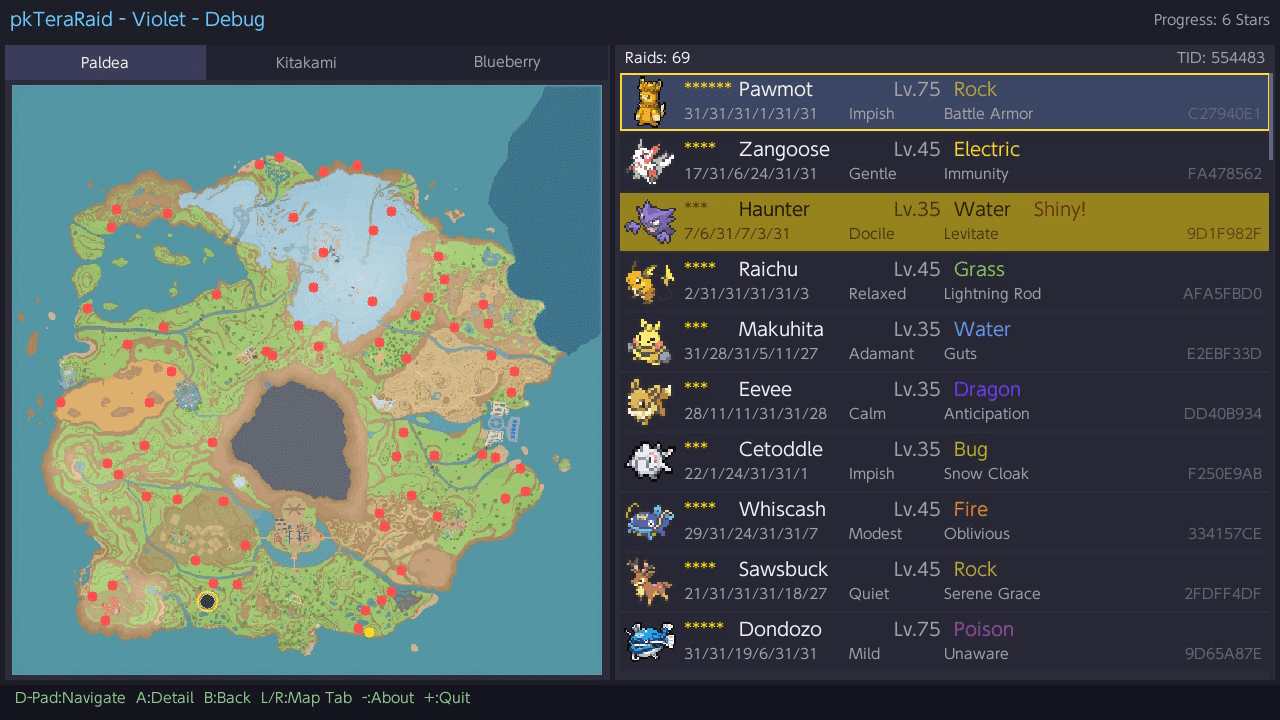
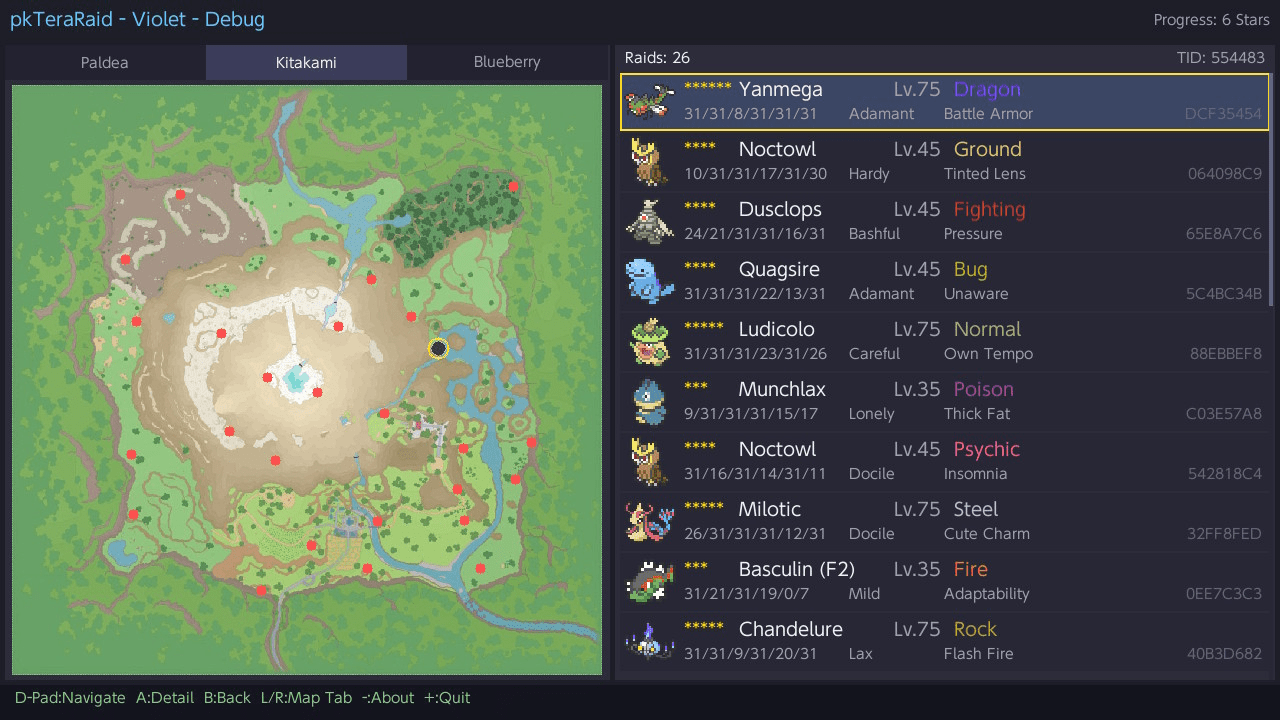
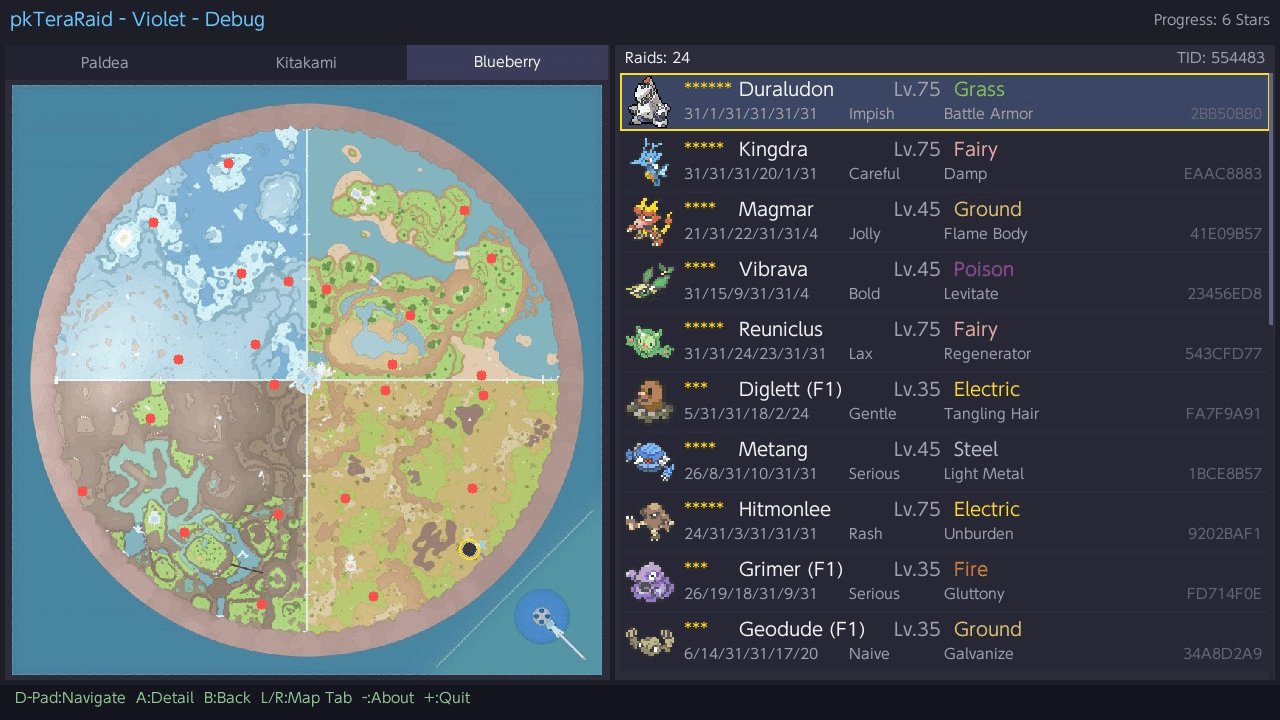
- Interactive map view with raid locations for all three regions:
- Paldea
- Kitakami (The Teal Mask DLC)
- Blueberry Academy (The Indigo Disk DLC)
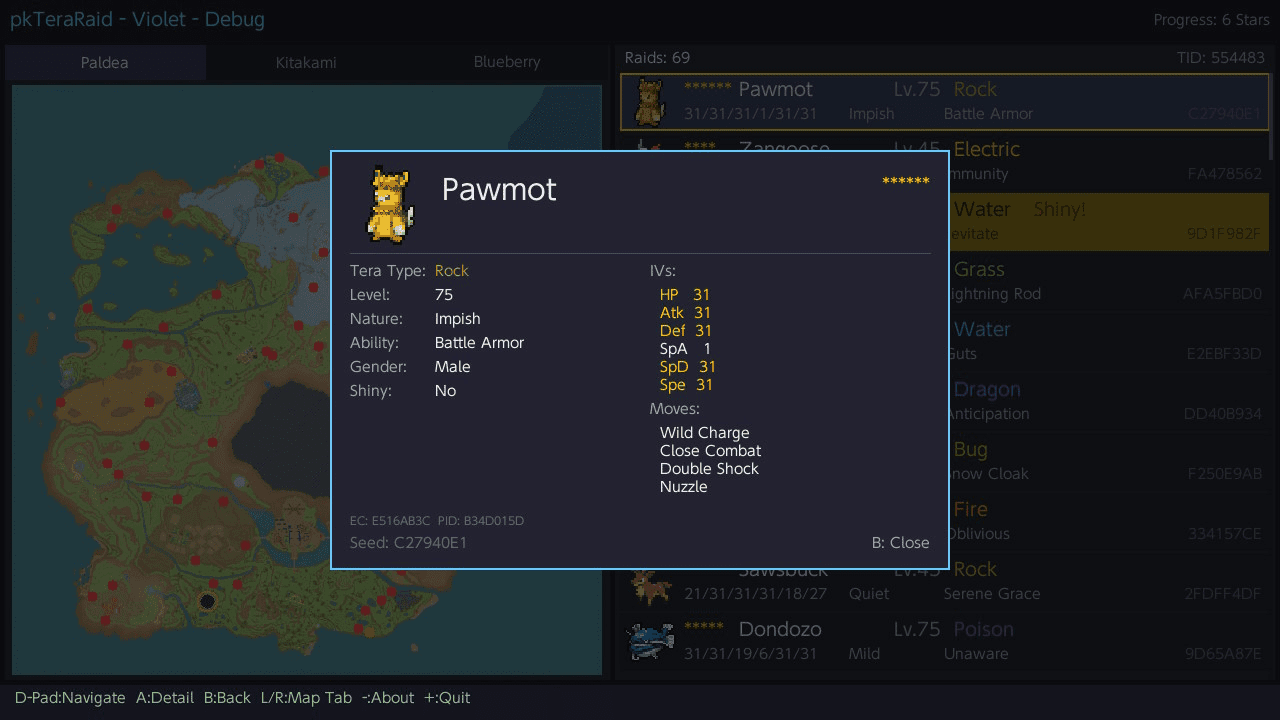
- Detailed raid information including:
- Species with sprite preview
- Star rating (1-6 stars, including 6-star black raids)
- Tera type (with color-coded display)
- IVs (color-coded: gold for 31, red for 0), Nature, Ability
- Moves
- Shiny status
- Gender
- PID and EC
- Reward preview - calculated item drops from the raid seed, split by Host / Joiner / Everyone. Rare drops (Herba Mystica, Ability Patch, Ability Capsule, Bottle Cap, Gold Bottle Cap) are highlighted in gold
- Raid list with scrollable list panel alongside the map, showing shiny count per region
- Raid filters - composable filters to quickly find interesting raids:
- X button: Cycle preset filter (All → 5+ Stars → 6 Stars → Rare Rewards)
- Y button: Toggle shiny-only filter
- Filters combine freely (e.g., Shiny + Rare Rewards) and active filters are highlighted in the header
- Profile selector with support for multiple Switch user profiles
- Game selector for switching between Sword, Shield, Scarlet, and Violet save data
Pokemon Sword & Shield - Den Crawler
- Dual mode support
- Save file mode (Title Override): Reads den data from the game's save file. Supports profile selection.
- Live mode (Applet / HBMenu overlay): Reads den data directly from the running game's memory. Auto-detects Sword or Shield.
- Interactive map view with den locations across all three areas:
- Wild Area
- Isle of Armor
- Crown Tundra
- Den information including:
- Species with sprite preview
- Star rating (1-5 stars)
- Level (derived from star rating)
- Pokemon types (with color-coded display)
- Beam type (Normal / Rare / Event)
- Flawless IVs
- IVs (color-coded: gold for 31, red for 0)
- Shiny prediction (up to 10,000 advances) with skip count in detail view
- Location name
- Full 64-bit seed
- Active/All dens toggle - press X to switch between showing only active dens or all dens (including inactive ones) with their predicted encounters and shiny info
- Den list with scrollable list panel alongside the map
- Profile selector with support for multiple Switch user profiles
- Game selector for switching between Sword, Shield, Scarlet, and Violet save data
Pokemon Legends: Arceus - Spawner Viewer
- Live mode only (Applet). No save-file mode - PLA generates encounters from live spawner seeds.
- Region tabs (L/R) for all 5 Hisui regions: Obsidian Fieldlands, Crimson Mirelands, Cobalt Coastlands, Coronet Highlands, Alabaster Icelands
- Interactive map view with marker dots projected from world coordinates; selected spawner highlighted
- Spawner scan across all groups in the map, showing for each:
- Predicted species (+ alpha marker α) resolved from per-spawner slot tables
- Active/inactive state (active = currently spawning in the world)
- Generator seed + derived group seed
- First fixed-spawn preview: EC, PID, nature, IVs (color-coded 31/0)
- Shiny prediction: "Current" if the first spawn is shiny, otherwise "Shiny in N" up to 5000 advances - using the per-group guaranteed-IV count from the marker database
- Mass outbreak badge: detected group ID + spawn count overlaid on the map
- Filter: Y toggles shiny-only
Ultrahand overlay (Legends Arceus quick-glance)
A companion .ovl that runs under Ultrahand (libultrahand). It reads Legends Arceus spawner state from memory and shows a compact summary (current shinies + "shiny in N" within 100 advances) per Hisui region. Use it as a triage screen from within the game - pick a region from the menu for detail, then launch the main pkTeraRaid app when you want the map + full spawner info.
Overlay navigation is menu-based. The root shows the 5 Hisui regions with a per-region shiny count summary; select one with A to open its detail view (current shinies + spawners within 100 advances). In the detail view, X teleports the player to the currently-highlighted spawner (raw marker coords). B returns to the region list. Y rescans memory on either screen.
Installation
Requirements:
- Nintendo Switch with Atmosphere custom firmware
- Pokemon Scarlet, Violet, Sword, Shield, or Legends: Arceus (physical or digital)
- Save file mode: Launch via title override (hold R while launching a game)
- Live mode: Launch from HBMenu overlay (album applet) while the game is running
Copy pkTeraRaid.nro to /switch/pkTeraRaid/ on your SD card.
Launch from HBMenu:
- Save file mode - Hold R while launching any game to open HBMenu via title override, then select pkTeraRaid.
- Live mode - With Pokemon SV running, open the album to access HBMenu overlay, then select pkTeraRaid.
Overlay install:
- Copy
overlay/pkTeraRaid.ovlto/switch/.overlays/pkTeraRaid.ovlon your SD card. - Ultrahand picks it up automatically; summon Ultrahand (default:
L + ZL + Dpad-Downor your configured combo) while PLA is running.
Controls
D-Pad/Left Stick - Navigate
A - Select, View details
X - Cycle filter preset (SV), Toggle active/all dens (SwSh)
Y - Toggle shiny filter (SV), Toggle shiny-only (PLA)
B - Back, Close details
L/R - Switch map tab
ZL/ZR - Scroll list 10 at a time
Minus - About
Plus - Quit
Screenshots
|
|
Changelog
1.3.1 - 25 April
- Legends: Arceus viewer now show the species' sprite in the list and detail view, including form variants.
- Filter & Hide non-overworld PLA spawners in the list (story related / placeholders).
- Fix species name (form number was appended)
1.3.0 - 24 April
- New: Legends Arceus spawner viewer
- Live-mode scan of all active groups across the 5 Hisui regions, with predicted species, IVs, and shiny advances.
- Interactive map of all 5 regions with markers at real world coordinates.
- List auto-sorted by shiny advance. Imminent shinies bubble to the top, "no shiny <5000" sinks to the bottom.
- New: Ultrahand overlay (for Legends Arceus)
- Quick-glance shiny summary per region from inside the game (no need to exit to HBMenu)
- Teleport: pressing X warps your character directly to the currently-highlighted spawner (no loading screen, instant jump). Useful for reaching a predicted shiny without running across the map.
- Improvements
- New: ZL/ZR page-scroll on every list (SV, SwSh, PLA). Hold to jump 10 rows at a time.
- PC debug code removed for cleaner codebase.
- Fixes
- dmnt:cht handle leak on repeated scans.
- The overlay's rescan and rapid relaunches could accumulate stuck IPC references in Atmosphere's cheat service, eventually producing "could not attach" errors mid-session.
- DmntMem::init() is now idempotent. One init per process, regardless of rescan count.
1.2.0 - 22 March
- Performance Improvements
- Text rendering cache - Text is now rendered once and reused, eliminating redundant font rendering every frame
- Dirty frame skipping - Screen only redraws when something changes, saving CPU/GPU on idle frames
- Batched circle drawing - Map selection rings and 6-star outlines now draw in a single GPU call
- Reduced memory allocations - Replaced heap string allocations with stack buffers in the render loop
- Vector pre-allocation - Raid lists, rewards, and text data no longer cause repeated memory reallocations
- Text data loaded once - Species, moves, natures, abilities, types, and items are now loaded a single time instead of on every game switch
- Cached map bounds - Location bounds are computed once at load time instead of recalculated on every access
- UI Changes
- Live Mode / Save File indicator now displays on the right side of the status bar in gold
- Added spacing after colons in all control hints for readability
1.1.4 - 19 February
- SV Tera Raids - Filtering
- Raid filters: Press X to cycle preset filter (All → 5+ Stars → 6 Stars → Rare Rewards), press Y to toggle shiny-only filter
- Filters compose freely (e.g., Shiny + Rare Rewards)
- Active filters displayed as centered gold tags in the list header
- Filters persist across map tab switches (L/R), reset when re-entering raid view
- "No matching raids" message when no raids match current filters
- SwSh Dens - Shiny Display
- Detail view now shows skip count alongside advance number (e.g., Square in 5 (4 skips))
- Advance 1 shown as (current) to clarify no skips needed
1.1.3 - 18 February
- SV : Reward Preview
- Added item drop preview to raid detail popup, showing all rewards (fixed + lottery) calculated from the raid seed
- Rewards are split into shared, Host-only, and Joiner-only sections
- Rare drops (Herba Mystica, Ability Patch, Ability Capsule, Bottle Cap, Gold Bottle Cap) are highlighted in gold
- Detail popup widened to 3-column layout: Stats | IVs+Moves | Rewards
- SV : Shiny Counter
- Added shiny count to the raid list header (Raids: XX - Shiny: XX) per map tab
- SV Bugfix : Trainer ID
- Fixed incorrect TID display and shiny detection - was reading from wrong offset (0x04 instead of 0x00) in MyStatus block, affecting both save file and live mode
1.1.2 - 17 February
- Added full IV display (HP/Atk/Def/SpA/SpD/Spe) to Sword / Shield Den details, generated from the raid seed
1.1.1 - 17 February
- Add Sword & Shield (+DLCs) Raid Den support
- Update targeting Sword & Shield Den raids:
- All Dens toggle - Press X to switch between active Dens only and all 276 Dens across Wild Area, Isle of Armor, and Crown Tundra
- Full info for inactive Dens - Inactive Dens now display species, stars, type, level, and shiny prediction, just like active Dens
- Event Dens labeling - Event-only Dens slots now show "Event" in purple
1.0.0 - 13 February
- Initial Release