
MiniRetroXMB Vita
More actions
| MiniRetroXMB | |
|---|---|
 | |
| General | |
| Author | goobercx |
| Type | Other Apps |
| Version | 1.0 |
| License | MIT License |
| Last Updated | 2026/04/14 |
| Links | |
| Download | |
| Website | |
| Source | |
MiniRetroXMB lets you pick colors, choose a wallpaper, preview everything, and save it as a theme, all directly on the Vita. No PC, no FTP, no hassle.
It edits RetroArch's config file at ux0:data/retroarch/retroarch.cfg and sets the wallpaper path and font color values. Themes get saved to ux0:app/RETROVITA/assets/xmb/[your theme name]/.
Writing the config and launching RetroArch takes a moment so give it about 30 seconds when you save a theme.
Features
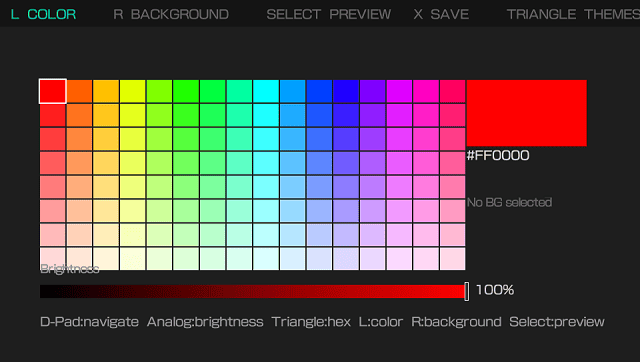
- Pick an accent color using a color grid (you can also type in a hex code).
- Browse wallpapers from your photo library with thumbnail previews.
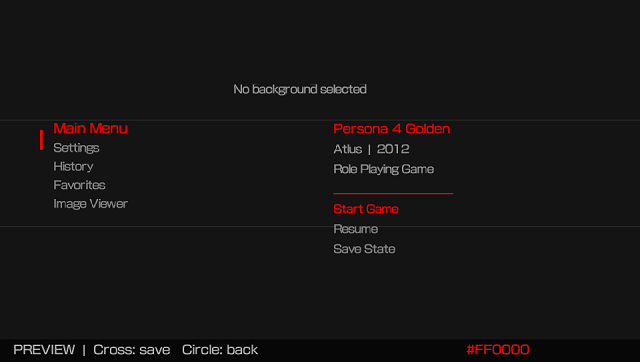
- Preview how your theme looks before saving it.
- Save multiple themes with custom names so you can switch between them.
- Apply a theme and launch RetroArch in one button press.
- Manage your saved themes - rename, apply, or delete them.
- What you need.
- A hacked PS Vita (HENkaku, h-encore, or Enso - any of them work).
- RetroArch installed on your Vita.
- Some images in ux0:picture/ if you want custom wallpapers.
- Installation.
- Download MiniRetroXMB.vpk from the Releases page.
- Copy it to your Vita using VitaShell (FTP or USB, either works).
- Press Cross on the VPK in VitaShell to install.
- Open it from your LiveArea.
Controls
Getting around
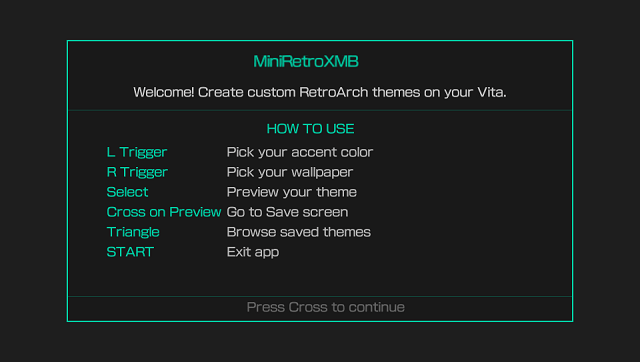
L - Color Picker
R - Background Picker
Select - Preview
Cross (on Preview) - Save screen
Triangle - Saved Themes
Start (x2) - Exit
Color picker
D-Pad - Move around the color grid
Left Analog - Adjust brightness
Triangle - Type in a hex color code
Background picker
D-Pad - Scroll through images
Cross - Select an image
Triangle - View file info
Select - Go to Themes
Save screen
Triangle - Edit the theme name
Cross - Save the theme
Square - Save and open RetroArch
Circle - Browse saved themes
Themes browser
D-Pad Up/Down - Navigate the list
Cross - Apply this theme
Square - Delete this theme
Circle - Go back
Screenshots
Compatibility
Tested on firmware 3.60 with Enso.
If RetroArch is not installed the app won't crash, it just won't do anything when you try to launch it.
Credits
Built using VitaSDK and vita2d.
Made by goobercx