
KDE Connect NX Switch
From GameBrew
More actions
| KDE Connect NX | |
|---|---|
 | |
| General | |
| Author | timschneeb |
| Type | Overlays |
| Version | 1.0.1 |
| License | GPL-3.0 |
| Last Updated | 2026/06/09 |
| Links | |
| Download | |
| Website | |
| Source | |
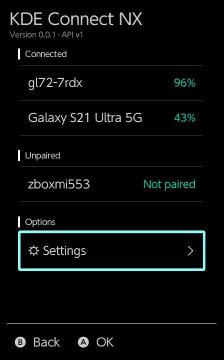
A lightweight KDE Connect implementation for the Nintendo Switch written from scratch. Runs as a background sysmodule with an Ultrahand Overlay, and pairs with any KDE Connect client present in the same local network.
It can display notifications from Android/PC, remote control media playback, remote keyboard input, and more.
Note: Not all KDE Connect plugins are implemented. Some plugins are only implemented in one direction.
Features
- From your phone, tablet, PC to your Switch:
- Receive notifications (from Android/PC)
- (Notification sharing is disabled by default on PC. Enable it in the plugin settings)
- Remote keyboard
- Inject USB keyboard strokes on the Switch from another device
- (Limitation: An US English USB keyboard is simulated, so only characters present on a US keyboard can be injected.)
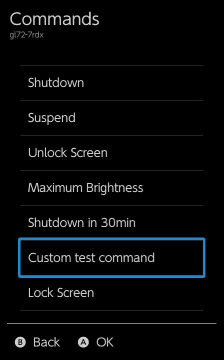
- Remote commands
- Control the Switch with some hardcoded commands (power control, send screenshot to PC/phone, etc.)
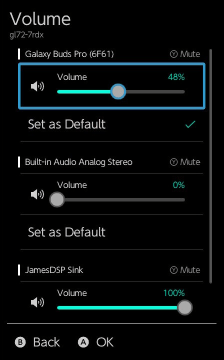
- Volume control
- Remote control the master volume level of your Switch
- File transfer
- Send files to your Switch's SD card (just implemented for completeness' sake, for most use-cases sys-ftpd is better)
- Receive notifications (from Android/PC)
- From your Switch to your other devices:
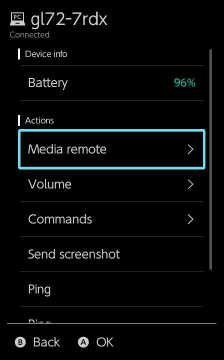
- Media playback remote controls
- Remote commands (PC only)
- Trigger predefined commands on a connected PC (custom shell commands; requires setup on the PC)
- Audio output control (PC only)
- Remotely choose between audio devices and set the volume level for each one
- Send screenshot
- Take a screenshot and send it to a device
- Ring device
- In both directions:
- Battery status
- Ping devices (for testing)
Installation
Requires Ultrahand-Overlay installed. See readme for instructions.
Screenshots
Changelog
v1.0.1
- Added legacy SHA1+RSA certificate support
- This fixes some devices not showing up (only affects KDE Connect clients that had their TLS certs generated a longer time ago)
- Fixed device state not updating after initial pair
v1.0
- Initial release