
Droneboy GB
More actions
| Droneboy | |
|---|---|
 | |
| General | |
| Author | purefunktion |
| Type | Music Apps |
| Version | 1.08 |
| License | MIT License |
| System | DMG |
| Last Updated | 2025/05/31 |
| Links | |
| Download | |
| Website | |
| Source | |
Droneboy creates endless tones or drones on the Gameboys four channels. You can manipulate volume, duty and frequency and play and sequence chords. It is also MIDI compatible using an Arduinoboy.
Written in C with sprinkles of ASM using GBDK-2020(version gbdk-4.4.0).
Read the manual in Droneboy_manual.pdf
Controls
Hold Select+ D-Pad - Switch between control pages (volume, duty, frequency, chord, BPM, credits)
Macro markers
A - Cycle through markers on a fader/control (macro marker, inverted macro marker, remove marker)
Volume page
Left/Right - Switch channels (sweep, square, wave, noise)
Up/Down - Increase/Decrease volume (hold for continuous change)
Hold B+Up/Down - Maximize/Minimize volume
Duty page
Left/Right - Switch sound channels (sweep, square, wave, noise)
Up/Down - Cycle duty settings (except Noise, which controls the "dividing ratio of frequencies")
B (noise) - Toggle counter step of the polynomial counter
A (wave) - Change wave type (square, saw, ramp, triangle, sine)
Frequency page
Hold A+B - Switch between modes
Frequency mode:
Up/Down - Increase/Decrease frequency (hold for continuous change)
Hold A+Up/Down - Change frequency by 100 steps
Hold B+Up/Down - Change frequency by 10 steps
Note mode:
Left/Right - Change channel
Up/Down - Change note 1 semitone
Hold A+Up/Down - Change note 12 semitones(octave)
Hold B+Up/Down - Change note 3 semitones
Hold B+A - Copy the frequency of the current note to the frequency section
A (Wave) - Toggle between high/low wave type of the currently selected wave type (from duty page)
Chord page
Hold A+B - Switch between modes
Chord change mode:
Left/Right - Change between parts
Up/Down - Manipulate the values (root note, minor/major, augmented/diminished/normal)
Hold A+Up/Down on root note part - Jump 12 semitones(octave)
Hold B+Up/Down on root note part - Jump 3 semitones
Up/Down on root note part - Change the root note 1 semitone
A - Play the current chord, Change to a chord
Hold A+Left/Right - Move record marker
B - Assign the chosen chord to the currently selected slot
Chord step mode:
Left/Right - Change slot
B - Play the current chord
Start - Play/Pause sequencer
BPM page
Up/Down - Adjust BPM
Start - Toggle sequencer on/off
Screenshots
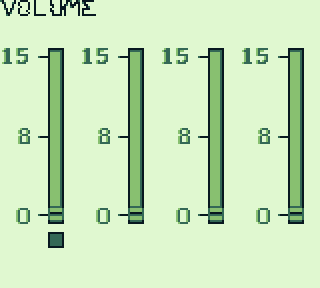
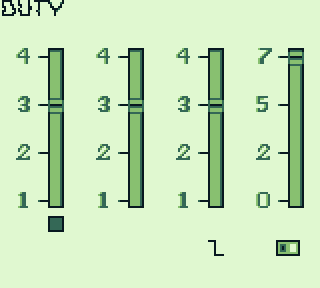
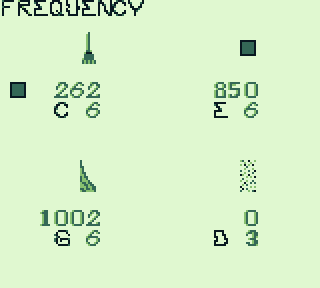
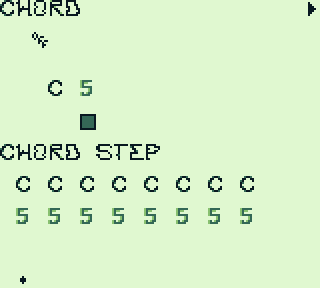
Compatibility
Droneboy ROM was developed and tested using BGB, SameBoy and Emoulicious.
Changelog
1.08 2025/05/31
- Addition:
- New navigation, hold SELECT and press D-Pad.
- BPM page, set bpm and see sequencer status.
- Play sequence on chord page using START button.
- MIDI support, note on and CC (see manual for details).
- High and low wave versions of wave types.
- KORG nanoKONTROL 2 MIDI preset file in resources directory.
- Manual now available as PDF.
- Fix:
- Moved 1.07 version into easy directory.
- Credits page moved.
- Refactoring of code.
- Noise channel volume zombie mode.
1.07 2025/04/04
- This is the latest version. Creating this release to start a new workflow.
1.07 2022/05/12
- Addition:
- New less clicky volume change.
- Continuously change volume by holding up or down.
- Continuously change frequency when in frequency mode by holding up or down.
- Copy over note frequency to "frequency mode" on frequency page.
1.06 2022/05/04
- Addition:
- Chord page.
- Play and change chords.
- Chord step sequence.
- Fix:
- Changing frequency no longer retriggers channel, aka less poppin.
1.05 2021/11/08
- Addition:
- New waves in wave channel, saw, ramp, triangle and sine.
1.04 2021/10/20
- Addition:
- Credit page.
- Edit counter step of noise channel on duty page.
- Tones on noise channel on freq/note page.
- Macro markers on noise freq/noise.
- Fix:
- Noise channel macro and state handling.
1.03 2021/09/28
- Fix
- Fixed blinking backgrounds.
- Note/frequency indicator on freq page shown correctly.
1.02 2021/09/28
- Addition:
- Macro and inverted macro markers.
- Dividing ratio of frequencies fader for Noise channel on duty page.
- Min/Max volume control.
1.01 2021/08/31
- Addition:
- Duty on wave channel.
- Show correct header when in note or frequency mode on frequency page.
- Fix:
- Wave volume refactoring.
1.0 2021/06/03
- Addition:
- Initial commit.
- Volume on all channels.
- Duty on Sweep and Square.
- Freq/Notes on all channels(noise only has freq).
Credits
Made with:
- GBDK-2020 (version gbdk-4.4.0) https://github.com/gbdk-2020/gbdk-2020
Emulators used in development:
- BGB – Superb debugger https://bgb.bircd.org/
- Sameboy – Excellent sound support https://sameboy.github.io/
- Emulicious – Great serial debugging https://emulicious.net/
- Sprites and maps made with GBTD/GBMB http://www.devrs.com/gb/hmgd/intro.html
- Invaluable reference document for Gameboy https://gbdev.io/pandocs/
- Sound table reference for Gameboy sound frequency/note/Hz/MIDI http://www.devrs.com/gb/files/sndtab.html
- Arduinoboy by Timothy Lamb https://github.com/trash80/Arduinoboy
Serial implementation sources:
- https://github.com/trash80/mGB (original)
- Tim Stirratt’s very helpful version: https://github.com/tstirrat/mGB
- Special thanks to gwEm who made the lower wave tables and showed how to implement them in his fork of Droneboy https://github.com/gwEm303/Droneboy