
DeSmuME-Vita
From GameBrew
More actions
| DeSmuME-Vita | |
|---|---|
 | |
| General | |
| Author | MasterFeizz |
| Type | Handheld |
| Version | 0.2 |
| License | GPL-2.0 |
| Last Updated | 2016/08/09 |
| Links | |
| Download | |
| Website | |
| Source | |
Port of DeSmuME DS Emulator for the Vita.
It's currently a fully interpreted DS emulator, which means the performance is not so great.
Features
- Sound support.
- DS homebrew support.
- WIP - Multi threaded rendering (thanks to Xerpi).
- FPS counter (thanks to Xerpi).
- Basic rom selection.
- JIT (Dynarec) implemented.
- Video output scaled.
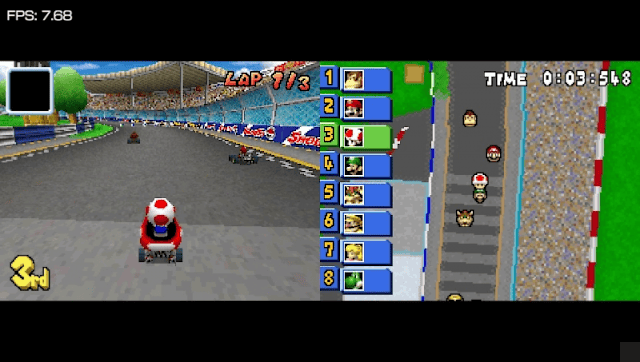
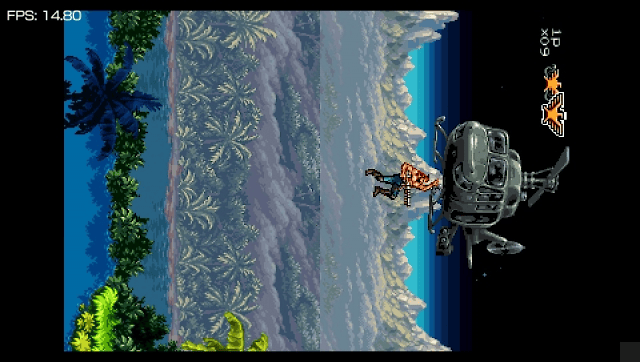
- You can switch between 3 video layouts by tapping the bottom right corner of the screen.
- Saving.
Installation
Install the VPK on your homebrew enabled PS Vita or PS TV.
Roms must be placed inside ux0:/data/desmume/.
Controls
Launching a rom with Cross - Launch the game with JIT enabled
Launching a rom with Square - Launch the game with JIT disabled
Select+Down+L+R - Close the emulator
Screenshots
Changelog
v0.2
- This version has SOUND support and you can now launch DS homebrews.
- I've also added some configurations that can be changed from the menu.
- ROMS MUST BE PLACED IN ux0:/data/desmume/.
v0.01
- JIT is now implemented (thanks to xerpi)
- You can now select which rom you want to launch (albeit roms must be placed inside ux0:/data/desmume)
- Launching a rom with the cross (X) button will launch the game with JIT enabled.
- Launching a rom with the square ([ ]) button will launch the game with JIT disabled.
- During gameplay you can press Select + Down + Left Trigger + Right Trigger to close the emulator.
test-2
- This version has different screen layouts and saving works.
- ROM still needs to be renamed to game.nds and placed in ux0:/data/desmume.
- To switch between layouts tap the bottom right corner of the screen.
test
- Add a rom called game.nds to ux0:/data/DeSmuME/ and then launch the emulator.