
Version.txt Switch And Repair PSP
From GameBrew
More actions
| Version.txt Switch & Repair | |
|---|---|
 | |
| General | |
| Author | Wyped |
| Type | System Tools |
| Version | 1.0 |
| License | MIT License |
| Last Updated | 2025/08/11 |
| Links | |
| Download | |
| Website | |
| Source | |
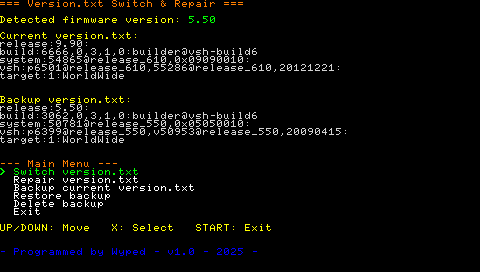
Version.txt Switch & Repair is a PSP homebrew that allows you to easily view, switch, backup, restore, and repair the version.txt file on your console.
This tool will let you overwrite the version.txt file in flash0 with any released firmware version.txt. It can be used to fix the infamous 9.90 version error when trying to update old 5.50 custom firmware.
Warning: This homebrew writes directly to flash0. Use at your own risk.
Features
- View Current and Backup version.txt - Display the contents of your current and backup version.txt files.
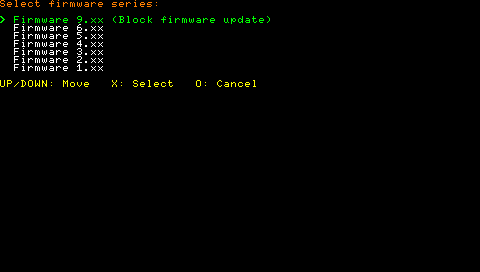
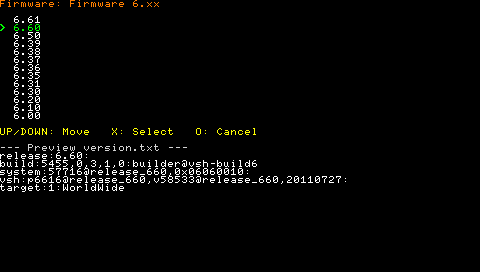
- Switch version.txt - Quickly switch your version.txt to any official firmware version from 1.00 to 6.61. Can also set version to 9.90 to block firmware update.
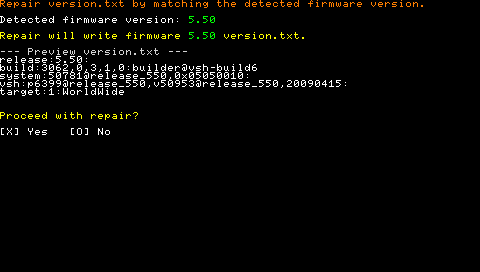
- Repair version.txt - Automatically generate and write a correct version.txt for your detected firmware.
- Backup/Restore - Backup your current version.txt to flash1, and restore it later if needed.
- Delete Backup - Remove your backup file from flash1.
Installation
Requires PSP with Custom Firmware.
Copy the "VersionTxtSwitchAndRepair" folder to your PSP's /PSP/GAME/ folder.
Launch from the XMB.
User guide
Operations:
- Switch version.txt - Select, preview and write the desired firmware version.txt.
- Repair version.txt - Automatically matches and writes the actual firmware version.txt.
- Backup/Restore/Delete - Manage version.txt backup in flash1.
Notes on backup:
- Always use the backup and restore features before making changes. The app will automatically backup version.txt before overwriting it.
Controls
Up/Down - Move between menu items
Cross - Select
Circle - Cancel
Start or "Exit" (in menu) - Quit
Screenshots
Credits
- Programmed by Wyped
- PSPSDK