
PSP Sidecar
More actions
| PSP Sidecar | |
|---|---|
 | |
| General | |
| Author | qberty |
| Type | Plugins |
| Version | 1.2 |
| License | N/A |
| Last Updated | 2026/02/14 |
| Links | |
| Download | |
| Website | |
| Support Author | |
PSP Side car is a plugin + homebrew app for the PSP that lets you cache your entire game list locally to improve loading speed when booting into the XMB, loading games from the memory stick, and sleeping/restoring from standby.
Installation
If updating, try removing the sidecar files inside our SEPLUGINS folder for a fresh start.
Copy psp_sidecar.prx and psp_sidecar.ini to /SEPLUGINS folder.
(Optional) Set video_menu to true if you want to use your XMB VIDEO menu on PSP 1000's, however you'll lose some performance.
(Optional) Set max_games to the amount of games you want to fast load in the list (setting to 0 will fast load everything).
For ARK CFW, add "xmb, psp_sidecar.prx, on" to your PLUGINS.TXT (if on ARK CFW).
For non-ARK CFW, add "ms0:/seplugins/psp_sidecar.prx 1" to your VSH.TXT (if on non-ARK CFW).
Copy the PSP Sidecar folder to your /PSP/GAME folder (or gclite subfolder).
User guide
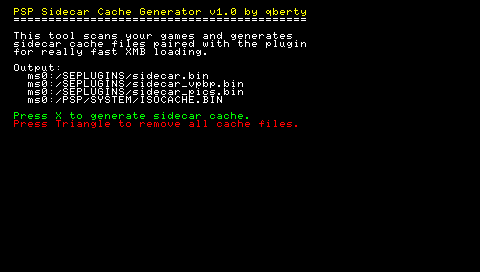
Run the PSP Sidecar homebrew app and press X to generate your cache then reboot and enjoy extremely fast XMB memstick speeds.
Note: In order to use PSP Sidecar properly, you must run the PSP Sidecar app and generate a fresh cache every time you add or remove games (as the cache needs to have for the speedups to work).
Screenshots
Compatibility
Tested on a PSP 1000 - ARK-4 + Game Categories Lite (with square bracket cat folders).
Changelog
Version 1.2
- Added support for non-GCLite usage (if you just store your ISO's in the ISO folder with no subfolders)
- Added MAX GAMES option in the INI file (allows you to specify how many games you want to fast load incase you have 300+ games and your PSP is freezing/crashing because of low ram. Capping your games fast load will let you cache them all and still enjoy most speed benefits)
- Removed dependency on ISOCACHE.BIN (Plugin effectively bypasses this completely now)
Version 1.1
- Core updated to support all GCLite category name formats (CAT_ or [] or just names)
- Added support for all EBOOT.PBP's (includes homebrew, ps1 games, converted minis etc.)
- Cache sorter updated to now try and maintain the original sorting of your games (uses mtime timestamps so it may not work with the plethora of homebrew sorters out there)
- CSO Support
- ZSO / DAX / JSO Spec support (not tested, anyone still rockin' these?)
- Added a cute little ICON0