
64kformat PSP
From GameBrew
More actions
| 64kformat | |
|---|---|
 | |
| General | |
| Author | Koutsie |
| Type | System Tools |
| Version | 2025-12-10_0258 |
| License | Mixed |
| Last Updated | 2025/12/10 |
| Links | |
| Download | |
| Website | |
| Source | |
A homebrew to format your PSP memory stick (or SD card) to FAT32 with 64KB clusters for significantly improved read performance and faster load times.
User guide
- It's recommended you first go to Settings -> System Settings -> Format Memory Stick.
- Transfer 64kformat to your PSP and run it.
- Follow the on-screen instructions.
- Congratulations, you're winner.
Pro tip: You can start the app and swap to another MS (or SD card on an adapter) to format the recently inserted storage device.
DO NOT USE THIS APP ON ePSP (ARK on PSVITA or on Adrenaline).
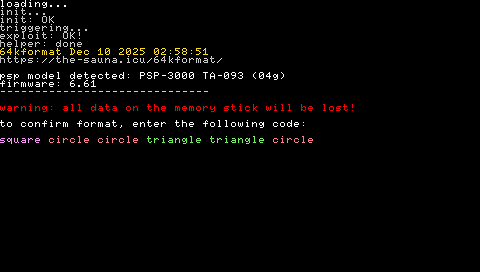
Screenshots
Credits
Big shoutouts to turan, shinz and totalkommando for testing, and to the PSP homebrew community for their support.