
MicroDS
More actions
| MicroDS | |
|---|---|
 | |
| General | |
| Author | Dave Bernazzani (wavemotion-dave) |
| Type | Computer |
| Version | 1.0 |
| License | MIT License |
| Last Updated | 2024/08/24 |
| Links | |
| Download | |
| Website | |
| Source | |
A Tandy MC-10 Micro Color Computer emulator for the DS/DSi/XL/LL.
The TRS-80 MC-10 is a microcomputer released in 1983, with only 4K of RAM and is often considered the lesser "little brother" of the Tandy Color Computer line. It was discontinued shortly as more capable computers became affordable.
Features
- Tandy MicroColor Computer MC-10 emulation with solid MC6803 CPU core.
- 4K Internal RAM + 16K External Expansion RAM for 20K total (+128 byte CPU RAM).
- Optional memory expansion to 32K in machine configuration.
- Optional emulation of the MCX-128 peripheral with MCXBASIC 2.1
- Optional Alice 4K emulation with RAM expansion (total of 20K RAM) and loading of .k7 files.
- Cassette (.C10) support for loading games and programs.
- Save/Load Game State (one slot).
- CPU Speed overclock up to 130% to speed up some of the older BASIC programs.
- LCD Screen Swap (press and hold L+R+X during gameplay).
- LCD Screen snapshot - (press and hold L+R+Y during gameplay and the .png file will be written to the SD card).
- Virtual keyboard stylized to the MC-10 with the ability to map any keyboard key to DS buttons.
- Full speed, full sound and full frame-rate even on older hardware.
Installation
You will need the MICROBASIC ROM which must be named either MC10.BIN or MC10.ROM (CRC32: 11fda97e) and it must be placed in the same directory as the emulator or else /roms/bios/.
Optionally you can include MCX.BIN or MCX.ROM (CRC32 of 11202e4b) for MCX-128 emulation.
Optionally you can include ALICE4K.ROM (CRC32 of f876abe9) for Alice 4K emulation. This will allow you to load .k7 tape files.
User guide
Loading games
This MC-10 emulator supports .C10 cassette files and .k7 tape files (if ALICE 4K emulation enabled). These are the most popular format to find on the web for the MC-10 or Alice 4K machines.
Games/Programs come in two main varieties: BASIC and Machine Language. Each requires a different LOAD command in MICROBASIC. The emulator tries to take a 'best guess' as to what kind of program is being loaded and is generally 95% accurate... but you can override this on a per-game configuration basis.
Loading a machine code language program vs a BASIC program:
CLOADM
EXEC

CLOAD
RUN
You can press the START button to automatically issue the load command once you've gotten to the main MICROBASIC screen:
Configuration options
MicroDS includes global options (applied to the emulator as a whole and all games) and game-specific options (applied to just the one game file that was loaded).
Key mapping options
Each game can individually configure any of the 10 DS buttons (D-PAD, ABXY, L/R) to a single keyboard button. The default is for the D-PAD and Button A to replicate the Cursors (AWSX) but you can configure as you like. Pressing the X button on this screen will toggle between some preset defaults for common key maps - such as WASD.
The START key is special - it will issue the CLOAD/CLOADM command to save typing. The SELECT key is special - it issues the RUN command to MICROBASIC to save typing.
Keyboards
The emulator supports a virtual touch-screen version of the MC-10 keyboard. Note that due to the limitations of the DS touch-screen where only one key can be pressed at a time, the SHIFT and CONTROL keys works like a temporary toggle. Press it and then the next key you press will be SHIFT-ed or CONTROL-ed.
Screenshot and Screen swap
Pressing and holding the L/R shoulder buttons plus X will exchange the top and bottom screens. However, only the bottom screen is touch-sensitive so you would still need to press on the bottom screen to make the touch screen work.
Pressing and holding the L/R shoulder buttons plus Y will create a screen snapshot of the game screen. It will be time/date stamped and written to the SD card in the same directory as the game file.
MCX-128 and MCXBASIC
MCX-128 emulation is partially supported. If you have provided the 16K MCX.BIN external ROM (2.1 from Darren Atkinson released in 2011), you can run in MCX-128 mode. For any game that needs it, go into configuration for that game and select the machine type of "MCX-128".
The more useful menu item here is (1) MCX BASIC which provides the extended BASIC command set with the 32K memory model and is generally well supported by this emulation. While the (2) MCX BASIC - LARGE model (48K) will work, it only has partial RAM/ROM banking. It has enough to manage the video memory on a separate RAM page and allows the MCX BASIC - LARGE model to manage it... but if a program were to try and utilize more of the banked memory, this emulation will not be sufficient. This may be improved someday - but for now, it's enough to get a number of known MCX BASIC games working on the emulator.
Screenshots
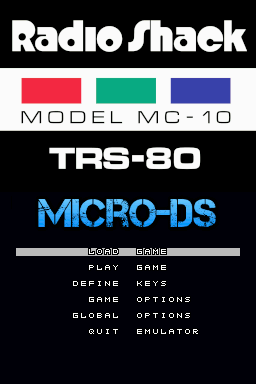
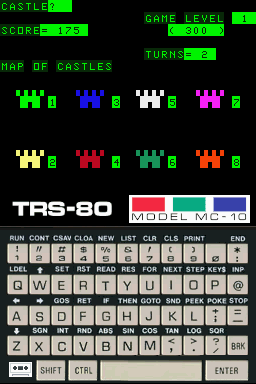
Known issues
- Frames are drawn in their entirety on the VSYNC meaning that any demos that utilize split-screen techniques will not run correctly.
- Cassette (.C10 and .K7) files are read-only. No write-back is supported.
Changelog
V1.0 2024/08/24
- Added Alice 4K emulation mode.
- Added tape STOP and REWIND options.
- Fixed Save/Load state for > 20K configurations.
- Cleanup across the board for the 1.0 release.
- 1.0a hotfix for AlphaNumeric background (it's not black, it's a very dark green!)
V0.9 2024/08/21
- Implemented all undocumented 6803 CPU opcodes.
- Added partial MCX support for MCXBASIC 2.1
- Improved timer handling and implemented proper timer counter latching.
- Cleanup and commenting across the board as time permitted.
V0.8 2024/08/17
- Fix for SG6 graphics when character index is > 128
- A subset of 'common' 6803 undocumented instructions added.
- START issues CLOAD/CLOADM and SELECT issues the RUN command.
- Cleanup of configuration and key map handling.
- Removed partial MCX support until a better plan can be had.
V0.7 2024/08/15
- First public beta.