
CLEO PSP
More actions
| CLEO PSP | |
|---|---|
 | |
| General | |
| Author | CLEO Library |
| Type | Plugins |
| Version | 2.0.2 |
| License | Mixed |
| Last Updated | 2024/10/01 |
| Links | |
| Download | |
| Website | |
| Source | |
Port of CLEO Android to run on PPSSPP emulator.
CLEO is an addon script engine for Grand Theft Auto script engine with the ability to load custom scripts and use new script commands.
User guide
Requirements
PSP game series require PPSSPP 1.11.2 or higher (any platform)
Supported game versions
- LCS ULES00151 / ULES00182 / ULUS10041 (all builds, v1.05 to v3.00)
- VCS ULES00502 / ULES00503 / ULUS10160 (all builds, v1.02 to v1.03)
Scripts
CLEO PSP is using *.csa and *.csi script extensions, *.csa scripts start just after the game loads and *.csi ones only when you directly invoke them via ingame script menu.
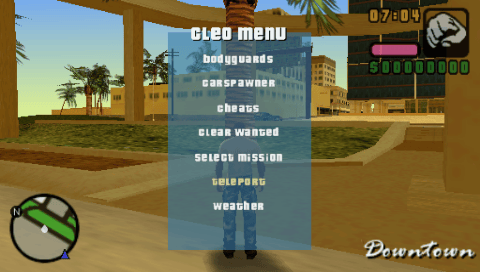
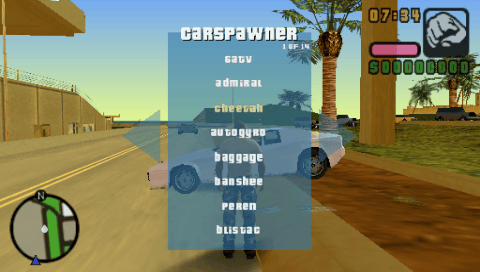
To open the menu on PSP, press [Start], and then [Start] again, and you will see cleo menu.
To install scripts manually, put scripts in %sdcard%/PSP/PLUGINS/cleo/%game% where the %game% is either "lcs" or "vcs".
Plugins
CLEO PSP supports custom plugins (*.prx), if you just want to install CLEO PSP plugin then copy the thing in the same folder you would put *.csa/csi script (%game% folder).
Screenshots
Changelog
2.0.2
- Menu opening behavior is changed, press [start] to open the main menu, press [start] again to open cleo menu, press [circle] to close main menu without opening cleo menu.
- Popup information is hidden, to allow vanilla game experience.
2.0.1
- The library has been ported to PSP, supports both LCS and VCS.
- Added support for plugins.