
HomeMenuEditor3DS
From GameBrew
More actions
| HomeMenuEditor3DS | |
|---|---|
 | |
| General | |
| Author | mrissaoussama |
| Type | PC Utilities |
| Version | 2.0 |
| License | Mixed |
| Last Updated | 2025/01/27 |
| Links | |
| Download | |
| Website | |
| Source | |
HomeMenuEditor3DS is PC tool helps you rearrange your 3DS Home Menu. You can:
- Move titles in the main menu
- Move titles into or out of folders
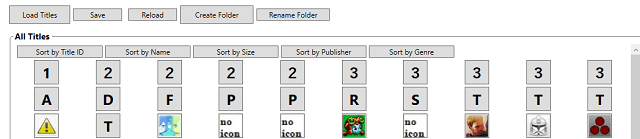
- Create and rename folders
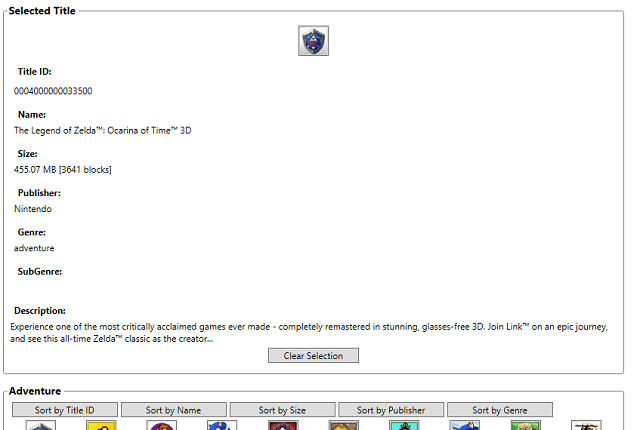
- Sort titles by name, ID, genre, or publisher
Usage
What You Need
- Launcher.dat (from System Save Data)
- Savedata.dat (from Extended Save Data)
Use FBI to copy these files:
- Go to ext save data → Home Menu title ID → copy the Savedata to your SD card.
- Go to system save data → Launcher.dat → copy the file to your SD card.
Optional:
- Use SMDH Dumper HBL Mod to extract SMDH icons from installed titles. Put them in an
icondatafolder. (Some icons are included already.) - Or use the included Python script to extract SMDH icons from decrypted CIA files.
How to Use
- Back up your DAT files first!
- Worst case, your Home Menu layout resets, so keep a safe copy.
- Put both
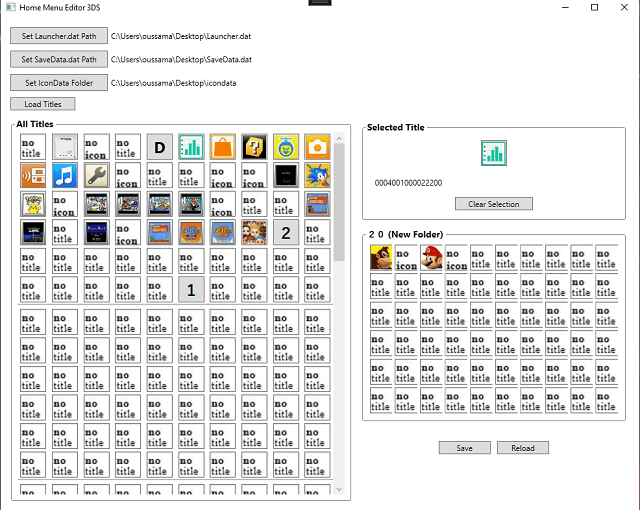
.datfiles (Launcher.dat and Savedata.dat) in the tool’s folder. - Start the tool. You should see your current Home Menu layout.
- Move or Swap Titles:
- Click a title to select it.
- Click another title or an empty slot to swap positions.
- Open Folders:
- Click on a folder to view its contents.
- Swap titles inside the folder the same way.
- Save Your Changes:
- Swapping requires you to hit “Save.”
- Sorting, creating, or renaming folders saves automatically.
- Transfer Files Back to the 3DS:
- Copy the modified
.datfiles back to your SD card using FBI. - Replace the old files in ext save data and system save data with the new ones.
- Copy the modified
- Restart the Console to see your updated layout.
Known Issues & Future Plans
- Some bugs may still exist, including minor visual glitches.
- Plans to:
- Fix bugs
- Add the ability to swap between two folders
- Properly delete folders (feature is partly done)
- Install devkitPro for compiling with Visual Studio/VS Code
- Create a simpler homebrew version with preset sorts/groups and easier file importing/exporting
Screenshots
Changelog
v2.0
- Added reading title data from json/xml database
- Added Title/Folder sorting by Id,Name,Genre or publisher
- Can create or rename folders
v1.0
- First Release.