
Dot for 3.71 PSP
From GameBrew
More actions
| dot for 3.71 | |
|---|---|
 | |
| General | |
| Author | UU-2 |
| Type | Plugins |
| Version | 0.10 |
| License | Mixed |
| Last Updated | 2007/10/29 |
| Links | |
| Download | |
| Website | |
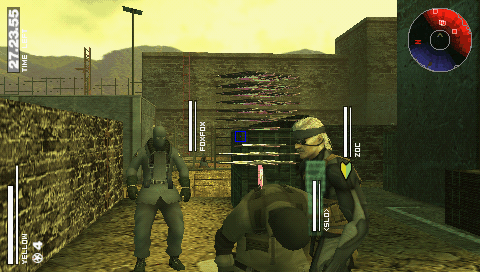
MPO+ aiming plugin developed by UU-2. The plugin is also known as CenterPoint Indicator.
Installation
Copy dot_for_3.71_v0.01.prx into ms0:/seplugins/.
Open the game.txt file in the seplugins folder (create it if it doesn’t exist).
Add the following line: ms0:/seplugins/dot_for_3.71_v0.01.prx 1
Go to Recovery Menu and reset VSH.
When you launch MPO+, the plugin will be ready to use.
User guide
While holding R (i.e., in first-person mode), the aiming reticle will appear in the center, which aligns with the opponent’s head, making headshots easier.
Press L+R+Start to change the design of the reticle.
Screenshots
Compatibility
Designed for 3.71M33.
Also works on:
4.01M33-2
6.60 PROMOD-C2p
External links
- Author's website - http://www.nct-depression-life.ath.cx/