
PSPCOXMANAGER
From GameBrew
More actions
| PSPCOXMANAGER | |
|---|---|
 | |
| General | |
| Author | Dark_Kendox |
| Type | File Browsers |
| Version | 1.2 |
| License | Mixed |
| Last Updated | 2011/10/05 |
| Links | |
| Download | |
| Website | |
This homebrew is a simple file manager with the typical functions for manage files.
Features
- Delete, copy, move, or rename files.
- Create and rename folders.
- View images in PNG format.
- Play your MP3s.
- Connect via USB.
- Run other Homebrews.
- View information about your PSP.
Controls
Analog - Cursor
Cross - Select file/folder
Circle - Go back
L - Go back to the previous folder
Triangle - Context menu
Start - Menu
Screenshots
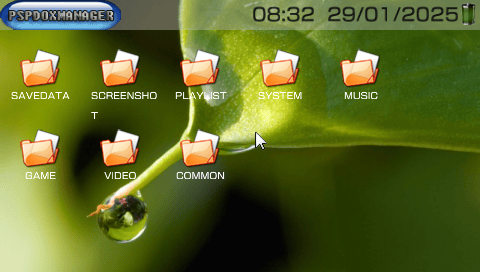
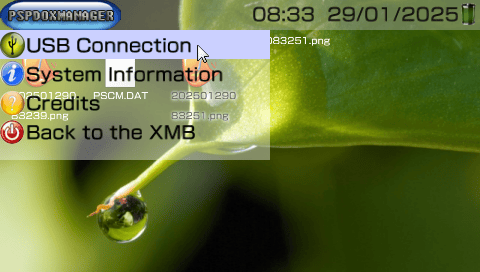
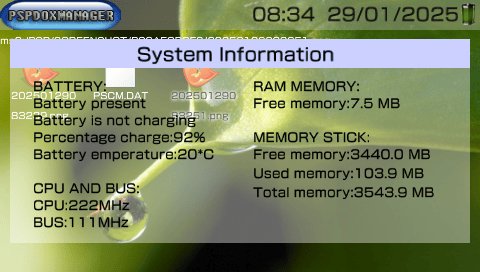
Compatibility
Not compatible with the PSP Go.
Changelog
v1.2
- Fix some bugs.
- Added a text editor.
v1.0
- Manage files and directory.
- Manage zip and rar files.
- Loadexec.
- MP3 Player.
- Image viewer.