
ScreenShotPNG Speedy Plugin PSP
More actions
| ScreenShotPNG Speedy Plugin | |
|---|---|
 | |
| General | |
| Author | Raki |
| Type | Plugins |
| Version | 0.30 |
| License | Mixed |
| Last Updated | 2009/02/23 |
| Links | |
| Download | |
| Website | |
SSPSP is a screenshot capture plugin for GAME/VSH/POPS. Screenshots are saved to ms0:/PICTURE/capture/.
Note: Please use at your own risk.
Installation
Copy the any directory and ScreenShotPNG_Plugin.prx in ms0:/seplugins/.
Modify SSPSP.ini according to your preference.
Add the following line in vsh.txt, game.txt and/or pops.txt
ms0:/seplugins/ScreenShotPNG_Plugin.prx 1
Go to Recovery Menu > Reset VSH.
User guide
Key settings
You can use the following keys:
KEY_UP, KEY_DOWN, KEY_LEFT, KEY_RIGHT
ANALOG_UP, ANALOG_DOWN, ANALOG_LEFT, ANALOG_RIGHT
CIRCLE, CROSS, SQUARE, TRIANGLE
RTRIGGER, LTRIGGER, START, SELECT
VOL_UP, VOL_DOWN, NOTE, SCREEN
If you don’t need a key setting, set it to 0, OFF or NONE.
File name formats
You can use the following placeholders for SSPSP_FILE_NAME:
- Year: %year
- Month: %month[1-2]
- Day: %day[1-2]
- Hour: %hour[1-2]
- Minute: %min[1-2]
- Second: %sec[1-2]
- Number: %num[1-4]
For example:
- "YearMonthDayHourMinuteSecond.png" > "%year%month2%day2%hour2%min2%sec2"
- "capture_serialnumber.png" > "capture_%num4"
Note: The number of digits specifies the minimum digits to use. If not specified, it defaults to one digit. The serial number starts at 0 and will use the smallest available number. If a file with the same name already exists, it will be overwritten, so it's recommended to use the serial number or seconds to avoid conflicts.
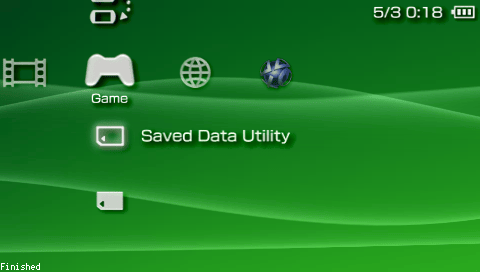
Finish message
Set SSPSP_FINISH_MESSAGE to ON or OFF.
As an experiment, setting it to 2 will make the power LED blink (except when charging).
Controls
Note - Take screenshot (default)
Screenshots
Compatibility
Tested on:
PSP 2000 (5.00M33-6)
PSP 3000 (6.60 PROMOD-C2p)
Not compatible with PSP-1000.
Changelog
ver. 0.30
- Added the ability to specify file names.
- Added an option to show a confirmation message after taking a screenshot.
- Fixed a bug where capturing with the display turned off would cause a freeze.
ver. 0.20
- Fixed a bug where file writing might not occur depending on free space on the memory stick.
- Added error log output and settings.
ver. 0.11
- Added support for CFW 5.00 M33-3.
ver. 0.10
- Initial release.
Credits
ラキ
External links
- Official website - http://utao.dw.land.to/SSPSP.html
- Author's website - https://rakion.blog.shinobi.jp/