
PSPVista
More actions
| PSPVista | |
|---|---|
 | |
| General | |
| Author | Jack (Jack118218) |
| Type | Operating Systems |
| Version | 0.8 |
| License | Mixed |
| Last Updated | 2008/02/23 |
| Links | |
| Download | |
| Website | |
| Source | |
PSP shell that emulates Windows Vista. It has a file browser, an MP3 player, a control panel, as well as some homebrew apps and games.
Installation
Copy the VISTA folder to /PSP/GAME/.
To change the mouse speed, open the souris.txt file and write a number in it; this number will be the mouse speed in pixels (e.g., 3 means the mouse will move 3 pixels at a time).
To change the background, replace the fond.png file.
To modify the username, open the name.txt file. Simply write your name or nickname in it.
Controls
General:
Analog - Move the mouse (or cursor)
Cross - Enter (equivalent to "Enter" key on the keyboard / left-click on the mouse)
Circle - Back (equivalent to "Back" key on the keyboard)
R+L - Take a screenshot
Start - Exit a game or application
Select - Exit 3D window mode (return to desktop)
In a window:
Click the square in the top right corner - Switch to 3D window mode (indicated in the Homebrew)
Explorer / WMPlayer / My Pictures:
R/L - Scroll through the folder and file list
Circle - Go back/previous
Cross - Enter folder, Play music, Open image
Control Panel (user setting):
Circle - Enter a character
Square - Delete the last entered character
Triangle - Toggle between lowercase and uppercase
(To apply changes, please restart PSPvista.)
Screenshots
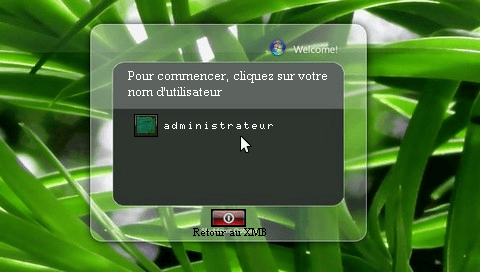
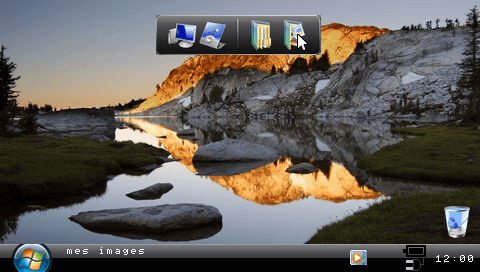
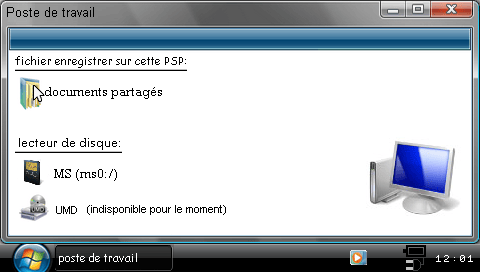
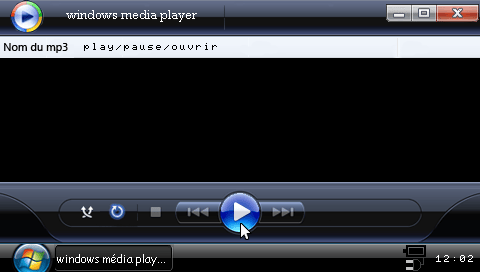
Changelog
v0.8
- Added a Slim-compatible version of the homebrew (less powerful than the Kernel 1.5 version).
- Fixed a bug when taking a screenshot (the R key was also used by MS Explorer -> now R + L is the correct combination).
- Mouse can now also be controlled by the directional buttons.
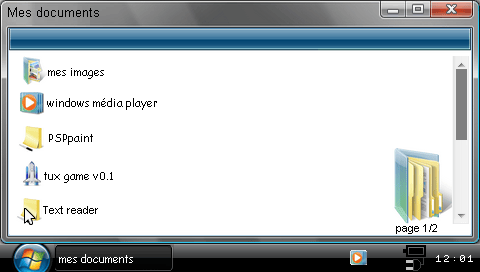
- Fixed a bug when opening page 2 of My Documents.
- The control panel has been redesigned.
- Mouse speed is now adjustable from the control panel (manual adjustments are still possible).
- BIOS improved.
- Username is now editable from the control panel (manual adjustments are still possible).
v0.7
- Fixed a bug that prevented PSPvista from exiting when the battery percentage was below 10%.
- New explanation of commands available from the control panel.
- Screenshot function restored.
- Added Lua program "SERVANT Jérémy" under "My Documents".
- Added Minesweeper by "JEK".
- Fixed a problem with the images for minimizing or closing windows.
- Created 3D windows that are 100% functional and behave like the desktop with more features!
- The homebrew will display "Low Battery" if the battery percentage is below 15%.
- Tutorials were added to explain how to change mouse speed, username, and wallpaper (under docs).
- Created thumbnails (when you hover the mouse over the taskbar when a window is open).
- Previous bugs related to image loading have been fixed.
- The Start menu has been redesigned with hover images (when you pass over an icon).
v0.6
- Created a BIOS (limited configuration options for now).
- Created a "boot" system to log in.
- A sound plays when this "boot" opens.
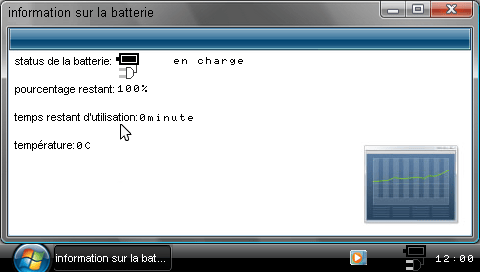
- Created a battery information menu (access by clicking on the battery or charger icon in the taskbar).
- Ability to change the username (see note).
- All session selection images, and opening/closing session graphics, have been redone.
- Full graphic overhaul.
- Created a trash can (purely decorative, non-functional).
- Created a second page for My Documents (empty for now, will be used later when more applications are added).
- Added Text Reader by "mikehaggar99" (available from My Documents).
v0.4/0.5
- Slim compatibility added (only for this version, not for future ones).
- Full recoding.
- The mouse now stays in place (no longer returns to the center of the screen every time).
- Mouse speed is easily adjustable by editing a text file.
- The wallpaper is easily modifiable – just place your background named "fond.png" in the folder: ms0:/PSP/GAME150/VISTA/...
- Minor graphical improvements.
- Created a menu to log out.
- Created "boots" for logging out and quitting PSPvista.
- All boots for opening/closing sessions/PSPvista play sounds.
- When hovering the mouse over a button (like the logout menu), it becomes "pressed".
- Created a MS Explorer.
- Created a "My Computer" section.
- The control panel was revised.
- The homebrew now shows the correct time whether it's winter or summer, regardless of the meridian, as it uses the console's clock.
- The homebrew detects if the PSP is charging and displays an icon.
- The homebrew exits if the battery percentage is below 10%.
- You can now quit Windows Media Player by turning off the music or stopping playback.
- Credits have been updated; feel free to check them out.
- The top menu is now hidden unless you hover the mouse at the top of the screen -> it appears.
- You can now restart the homebrew from the menu to choose how to log out.
- A cursor pack has been created (additional download).
- You can now view your photos from My Pictures or MS Explorer.
- You can now run Lua scripts from MS Explorer.
- You can now quickly exit the homebrew from the control panel.
v0.3.1
- Two new skins that change everything (color of the bar/menu/etc.) (only usable with v0.3 and v0.3.1).
- Fixed a bug that prevented exiting Windows Media Player.
v0.3
- Everything recoded.
- All images redone (still pixelated at the text level).
- Added the time.
- Added a battery indicator.
- Added a control panel.
- Ability to connect/disconnect USB from the control panel.
- EBOOTs changed along with EBOOT images.
- Added a Windows boot animation.
- Ability to exit the homebrew from the Start menu.
- The cursor is now controlled by the analog pad.
- Added information on icons when hovering over them.
- Ability to take screenshots (saved in ms:/PSP/GAME150/vista/my documents/screenshot in PNG format).
- Skins created (only usable with v0.3 and v0.3.1).
- Windows Media Player added (coded by luaacro).
- WMPlayer available from the quick launch bar.
- Games and applications available from My Documents.
v0.2
- Added a cursor.
- Completely redone graphics.
- Added a game.
- Added an application, PSP-Paint.
v0.1 Beta
- Everything.
Credits
- Thanks to luaacro for his help.
- Thanks to basara for some graphics.
- Thanks to Dinacy (xtreamlua) for the 3D windows.
External links
- Author's website - http://upsilon.wifeo.com/ (archived)
- XtreamLua - http://xtreamlua.com/modules.php?name=Forums&file=viewtopic&t=3026 (archived)