
VSH Volume Remap PSP
More actions
| VSH Volume Remap | |
|---|---|
 | |
| General | |
| Author | ArnoldBronson |
| Type | Plugins |
| Version | 1 |
| License | Mixed |
| Last Updated | 2009/10/29 |
| Links | |
| Download | |
| Website | |
This plugin allows you to remap your Volume buttons to Digital Up and Down.
This means that you can change the volume of your PSP by pressing Up or Down. After you have changed your volume, simply remap back and you can use your PSP like normal again.
This is for people who have broken their Volume buttons.
Installation
Copy bpatch.prx to ms0:/seplugins/.
Append vsh.txt with
ms0:/seplugins/bpatch.prx
Enable the plugin in the Recovery Menu and reboot your PSP.
User guide
Hold L+R, then press Home (in that specific order).
Then keep holding the Home button to keep the menu open.
Press L+R to remap the volume buttons.
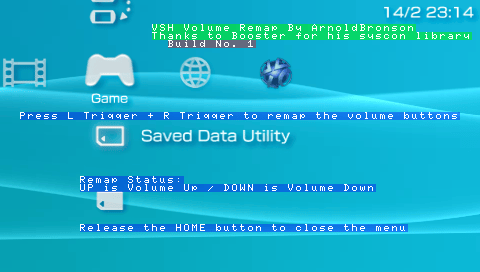
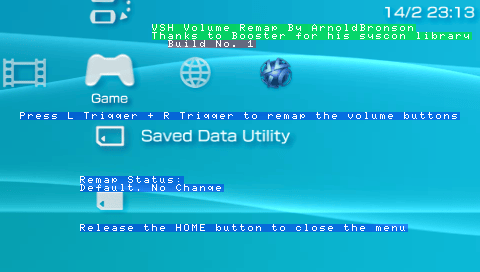
The remap status will be displayed:
- Default: No change (normal setting)
- UP: Volume up (when remapped)
- DOWN: Volume down (when remapped)
Press L+R to toggle between remapped and default settings.
Release the Home button to close the menu.
Screenshots
Compatibility
Works on:
5.00 M33
5.02 GEN
5.50 GEN