
eboot exchange PSP
More actions
| eboot exchange | |
|---|---|
 | |
| General | |
| Author | Takka |
| Type | Utilities |
| Version | 2.8 |
| License | Mixed |
| Last Updated | 2009/12/15 |
| Links | |
| Download | |
| Website | |
This software can extract, backup, and modify the EBOOT.BIN file from ISO/CSO files (similar to UMDGen).
User guide
How to use
Press Start to switch mode. Then choose a file/directory and press Triangle/Square to run.
Triangle:
- Reads EBOOT.BIN from the ISO/CSO file.
- If in backup mode, saves the backup with the .EBT extension (but will not save if not encrypted).
- Decrypts the file; if it's already decrypted, no changes are made. If there is an error, it returns to the main screen.
- If in patch mode, applies a patch similar to EBOOT.BIN Patcher 1.0.
- Writes the modified EBOOT.BIN back to the ISO/CSO, ignoring write-protection attributes.
Square:
- Load the backup file.
- Write the EBOOT.BIN to the ISO/CSO file, but it will not write if the file is not encrypted.
Pressing Select+Triangle/Square will perform file operations on all ISO/CSO files in the same directory.
Notes
- The pspdecrypt.prx file, included in this version, is now required (it is the same as the one included in Game Decrypter v2). There is a 10MB size limit for EBOOT.BIN files.
- There is no error checking.
Controls
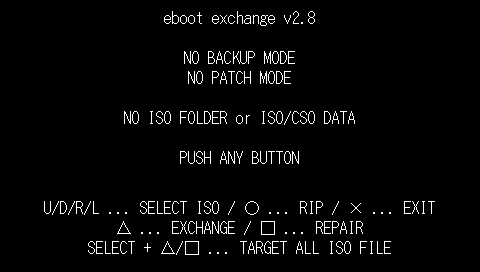
Left/Right or L/R - Select a file
Up/Down - Navigate directories
Triangle - Extract/backup/modify EBOOT.BIN
Square - Repair EBOOT.BIN
Circle - Start the ripping process (save to UMD_ID.ISO under ms0:/iso/)
Start - Switch to backup mode
Select - Switch to ALL mode (Select+Triangle/Square)
Cross - Cancel, Exit
Screenshots
Compatibility
Tested by the author on PSP 2000.
Known issues
The ripping function may cause the console to freeze.
Changelog
v2.8
- Changed the maximum size of EBOOT.BIN to 10MB.
v2.7
- Added ripping functionality.
v2.6+
- Replace with the pspdecrypt.prx included with EDecrypt v1.3 (mc307).
v2.6
- Fixed freeze bug in Ys7.
v2.5β
- Added support for the Undead Knights patch.
v2.4
- Fixed issue where operating on ISO files would corrupt them.
v2.3
- Changed maximum size of EBOOT.BIN from 10MB to 8MB to address memory issues.
- Added support for CSO files.
- Note: Error handling for various cases is incomplete. If the decrypted or compressed file size exceeds the original, normal processing will fail (no error handling or workarounds implemented).
- Changes to file size storage could cause errors if the compressed file size increases after recompression.
- Compression rate differences during repair could cause mismatched binaries.
v2.2
- Fixed issue where backup mode wasn’t enabled.
- Added patches for firmware versions below 5.50 (similar to EBOOT.BIN Patcher 1.0).
- Note: Since the patch is applied to already patched data, results may not be identical.
- Fixed rare issue where EBOOT.BIN couldn’t be recognized.
v2.1
- Introduced and standardized non-backup mode. Note: Existing EBT files will not be deleted, so they must be removed manually.
- Added support for directories other than ISO.
Credits
Special Thanks to Yoshihiro / Jas0nuk / MC707 / BOOSTER / ALL PSP Developer.
External links
- Author's website - http://takka.tfact.net/blog/?p=1059