
BatteryPercentCtrl PSP
From GameBrew
More actions
| BatteryPercentCtrl | |
|---|---|
 | |
| General | |
| Author | hiroi01 |
| Type | Plugins |
| Version | 2012 |
| License | Mixed |
| Last Updated | 2012/06/02 |
| Links | |
| Download | |
| Website | |
BatteryPercentCtrl.prx is a plugin that fakes the battery percentage (display-wise).
Installation
Put batterypercentctrl.prx in the seplugins directory on your PSP Memory Stick.
Open vsh.txt in the same seplugins folder and append this line to the text file
ms0:/seplugins/batterypercentctrl.prx
Enable the plugin in the Recovery Menu.
User guide
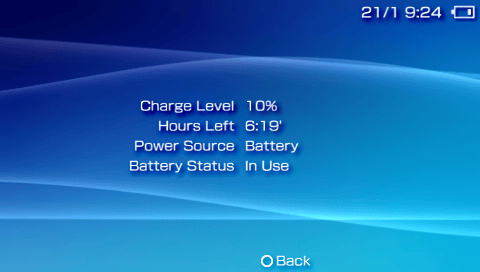
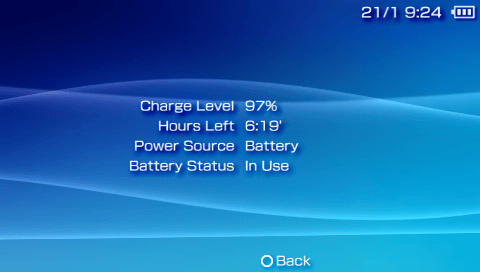
Press L+R+Up to increase the percentage value, and L+R+Down to decrease the percentage value.
You can view the percentage change under System Settings > Battery information.
If you have changed the battery icon in a CTF (Custom Theme Format) or similar, you can use this plugin to easily check all patterns.
Screenshots
Compatibility
Tested on 6.60 PROMOD-C2p.
External links
- Author's website - https://hiroi01.com/