
Coffee Talk Vita
From GameBrew
More actions
| Coffee Talk Vita | |
|---|---|
 | |
| General | |
| Author | PatnosDD |
| Type | Other Games |
| Version | 1.35 |
| License | N/A |
| Last Updated | 2024/04/10 |
| Links | |
| Download | |
| Website | |
| Support Author | |
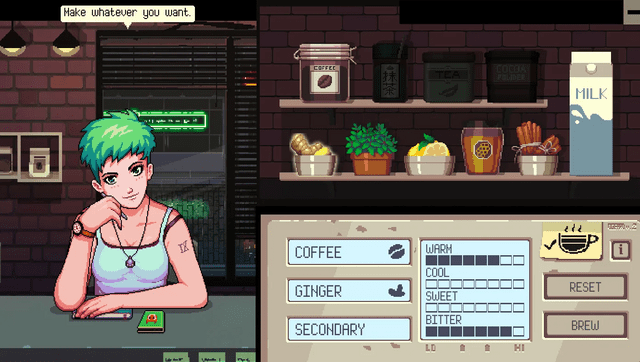
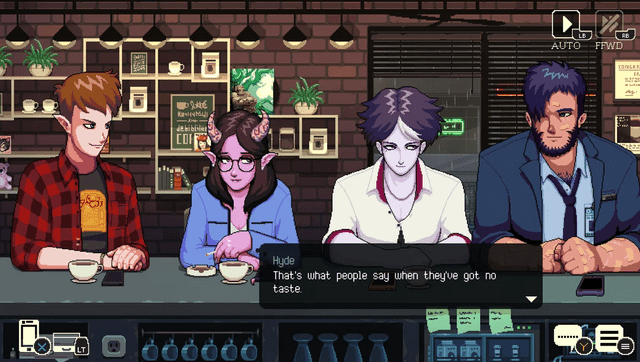
Coffee Talk is a game about listening to people’s problems and helping them by serving up a warm drink out of the ingredients you have in stock. It is a game that depicts lives as humanly as possible, while having a cast that is more than just humans.
Usage
Note:
- You must purchase the game on Steam to make it work.
- Only the Windows version is supported.
- Additionally, you need the ioplus plugin installed.
- Avoid attempting to launch the game without the necessary files, as it will crash.
Install From STEAM Version
- Download coffeetalkvita.7z from here. This file includes two important components:
coffeetalk.vpkandCoffeeTalkvitaSTEAM.zip
.
- Install
coffeetalk.vpkon your Vita and extractCoffeeTalkvitaSTEAM.zipon your computer. - Put the game's folder(
..\steamapps\common\Coffee Talk) inside the extracted folder(Should be Steam version).) - Launch
ApplyPatch.batand wait(Will need from 15 to 25 minutes depending on the system). - Let it finish and there should be a .ZIP file named
coffeetalk.zip. - Open the VitaShell, connect your PS Vita to your PC and copy the contents of the .ZIP file(Not the ZIP file itself, just files inside it) over to
ux0:app/CFTK12345/(Picture Below of how it should look after copying everything). 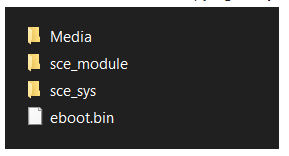
- Launch the game and have fun!
Media
New Vita port : Coffee Talk (PSP Mav)
Screenshots
Known Issues
- Incorrectly displayed Drink elements.
Changelog
v1.35
- First Release.