
Shunyweb Savegames Converter
From GameBrew
More actions
| Shunyweb Savegames Converter | |
|---|---|
| File:Shunywebsave.png | |
| General | |
| Author | Shunyweb |
| Type | PC Utility |
| Version | 2.0 Final |
| License | Mixed |
| Last Updated | 2019/05/28 |
| Links | |
| Download | |
| Website | |

A web-based NDS Save Game Converter.
Features
- Action Replay DS (*.dss, *.duc).
- DS Linker (*.sav).
- DS-Xtreme (*.sav).
- EZFlash IV (*.sav).
- G6 (.0).
- M3 (*.dat).
- M3 Simply/R4 (*.sav).
- Ninjapass (*.sav).
- Supercard (*.sav).
User guide
Note: Please backup your savedatas before using the converter.
From GameFAQ/Flashcart/No$gba to Emulator/FlashCart
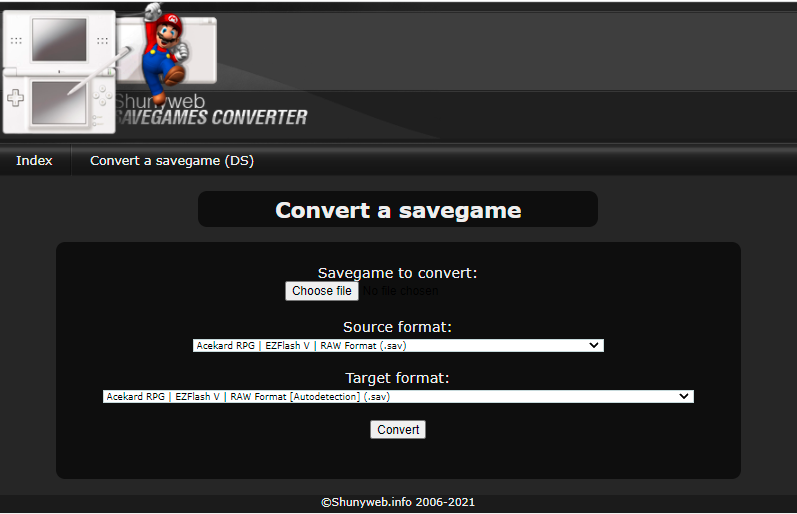
- From the Savegame to convert section, click Browse..., find the save file you want to convert.
- Then select the format of the file you selected above. For example, if you are converting a file from GameFAQs then most likely you will select Action Replay Max DS (.duc/.dss).
- In the Target format section, select the format that you require to use on your Emulator/FlashCart, such as No$gba (.sav) files or M3 Simply/SuperCard FlashCart (.sav) files.
- For DeSmuME use the Acekard RPG|EZ Flash V|RAW Format (Autodection) [.sav] format (more below).
From No$gba to DeSmuME
- Go to File -> Import Backup Memory.
- Look for your No$gba .sav file, which is inside the BATTERY folder. Select it.
- Import, and load ROM as per normal.
From any other savefile to DeSmuME
- Convert the file using the correct Source format. Select Acekard RPG|EZ Flash V|RAW Format (Autodection) [.sav] as the Target format.
- On DeSmuME go to File -> Import Backup Memory. Select the save file you've just converted.
- Load in-game save as per normal.
From DeSmuME to Flashcart's savefile
- Go to File -> Export Backup Memory on DeSmuME. This will produce a Raw Format save file
- Go to the Shunyweb Converter. Use Acekard RPG|EZ Flash V|RAW Format (Autodection) [.sav] as the Source format.
- Target format is the format the flashcart uses as usual.
Screenshots
External links
- Official website - http://www.shunyweb.info/index.php