
PSV MIDI Player Vita
More actions
| PSV MIDI Player | |
|---|---|
 | |
| General | |
| Author | snkilc |
| Type | Media Players |
| Version | 1.0 |
| License | N/A |
| Last Updated | 2026/03/27 |
| Links | |
| Download | |
| Website | |
PSV MIDI Player is a homebrew music application for the PlayStation Vita that plays MIDI files using the FluidSynth audio synthesis engine. It is the developer's first homebrew release for the platform.
Description
PSV MIDI Player is a dedicated MIDI player built natively around the FluidSynth engine. It supports SF2 SoundFont files, which are loaded into RAM before playback begins. The user interface is minimal and text-based. The app plays MIDI files in sequence automatically once a file is selected.
The developer used the FluidR3_GM.sf2 SoundFont (141 MB) as the primary benchmark throughout development, noting that it sounds fantastic on the handheld. Due to the PS Vita's limited RAM, very large SoundFont files beyond this size have not been tested.
Features
- Native FluidSynth-based MIDI playback
- SF2 SoundFont file support
- Directory browsing for MIDI file navigation
- Automatic sequential MIDI file playback
- Adjustable FluidSynth gain (volume) control
- Battery saver mode: screen turns off automatically after 1 minute of no button input during playback
How to Use
- Load SoundFont — Select and load your
.sf2file. The SoundFont is mapped entirely into RAM. - Browse MIDI files — Use the D-Pad to navigate directories and select a MIDI file.
- Playback — The player will automatically play files in sequence.
- Adjust Volume/Gain — Hold the R Trigger and press Left or Right on the D-Pad to adjust the FluidSynth gain level. The developer recommends a gain value of 0.4; setting it too high may cause audio clipping or distortion.
- Battery Saver — If no buttons are pressed for 1 minute during playback, the screen will turn off automatically.
Controls
| Button | Function |
|---|---|
| D-Pad | Navigate directories and select files |
| R Trigger + D-Pad Left/Right | Adjust FluidSynth gain (volume) |
Screenshots
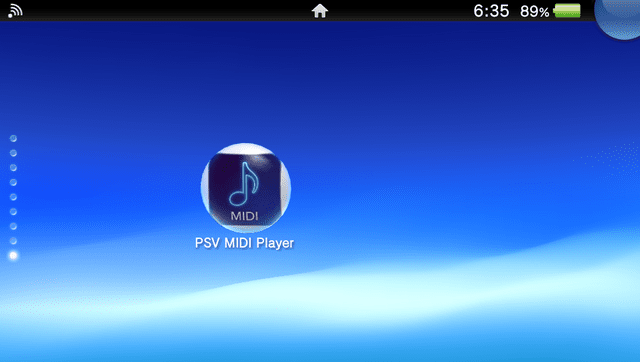
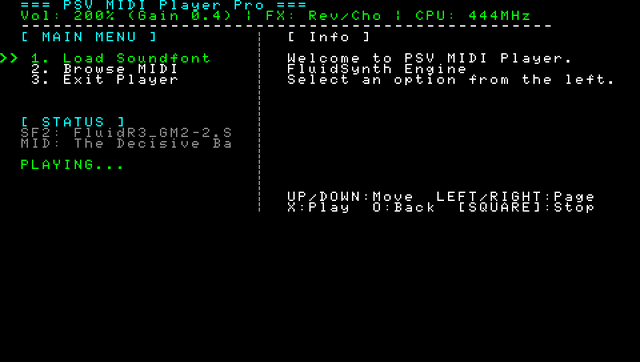
Changelog
v1.0
- First Release.