
pk3DS
More actions
| pk3DS | |
|---|---|
 | |
| General | |
| Author | kwsch |
| Type | Hack Utilities |
| Version | 2026 |
| License | GPL-3.0 |
| Last Updated | 2026/02/28 |
| Links | |
| Download | |
| Website | |
| Source | |
pk3DS is a ROM editor and randomizer for all 3DS Pokémon games. It was created using C# and provides a variety of editing and randomization tools developed by a large group of contributors. The primary focus of pk3DS is its randomizer, which allows users to have a fresh and unique experience in Pokémon games.
The supported games include Pokémon X/Y and Pokémon Omega Ruby/Alpha Sapphire (XY/ORAS).
Features
pk3DS includes a wide variety of randomizers and editors:
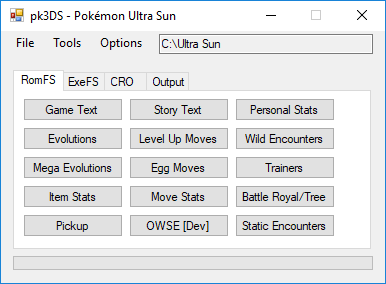
- Trainer Battles - Randomize Pokémon, Items, Moves, Abilities, Difficulty, and Classes
- Wild Encounters - Randomize Species, Level, with Gen/Legend Specific options (ORAS DexNav compatible)
- Personal Data - Randomize Pokémon Types, Stats, Abilities, and TM Learnsets
- Move Randomizer - Randomize Type and Damage Category
- Move Learnset - Randomize Level Up and Egg Moves
- Evolutions - Randomize evolution methods and targets
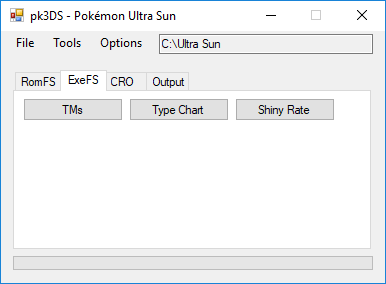
- TM Moves - Randomize which moves are assigned to TMs
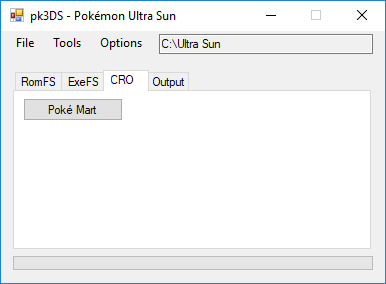
- Special Mart Inventory - Randomize items available in special marts
The editor is divided into three main tool categories:
- RomFS Editing Tools - For editing ROM filesystem data
- ExeFS Editing Tools - For editing executable filesystem data
- CRO Editing Tools - For editing CRO module data
Installation
- Download the pk3DS editor zip file from the Project Pokémon forum page.
- Dump the ROM from the 3DS Pokémon game of your choosing.
- Place the files in the same folder.
- Run the pk3DS.exe file.
Once the executable is open, you can begin editing and randomizing all the attributes and characteristics of the game.
Screenshots
Compatibility
pk3DS supports the following 3DS Pokémon games:
- Pokémon X
- Pokémon Y
- Pokémon Omega Ruby
- Pokémon Alpha Sapphire
Known issues
For bugs or errors, visit the forum page or the GitHub issues page to report and discuss issues with the community and contributors.
Credits
- kwsch - Main developer
- sora10pls
- evandixon
- SciresM
- Draydrew
- haggys22
- tom-overton
- MightyBirdy
- CaptainSwag101
- SecretiveCactus
- FrankS-2024
- ArDee20p
- zmarotrix
- egzn
- And 2 additional contributors.
External links
- GitHub - https://github.com/kwsch/pk3DS
- Project Pokémon Forums - https://projectpokemon.org/home/forums/topic/34377-pk3ds-pok%C3%A9mon-3ds-rom-editor-and-randomizer/