
Cat Quest Vita
More actions
| Cat Quest Vita | |
|---|---|
 | |
| General | |
| Author | PatnosD |
| Type | Role Playing |
| Version | 1.0 |
| License | N/A |
| Last Updated | 2025/08/15 |
| Links | |
| Download | |
| Website | |
| Support Author | |
Cat Quest is an open world RPG set in the pawsome world of cats!
Leap into a grand adventure in purrsuit of the evil Drakoth and your catnapped sister! Explore Felingard's huge overworld map, risk life and limb delving into dungeons for epic loot, and lend a paw to a furry cast of characters in a flurry of side quests.
IMPORTANT: You must own Cat Quest on Steam to use this patch!
PS VITA Set up
In order to have the best possible experience, I recommend you to use following plugin(s) (that you should be able to find somewhere on the net) :
- ioplus.skprx + Full CPU Overclock (500Mhz)
Instructions
Prerequisites
- Install the Cat Quest
.VPKusing VitaShell or download it straight from VitaDB on your PS Vita.
Do not attempt to launch the game yet, as it will crash without the required files.
- Ensure you have purchased and downloaded the game from Steam;
- Overclocking is necessary to run the game properly.
STEAM VERSION
- Visit the Releases page of this repository and download
CatQuestVitaSteam.zip. - Extract the downloaded zip to a folder on your PC.
- Copy the Steam game folder into the extracted folder.
Note: Your CatQuestVitaSteam folder should look like this:
└── CatQuestVitaSteam/
    ├── Cat Quest/  <- ../steamapps/common/Cat Quest
    ├── vcdiff/
    ├── APPLYPATCH.bat
    ├── deterministic.exe
    └── xdelta3-x.x.x-x86_64.exe
Run APPLYPATCH.bat and wait for the process to complete (this can take 15–25 minutes depending on your system).
Once completed, you will see a file named CatQuestVita.zip.
Using VitaShell, connect your PS Vita to your PC and copy the extracted contents of CatQuestVita.zip (zip file should be around 40-50MB) to ux0:app/CATS11111/. Note: Your CATS11111 folder on your Vita should look like this:
└── CATS11111/
    ├── Media/
    ├── sce_module/
    ├── sce_sys/
    └── eboot.bin
if you encounter any issues take a look at the Troubleshooting section Launch the game and enjoy!
Known Issues
- Lower FPS throughout the gameplay(20-30fps)
- Some language fonts are currently not supported
Media
Cat Quest - Official Launch Trailer - iOS, Steam (The Gentlebros)
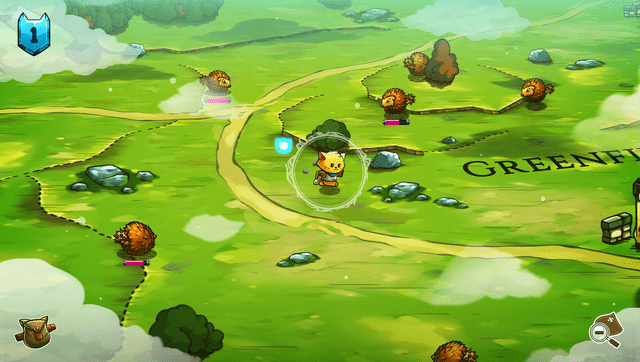
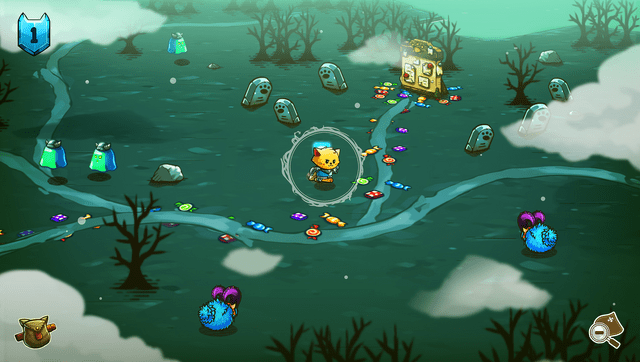
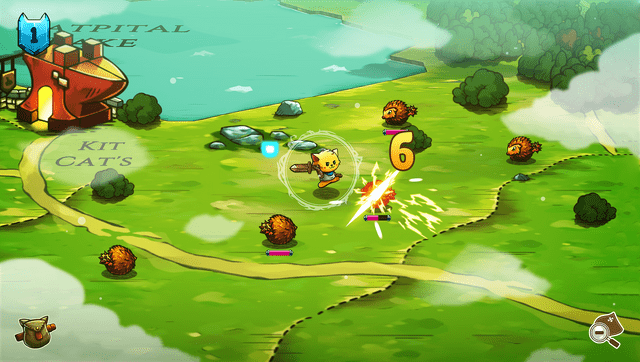
Screenshots
Troubleshooting
- Ensure that your PS Vita is properly overclocked.
- Verify that you have the correct game version (Steam) and have followed the steps for your version.
- If
ux0:appdoes not appear in File Explorer, make sure you have visibility of hidden directories enabled.
Donation
If you want to support the project, you can leave a tip on one of those websites:
- Ko-Fi: https://ko-fi.com/patnosd
- Patreon: https://www.patreon.com/PatnosD
- PayPal: https://paypal.me/DPatnosD
- Afdian: https://afdian.com/a/PatnosD
Changelog
v1.0
- First Release.